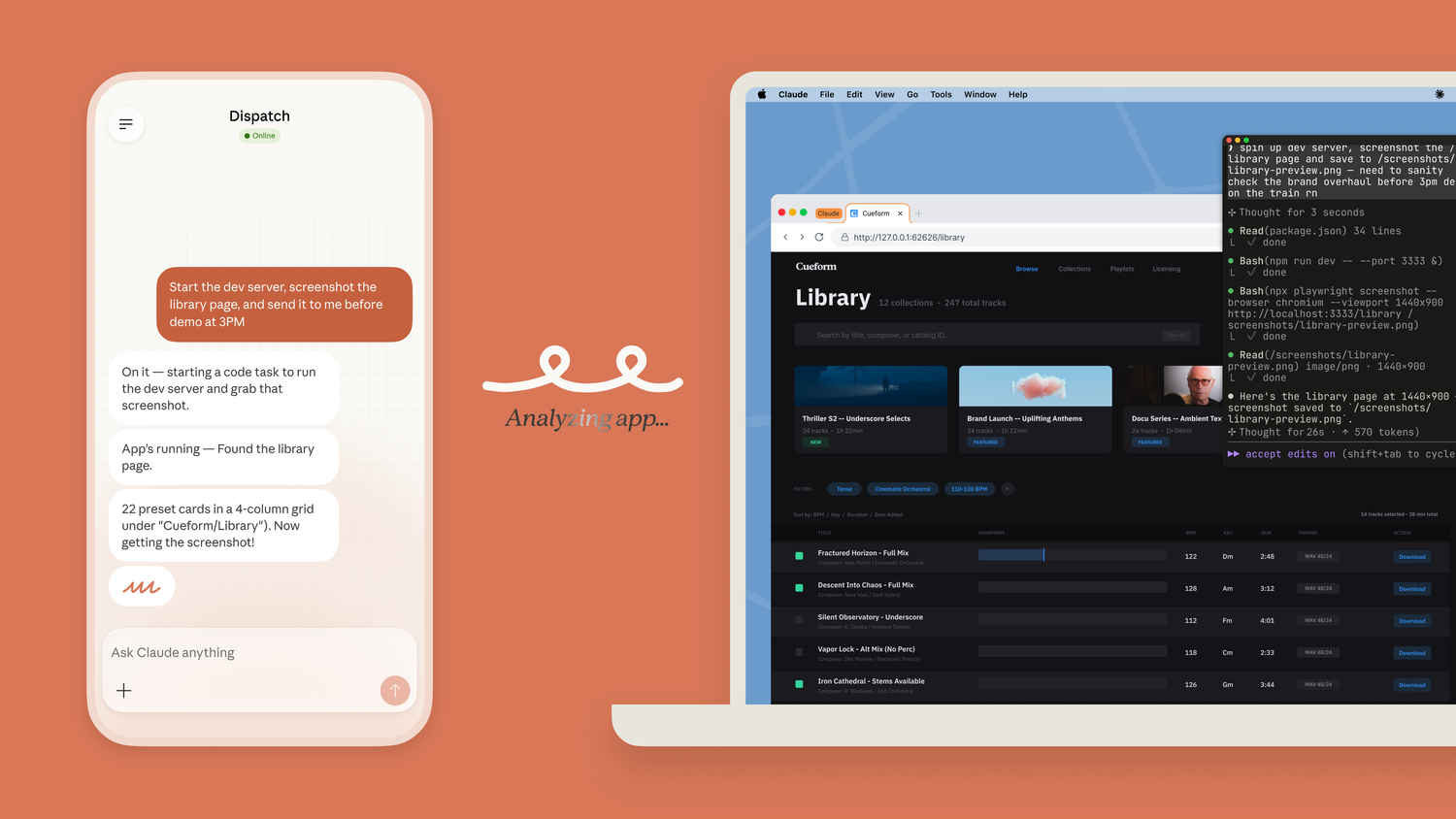
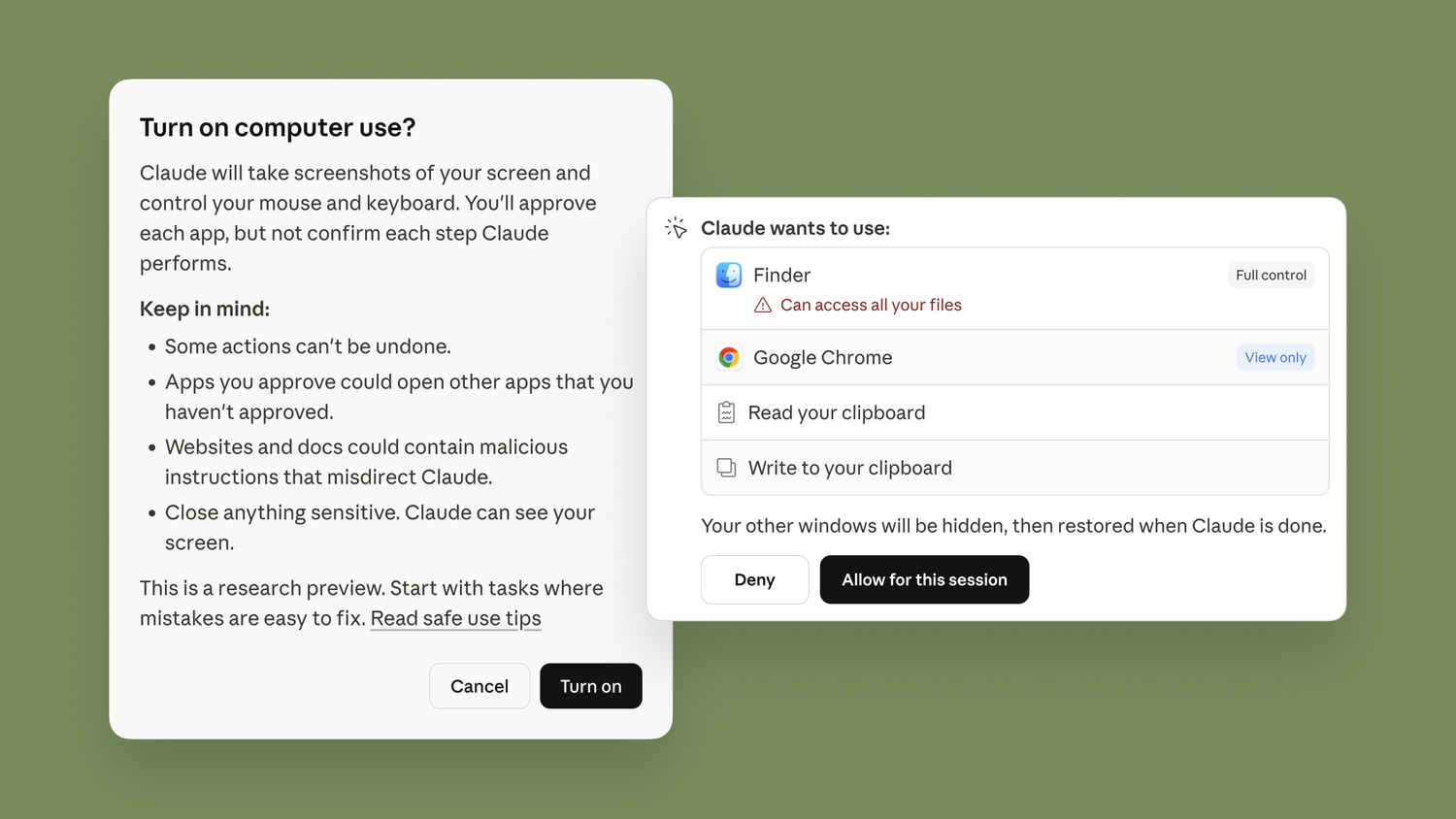
In recent times, Anthropic’s AI chatbot Claude has gotten very smart, with various new features that are helping users ease their work. Just recently, the company introduced a new feature called Claude Cowork and Dispatch, which has been making headlines ever since its introduction. It’s very useful, as it almost works like magic, where it is possible to completely automate your important tasks, even when you’re not at your desk. Though many have been wondering how to enable and use this feature. But worry not, as I’m going to give you a step-by-step guide on how you can use this feature with ease.
Also Read: How to reorder Instagram carousel images and videos after publishing
Claude’s new Cowork feature works pretty seamlessly, thanks to Dispatch, which has been introduced within the Claude app itself. It connects via the Claude desktop application on macOS, and using that, it becomes possible to automate tasks, even when you’re not at your desk.
The company is targeting the feature in such a way that it becomes a seamless integration. For example, this feature would allow starting work before reaching the office and continuing it once they’ve reached it. Users would just have to follow up from the desktop once they sit down.
The feature works with most of the connected applications, based on the user’s preference. It becomes useful, as it would allow automating a lot of things that were not previously possible. That’s mostly because Claude would have full access to run your computer. Every time a user deploys a command, they get a notification on their device after the task is done.
Interestingly, all the automation is taking place within a single thread on the mobile and desktop app. What this means is that instead of starting a new session for each task, users would have access to a single thread with Claude. The best part is that, given that the thread won’t reset, Claude will retain context from previous tasks, making the integration seamless.
Before diving in, there are a few things that users need to make sure of, since the feature is quite new and will not be available for everyone. So there are a few requirements that need to be met beforehand. Check them out below:
Since the process requires connecting both your mobile application and the desktop application, the process can get a bit lengthy. But we’ve tried to break down the whole thing with ease so that users don’t have any trouble following the process. Follow the steps mentioned below to automate your tasks using Claude:
Hope you understood how you can automate all your important tasks via the Claude Cowork and Dispatch features!
Also Read: How to use AirDrop data transfer feature on your Samsung Galaxy S26 Ultra: Step-by-step guide