Black and White photos are becoming popular again on Instagram for their simple and emotional look.
You can create these images easily using AI tools by uploading a photo and adding a prompt.
The article gives easy prompts you can use to make trendy and creative black-and-white pictures.
Black and white photos are making a strong comeback on Instagram. Though these images lack colour, they are rich in emotion. Without bright tones, the focus shifts to feeling, light, and small details we often miss. This viral trend turns even simple moments into something meaningful and still. The aesthetic feels soft, honest, and gently nostalgic. You may find yourself connecting to these images in a quiet, unexplainable way; that is their charm. If you have wanted to try this style but did not know where to start, then this article is your holy grail, as in this article I’ll guide you on how to make the Instagram viral black and white portrait images.
How to make viral Black and White images for Instagram
You can easily create Black and White images that are going viral on Instagram by following these simple steps:
1. Open a web browser on your device and go to Google Gemini, or open the Gemini app.
2. Press the + (Plus) icon and select Upload files.
3. Choose the image you want to upload as a reference.
4. Type a prompt and hit Submit. Alternatively, you can also use a prompt below.
The AI tool will now take a few minutes to generate the requested picture. If not satisfied with the output, then you can also ask the AI tool to make changes. Download the final image once you are happy and post it on Instagram.
Also read: Samsung Galaxy S25 Ultra gets huge price cut on Amazon: Should you buy it?
Prompts to generate viral Black and White images for Instagram
Here are some of the prompts you can use to generate the viral Instagram Black and White images. Feel free to edit the images to your likings.
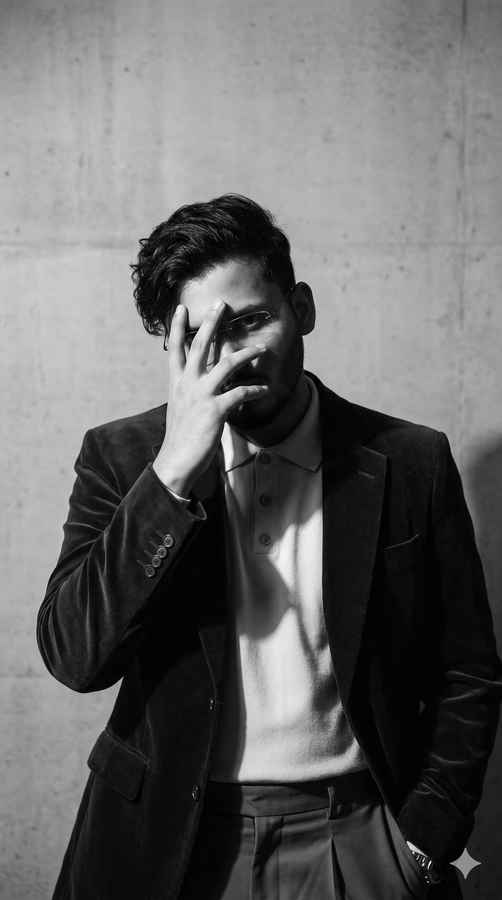
1. Mysterious shadow portrait
A hyper-realistic and minimalist black-and-white portrait of a man (baser partially covering his face the uploaded reference), hand. The expression is intense and mysterious. Dramatic lighting creates strong shadows with Photorealistic cinematic vertical portrait (9:16).
Also read: Samsung Galaxy S26 FE launch sooner than expected? Here’s what we know
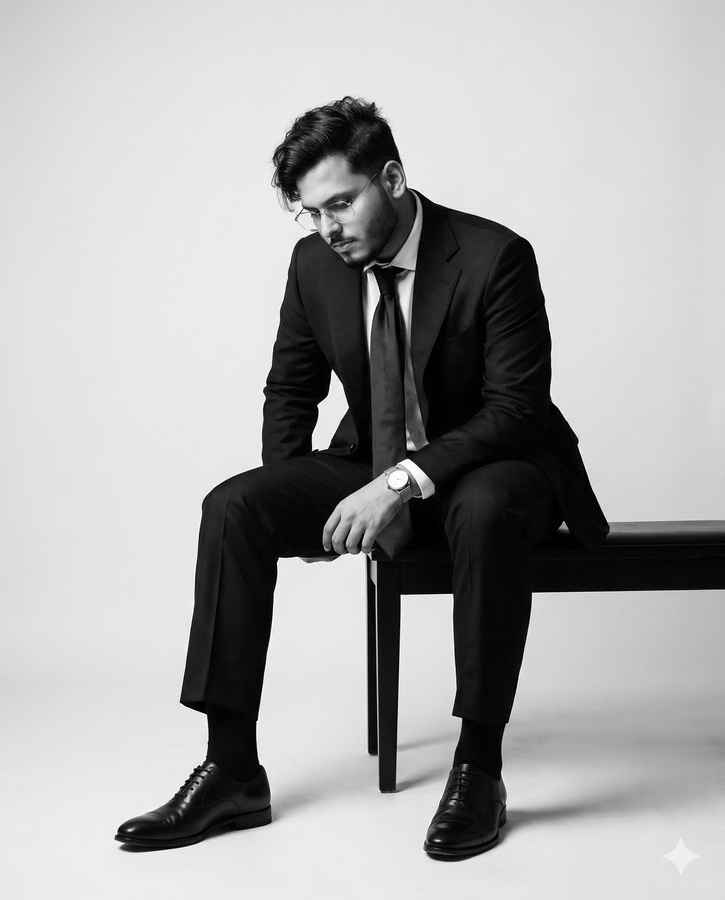
2. Elegant editorial pose
Black and white artistic portrait of a man, with a fashionable model dressed in a sophisticated suit, black socks and shoes. He is sitting with a slightly hunched posture, looking down as if lost in thought. His facial features are the same as the original photo, like her hairstyle. It features minimalist accessories that highlight the elegant and editorial tone. The studio’s clean lighting enhances textures and depth, creating an elegant, couture feel. Use the uploaded picture as reference for the face. Aspect ration: 4:5 vertical.
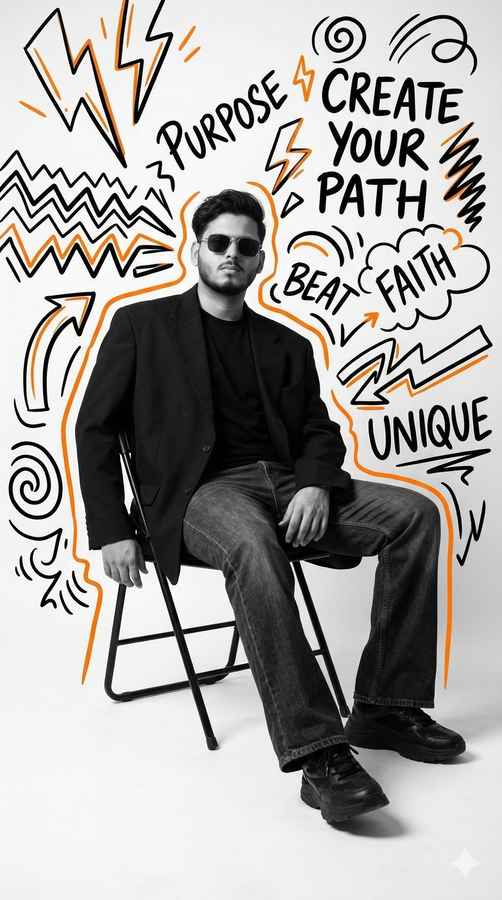
3. Urban creative studio shot
Ultra-realistic black and white studio portrait, vertical 9:16. (Use the uploaded picture as reference for the face). He is sitting on a simple folding chair, wearing an oversized black blazer, black t-shirt, flared jeans, and chunky sneakers. The pose is relaxed, with legs slightly stretched forward, one hand resting casually on the chair, wearing sunglasses, and a confident expression. The background is a plain white studio with soft studio lighting, subtle shadows falling to the right on the floor. Surrounding the subject are black, white, and orange doodle araffiti illustrations: lightning, zigzag lines, swirls, arrows, and motivational words: “PURPOSE”. “CREATE YOUR PATH”, “FAITH”, “BEAT”, “UNIQUE”. High-contrast design. The subiect is cleanly monochrome with bright doodle highlights.
Also read: Seeing a flicker on your Pixel 10 Pro? You are not alone, here is what we know
Viral Instagram photo generated!
I hope the prompts mentioned above helped you generate Instagram-worthy black-and-white images. You can also customise these prompts to suit your preferences or create your own, using them as inspiration. If you’re looking to create more such posts, you can check out our article on the best prompts to convert photos into a Polaroid-style image using Gemini.