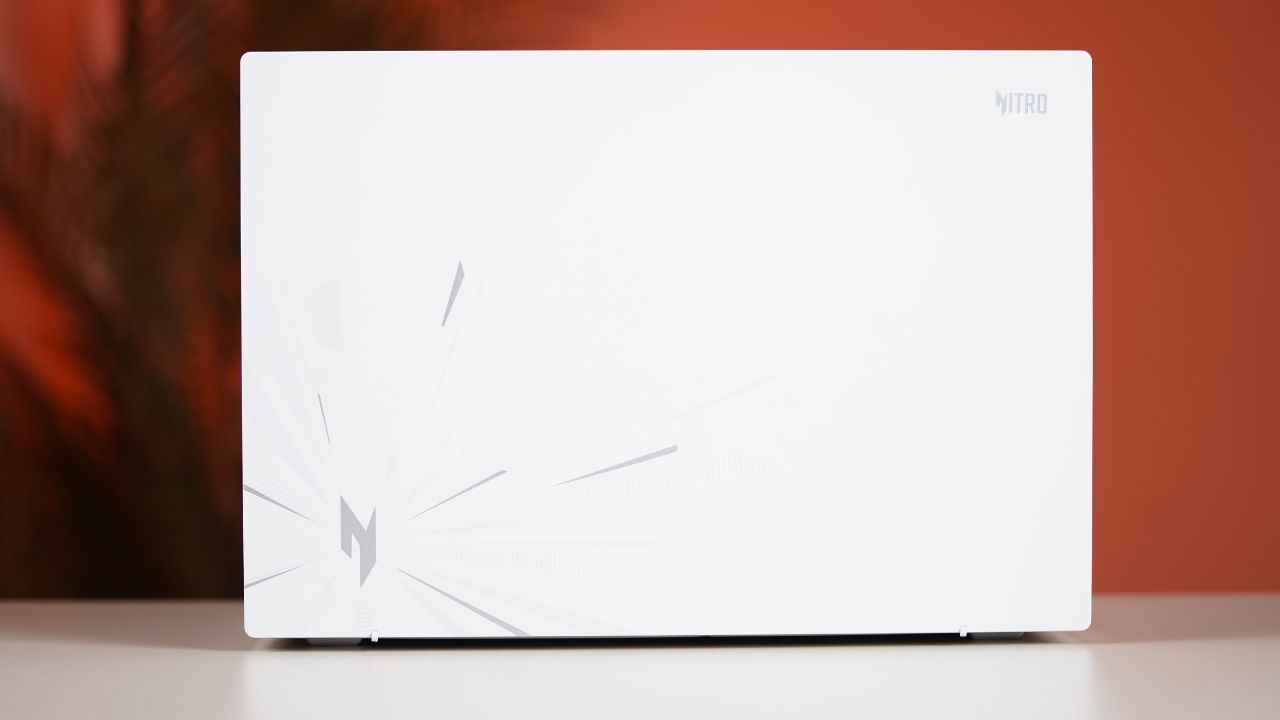
Every now and then, there is a laptop that makes me say ‘wow’ the moment I unbox it. The Acer Nitro Lite 16 is exactly that kind of device. The moment I lifted it out of the box, the clean white finish immediately stood out. It looks sharp, modern and genuinely different from the usual laptops you come across. The subtle grey branding and detailing on the lid add just the right amount of attitude and drama. It instantly tells you who this machine is made for. It fits gamers who want performance without the bulky gamer look, and it also fits creators who want their gear to reflect the same sharpness and edge they aim for in their videos.
The laptop is priced under Rs 1 lakh, which already gives it an advantage when you compare it with other gaming rigs that easily cross that mark. So, if you are a gamer, a content creator or someone who falls right in the middle, keep reading. Here is how the Acer Nitro Lite 16 fares in the real world.
Before we delve deep in the review, here is a quick look at the key specs of the laptop.
The design feels futuristic from the moment you lift the lid. The top right corner has a bold Nitro logo in silver, and the bottom left carries the familiar Acer branding. Once you open it, the white metallic finish immediately gives the chassis a premium feel. You also spot the Nitro logo on the right edge of the deck, neatly aligned with the touchpad. There is some flex on the lid if you press down hard. It is not a dealbreaker in this price bracket, but still worth noting.
The hinge feels sturdy and opens smoothly. There is a little wobble, but nothing out of the ordinary. The 16-inch display gives you enough room for multitasking, and the textured frame around it adds character. The bezels are almost non-existent, and that helps with immersion whether you are gaming, editing or watching content.
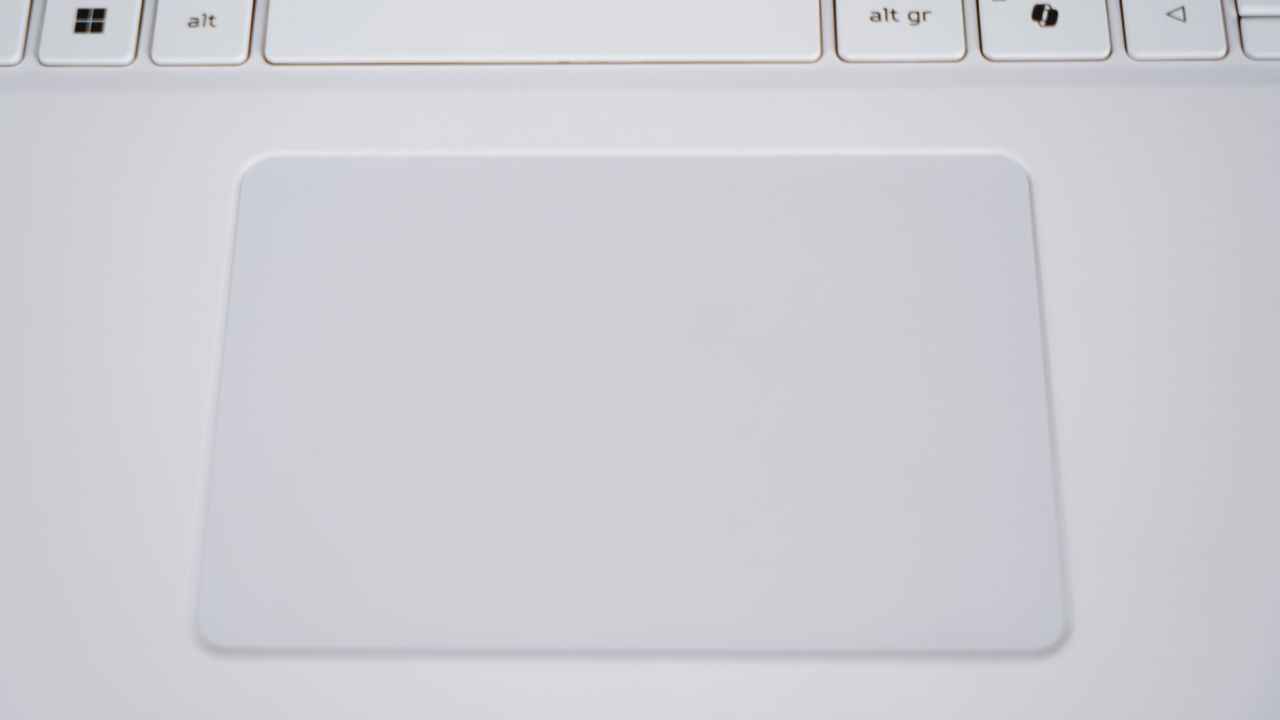
The touchpad is medium in size but responsive enough for daily use. The clicks register easily. Most gamers and creators will use a mouse, so the size is not an issue. About the keyboard, we will talk more in a bit.
Moving to the display itself, the slim bezels draw you in. This is an IPS panel, and it is bright enough indoors. I never felt the need to push it beyond 70% brightness. The 165 Hz refresh rate is ideal for most story mode games I love playing. The viewing angles are excellent, and the 99.2% sRGB coverage beats what many other laptops offer in this segment.
Peak brightness also sits at 300 nits, which means sunlight visibility is not its strength. However, colour accuracy could have been slightly better. Our testing gave an average Delta E of 5, which is higher than ideal, but you will not notice any major colour issues with the naked eye. Overall, the display is sharp, clear, non-reflective and perfectly suited for indoor use. I enjoyed watching content, gaming, and even editing a couple of graphics on it.
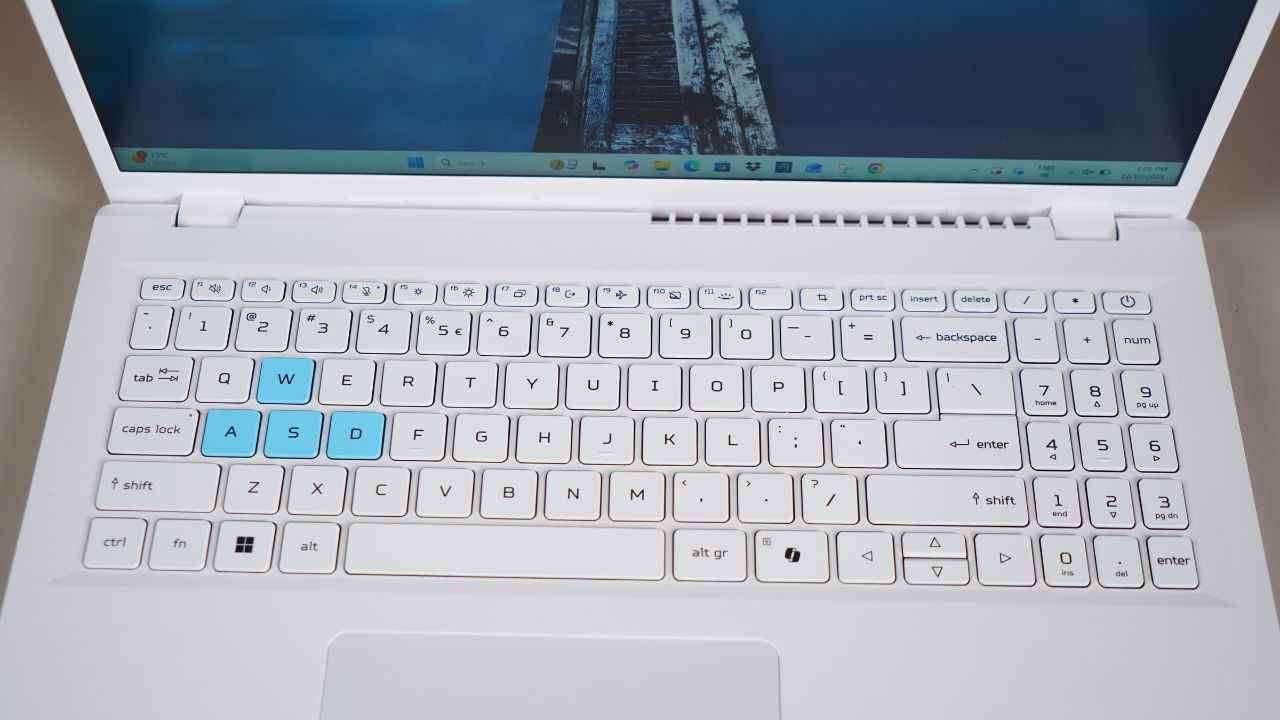
The keyboard is spacious with well-sized keys that offer a satisfying tactile feel. The font has a gamer vibe, and the WASD keys are highlighted in a beautiful blue shade, which instantly signals their purpose. There is also a dedicated Copilot key that launches Microsoft’s AI assistant in an instant. Backlighting helps a lot during late-night sessions, whether you are working or gaming.
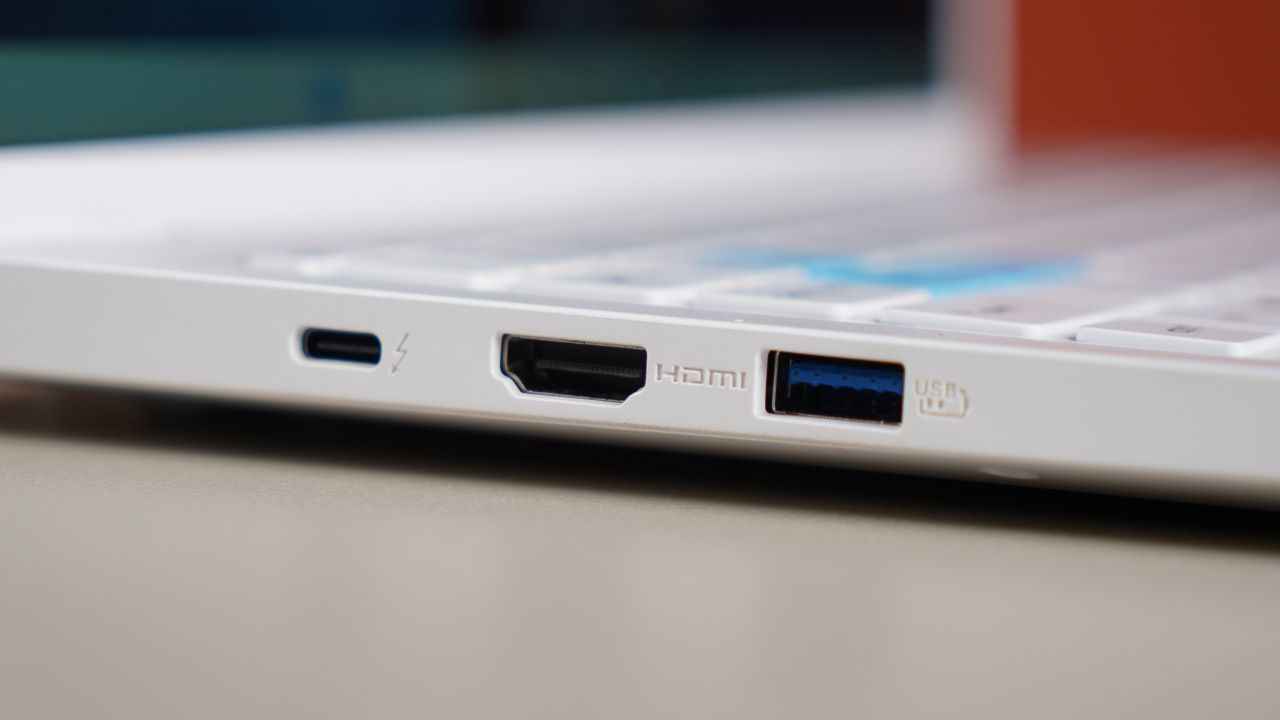
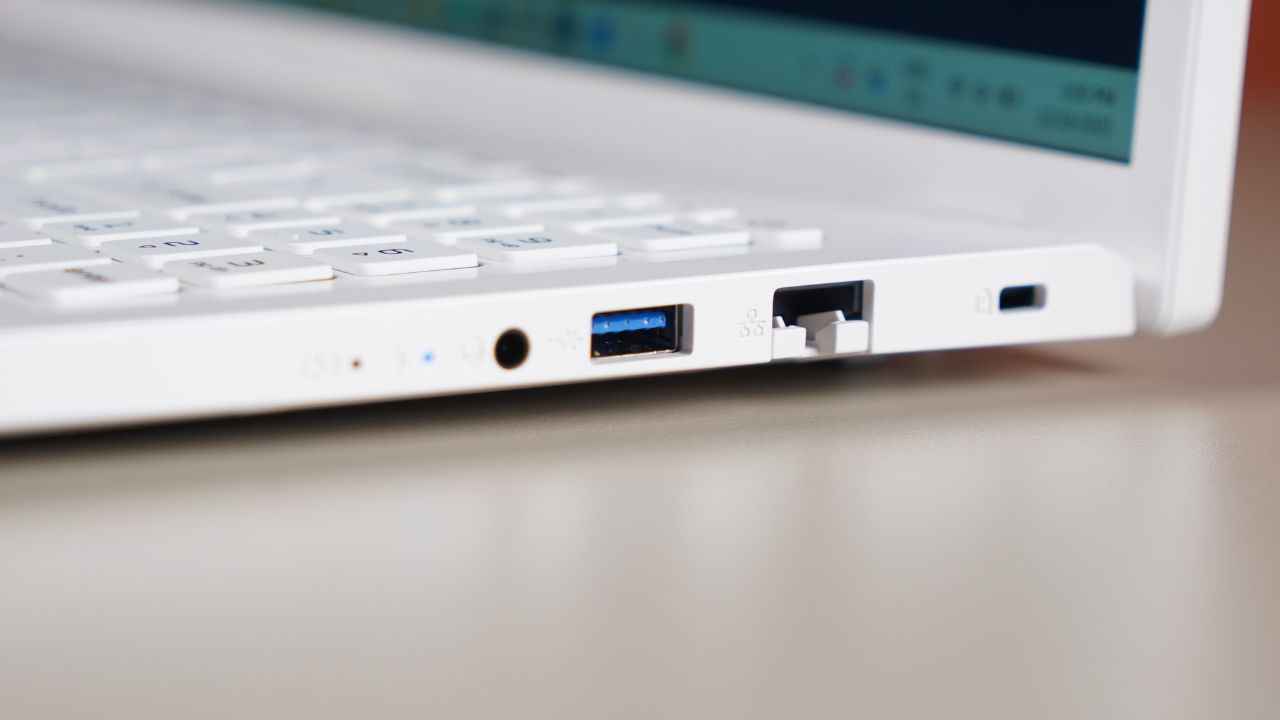
Connectivity is where the laptop could have done slightly better. There is only one USB Type C port, which means when the laptop is charging, you do not have another Type C available.
However, you do get two USB Type A ports, a full-size Ethernet port, which is a great addition, an HDMI output and a 3.5 mm headphone jack.
In day-to-day use, the Acer Nitro Lite 16 was dependable and fast. Apps opened quickly, switching between Chrome tabs, a few documents and Lightroom felt effortless, and the laptop managed these tasks without any lag or stutter. Even when I started pushing it with heavier workloads, the performance remained steady. The Intel Core i7 and NVIDIA GPU combination shows its strength when you shift from casual workloads to creator tasks or gaming sessions.
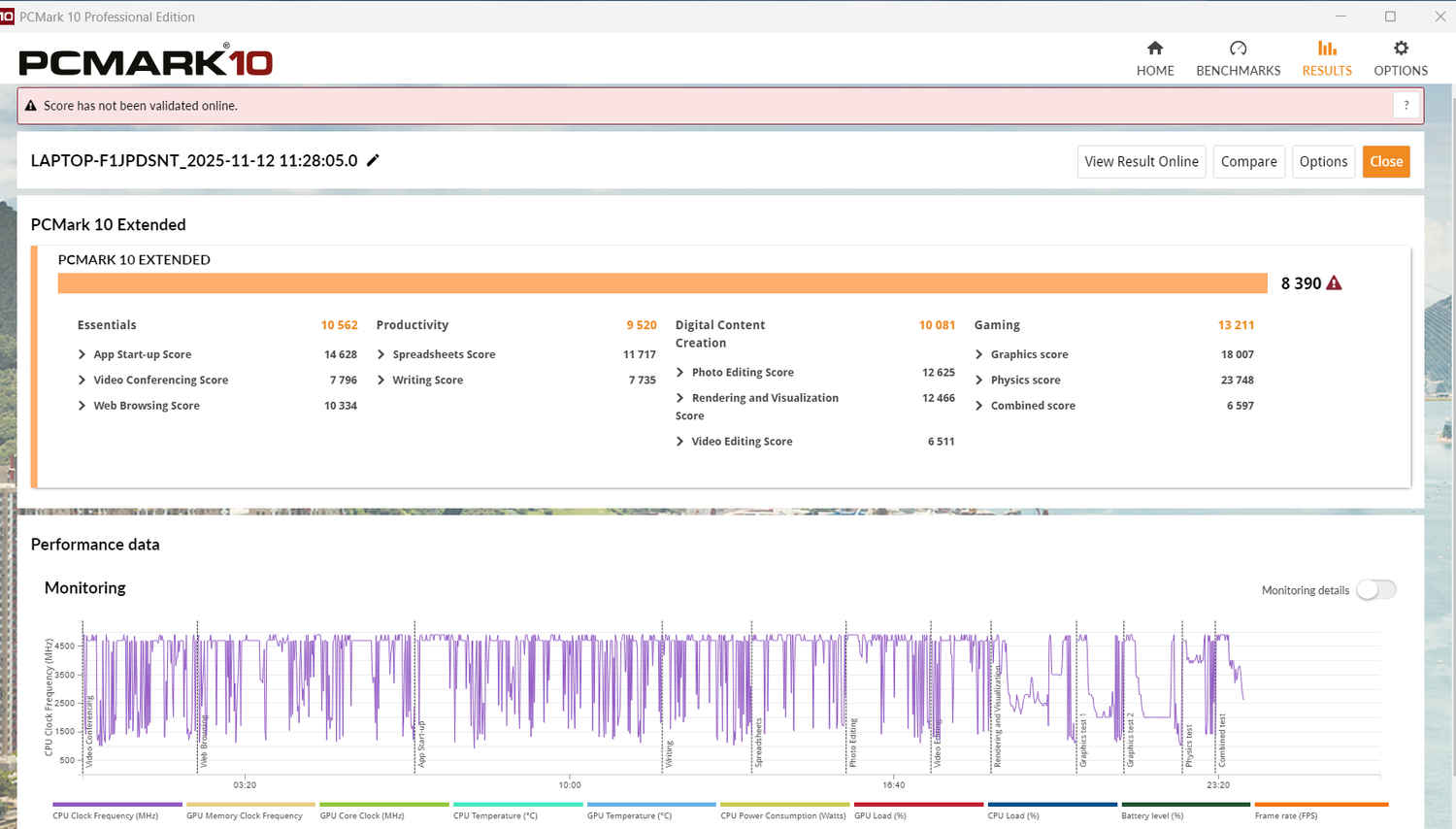
Benchmark numbers back this up. On the PCMark benchmark test, the Nitro Lite 16 achieved an overall 8,390, with 10,562 in Essentials, 9,520 in Productivity and 10,081 in Digital Content Creation. The photo editing score reached 12,625 while video editing sat at 6,511. The gaming score registered at 13,211.
Moreover, the laptop scored 7,335 on TimeSpy and 3,306 on TimeSpy Extreme. FireStrike results were 16,194, with FireStrike Extreme at 8,289 and FireStrike Ultra at 4,128.
These numbers come close to and sometimes even outperform what we saw on the MSI Prestige 16 AI and the Lenovo Yoga Pro 7i Aura Edition. For a laptop under Rs 1 lakh, the scores make the Nitro Lite 16 a very competitive option.
The laptop ran Elden Ring, Forza Horizon 4, Valorant, Mortuary Assistant and other games without any major issues. In Elden Ring, I got an average of 53 fps at the highest graphics preset. This is impressive for a laptop in its price segment. Forza Horizon 4 touched 130 fps with ultra graphics, and the game looked stunning with every reflection on the car sharply rendered. Mortuary Assistant and Valorant, both less demanding titles, ran smoothly throughout.
Battery life is an area where the Nitro Lite 16 struggles a bit. I started working at 11.30 am and by 1 pm the battery had dropped by 33% which is steep if you plan to use it while travelling. In the Modern Office benchmark, it lasted 7 hours and 32 minutes, which is decent but not exceptional. Gaming drains the battery much faster, so it is best to use it plugged in. Most creators and gamers keep their machines plugged in anyway, so this is not a dealbreaker.
Thermals are also generally under control, but the laptop does get warm when you play heavy titles like Elden Ring. The fans also kick in aggressively during such sessions. You can hear them clearly, especially in quieter rooms, but the machine never gets so hot that you cannot touch the keyboard or rest your palms. The warmth stays within a manageable range, which is good for long gaming sessions.
If you want a stylish laptop that performs well, stays under the Rs 1 lakh budget and offers enough power for gaming as well as content creation, the Acer Nitro Lite 16 is a solid option. It looks unique, handles modern titles confidently and offers good value for the hardware you get. The battery life could have been better, and the port selection is limited, but neither of these issues overshadows the overall experience.
Also read: Assassin’s Creed Black Flag remake title revealed: All you need to know