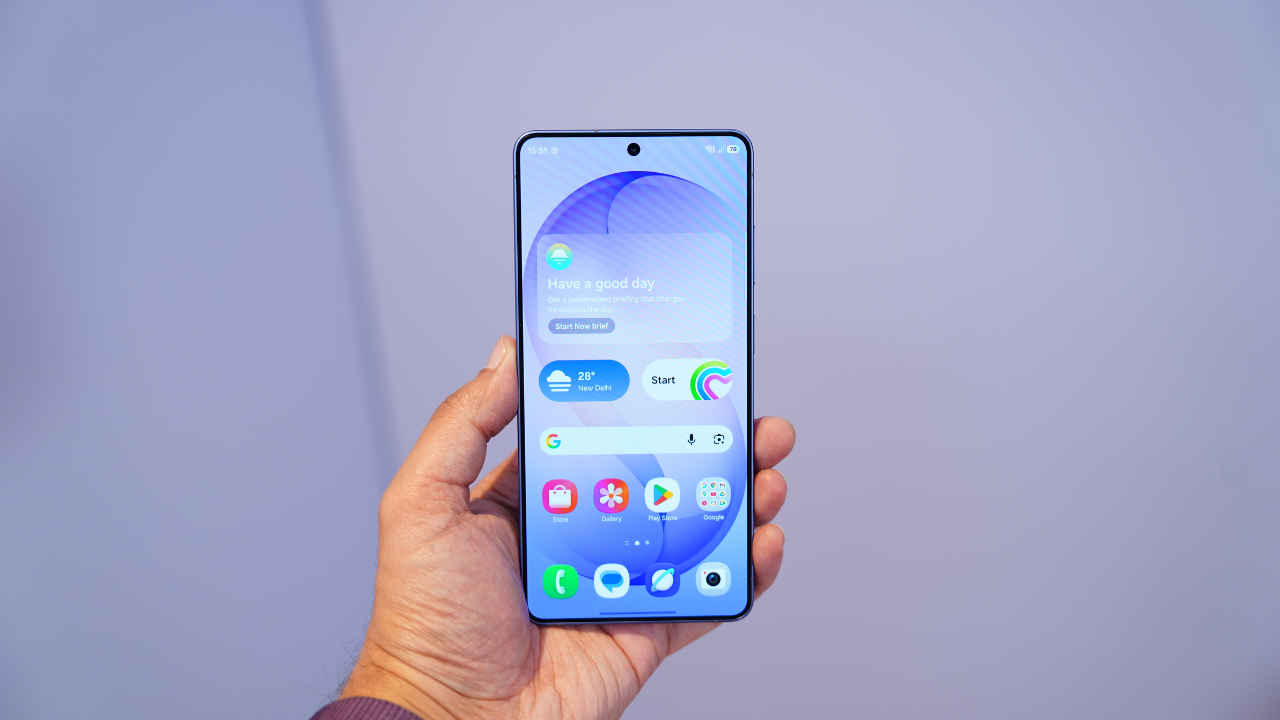
While One UI 8.5 brings a long list of changes to the Galaxy S26 Ultra, the update isn’t defined by one single headline feature. The redesign is subtle in some places and substantial in others. The result is a version of Samsung’s software that feels more structured, more customizable and more tightly integrated with Galaxy AI. Here are some One UI 8.5 top features that stand out.
The most visible change is the revamped Quick Panel. Samsung has redesigned the layout and functionality, allowing users to resize toggles, move them around and add additional controls with greater flexibility than before. The editing interface appears immediately when the edit icon is tapped, and every tile can be repositioned or adjusted in size. There’s also a dedicated Privacy Display toggle for the S26 Ultra, tying hardware features directly into the software layer. Compared to earlier versions, the Quick Panel feels less rigid and more like a customizable control hub.
Samsung has also refined the Settings menu. Headings and subheadings have been streamlined, creating a cleaner interface that is easier to navigate. The search bubble is now positioned at the bottom for better one-handed use and the overall layout feels less cluttered visually.
Galaxy AI continues to expand in One UI 8.5. Call Assist and Call Screening are among the most practical additions. Users can automatically screen suspected spam calls or manually activate screening for unknown numbers. The system answers the call, asks the caller to identify themselves and transcribes the response in real time. Users can choose to respond via text without speaking or decline the call altogether. It is expected to reduce interruptions while preserving control over communication.
Previously, editing with AI required drawing with the S Pen. With Photo Assist, users can now describe changes to an image using text prompts instead of relying only on the S Pen. Objects can be recoloured, added or blended into a scene using natural language instructions. The Style tab, previously limited to portraits, can now apply artistic transformations to any image. This makes generative editing more accessible and flexible.
Creative Studio (formerly Drawing Assist) has been redesigned to provide a more unified experience. It supports the creation of stickers, invitations, greeting cards and wallpapers. Users can combine an inspiration image with a written prompt to generate a custom design. The system displays the full prompt and style settings used, allowing for further edits. The tool is integrated into apps like Samsung Notes, making it easier to generate creative assets directly within existing workflows.
Now Nudge tries to bring information forward before you ask for it within Samsung Messages. When a message references a date, the system can surface relevant calendar entries. If someone asks for photos from an event, the gallery is scanned for matching images. The feature aims to reduce manual searching by proactively bringing relevant information to the foreground. At present, its functionality is primarily limited to Samsung’s own apps.
Notification management has also been enhanced. Users can enable prioritisation, allowing Galaxy AI to highlight important alerts based on usage patterns. Conversational notifications can be summarised for quicker review. These tools are designed to reduce notification overload without removing control from the user.
Audio Eraser has expanded beyond Samsung’s gallery app. It can now be accessed through the Quick Panel and applied to media in supported third-party apps like YouTube. This system-level integration makes background noise removal more versatile than before.
One UI 8.5 introduces more granular camera options. You can now adjust Autofocus speed and sensitivity, allowing users to control how quickly the camera transitions between subjects. A new 24-megapixel default shooting option is available for the wide, 1x and 5x cameras. Compared to 12-megapixel output, 24-megapixel images preserve more texture and fine detail. Night Mode, Dual Recording and 8K mirroring options have also been restored or expanded.
One UI 8.5 runs on Android 16 and continues Samsung’s promise of seven major Android upgrades. Security features include AI-powered call screening, Privacy Alerts, Private Album and post-quantum cryptography-backed Knox protection. On the Galaxy S26 Ultra, software also controls the integrated Privacy Display feature, allowing it to be toggled or automatically activated in sensitive situations.
Samsung has positioned the updated Bixby as an on-device task assistant in One UI 8.5, while Gemini handles broader internet-based AI tasks.
This separation makes more sense than previous attempts to make Bixby everything at once. Multi-step voice commands and device control are the focus here, rather than competing directly with web-scale AI assistants.
For users upgrading from older Galaxy devices, the improvements will feel noticeable. For those already on recent versions, the changes are more evolutionary. Either way, One UI 8.5 represents a deliberate step toward tighter system integration and greater user control.
Also Read: Samsung Galaxy S26 Ultra vs Galaxy S25 Ultra: Which one should you buy?