Picture this: you’re sitting in your local café, typing away on a laptop that looks sleek and professional, but here’s the kicker: every single component inside was hand-picked, designed, and assembled by one person. That’s exactly what Byran accomplished when he decided to build his own laptop completely from scratch, creating what might be the most impressive DIY laptop project we’ve ever seen.
This isn’t your typical weekend hobby project. We’re talking about a fully functional laptop with a 4K AMOLED display, mechanical keyboard with Cherry MX switches, the ability to run modern games like Minecraft at 4K resolution, and enough processing power to handle large language models, all while maintaining around seven hours of battery life. What makes this even more remarkable is that the entire project is open-source, meaning anyone with the right skills and determination could potentially recreate it.
When Byran first conceived this project, he wasn’t simply trying to build another computer. His goal was to create a laptop that could compete with modern commercial thin and light laptops across multiple quality metrics – screen quality, audio performance, build quality, tactile feedback, touch interaction, efficiency, and size. The challenge was achieving this balance whilst doing as much as possible from scratch.
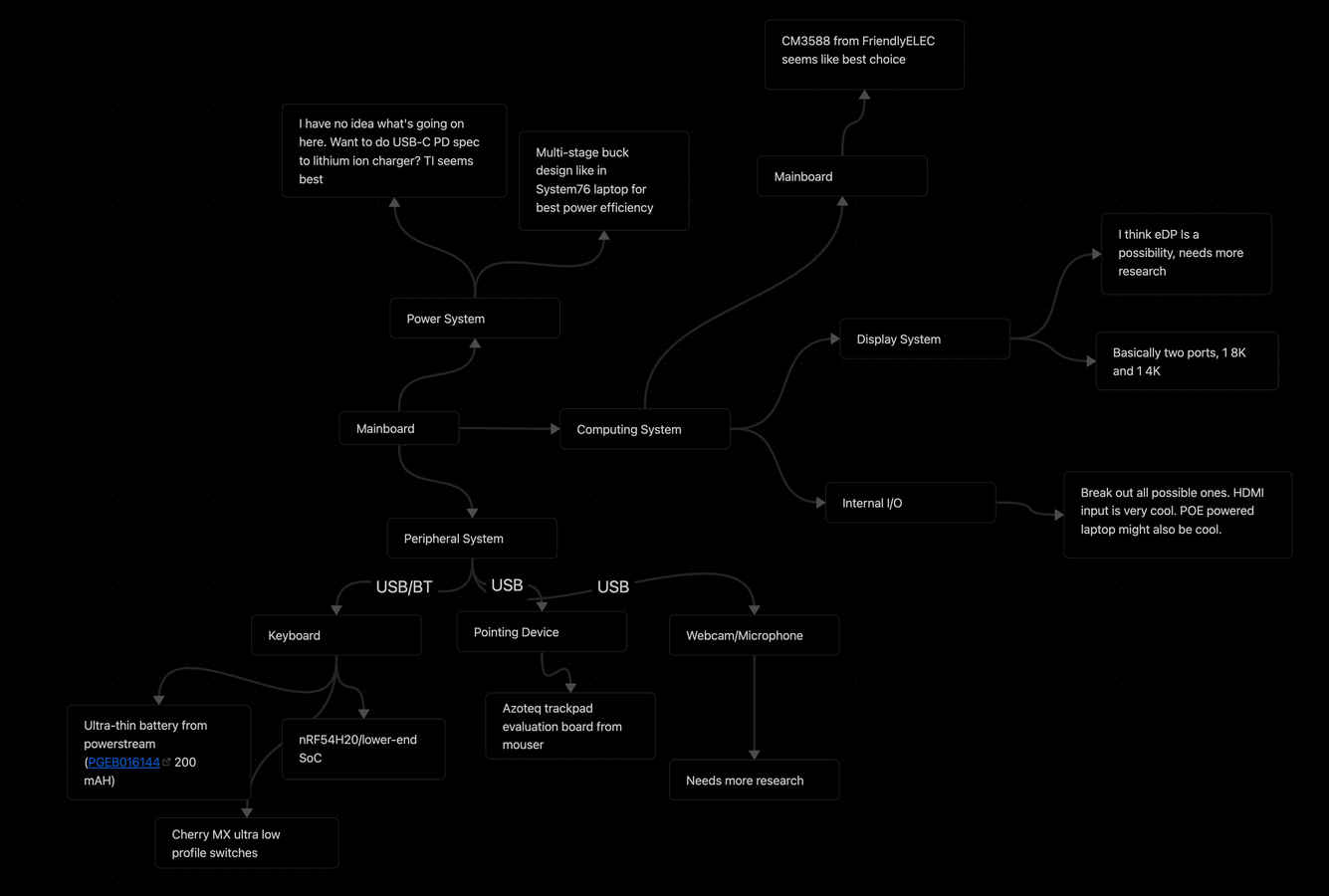
The project began with a comprehensive planning phase using Obsidian to map out the technical requirements. Rather than rushing into component selection, Byran took time to understand exactly what he wanted to achieve and what compromises he was willing to make.
The foundation of any laptop is its processor, and this choice would determine everything else about the project. After extensive research into single-board computer systems-on-chip (SoCs), Byran settled on the Rockchip RK3588, arguably one of the fastest consumer-available chips on the market at the time.
The RK3588 brings impressive specifications to the table: a quad-core ARM Cortex-A76 processor paired with quad-core A55 cores, Mali-G10 graphics processing unit, a 6 TOPS neural processing unit for AI workloads, and 8K video decoding capabilities at 60 frames per second. The chip also offers extensive input/output options, including support for 8K displays, dual USB 3.1 ports, PCIe 3.0 connectivity, and both HDMI 2.1 and eDP 1.4 display outputs.
Rather than designing a motherboard around the raw chip, which would have been incredibly complex, Byran chose to work with a system-on-module approach. He selected the CM3588 by FriendlyElec, which provided the processing power he needed while being well-documented, affordable, and readily available. This decision proved wise, as it eliminated many of the high-speed signalling challenges that come with designing around bare silicon.
Finding the right display for a custom laptop project presented unique challenges. Byran wanted something that would truly stand out, so he opted for a 13.3-inch 4K AMOLED panel, the kind of display you might find in premium commercial laptops. After cross-referencing availability on Chinese supplier platforms, he settled on the ATNA33TP11 panel, which offered excellent pixel density and, crucially, was available as new-old-stock to avoid potential burn-in issues common with OLED technology.
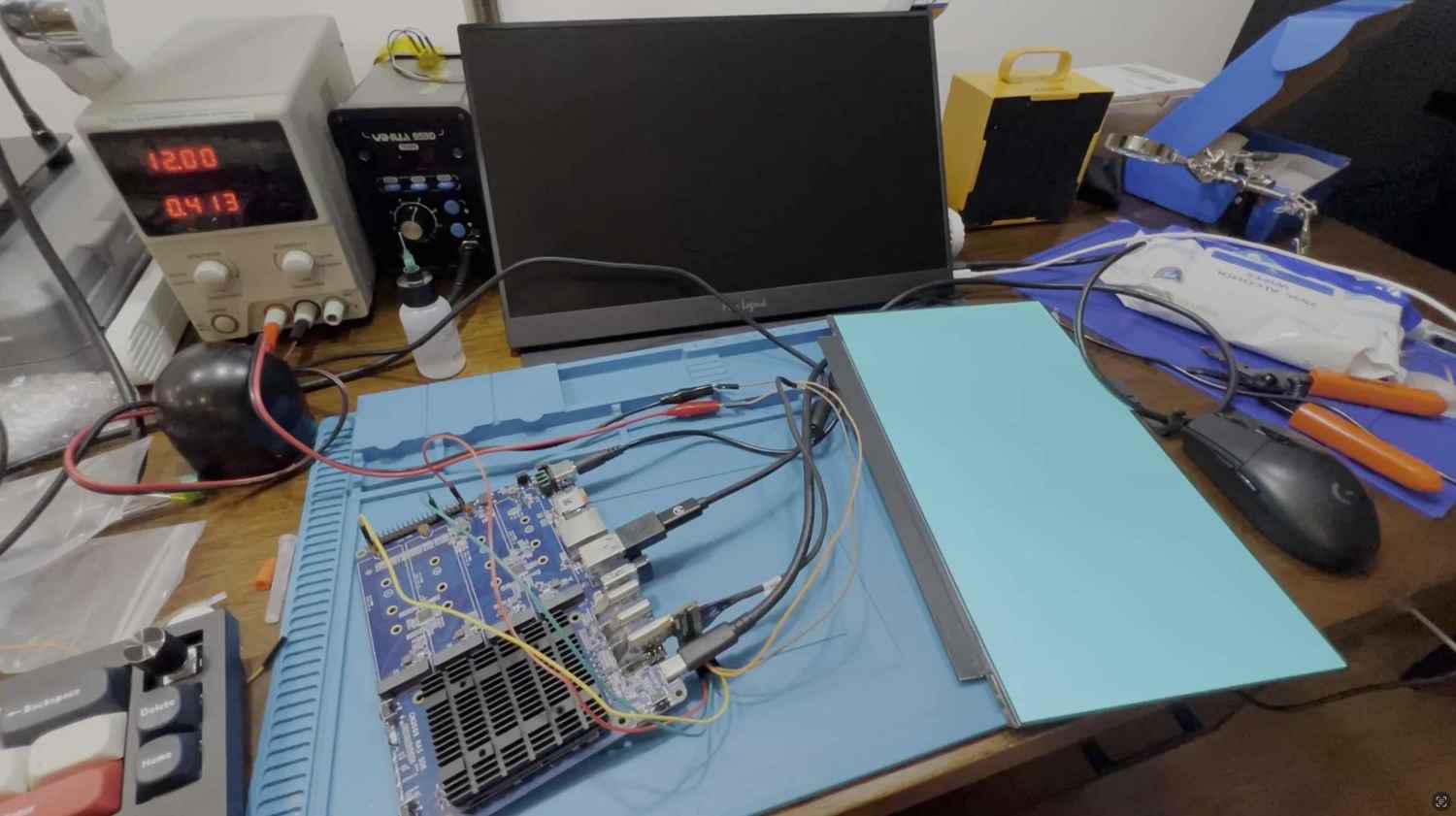
Getting this display working proved to be one of the most technically challenging aspects of the entire project. The high-speed signals required for 4K resolution demanded precise engineering, even small changes like shortening the circuit board by just 2 millimetres made the difference between success and failure. The software side was equally challenging, requiring reverse-engineering of display drivers from commercial laptops that used the same panel and carefully tuning power-on sequences to ensure reliable operation.
Creating a custom power system for a laptop requires balancing multiple competing demands: capacity, size, weight, safety, and charging speed. Byran’s approach was methodical, starting with the physical constraints of his planned chassis design. He needed batteries that were just 6 millimetres thick and would fit within roughly half the laptop’s internal volume.
Sourcing proved challenging, as Chinese manufacturers don’t readily stock batteries for individual customers, and shipping lithium batteries internationally presents logistical hurdles. The solution came from American suppliers, specifically AA Portable Power Corp, which provided suitable cells that could deliver 4.25 amp-hours at 3.7 volts in a four-cell configuration, resulting in a 62.9 Wh battery pack with 134.4 watts of maximum discharge capability.
Also read: Cooling matters: Why your gaming laptop’s thermal design can make or break it
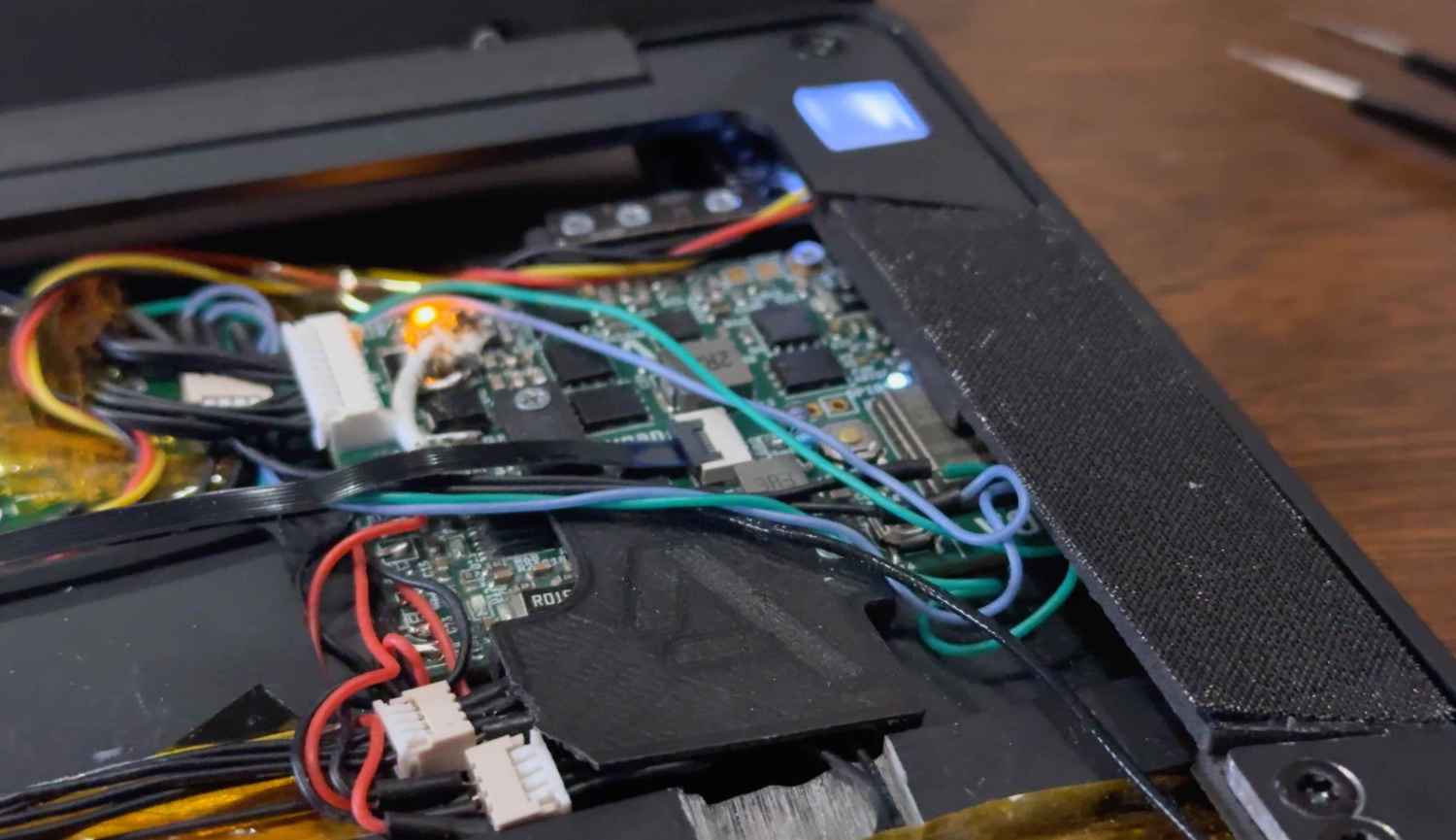
The power management system centres around sophisticated charging and monitoring integrated circuits. The BQ25713 handles charging from USB-C power delivery sources up to 100 watts, while the BQ77915 provides cell balancing to ensure safe charging and maximum battery life. An LTC2943 monitors power consumption to provide accurate state-of-charge information, all coordinated by an ESP32-S3 microcontroller that communicates battery status to the main system.
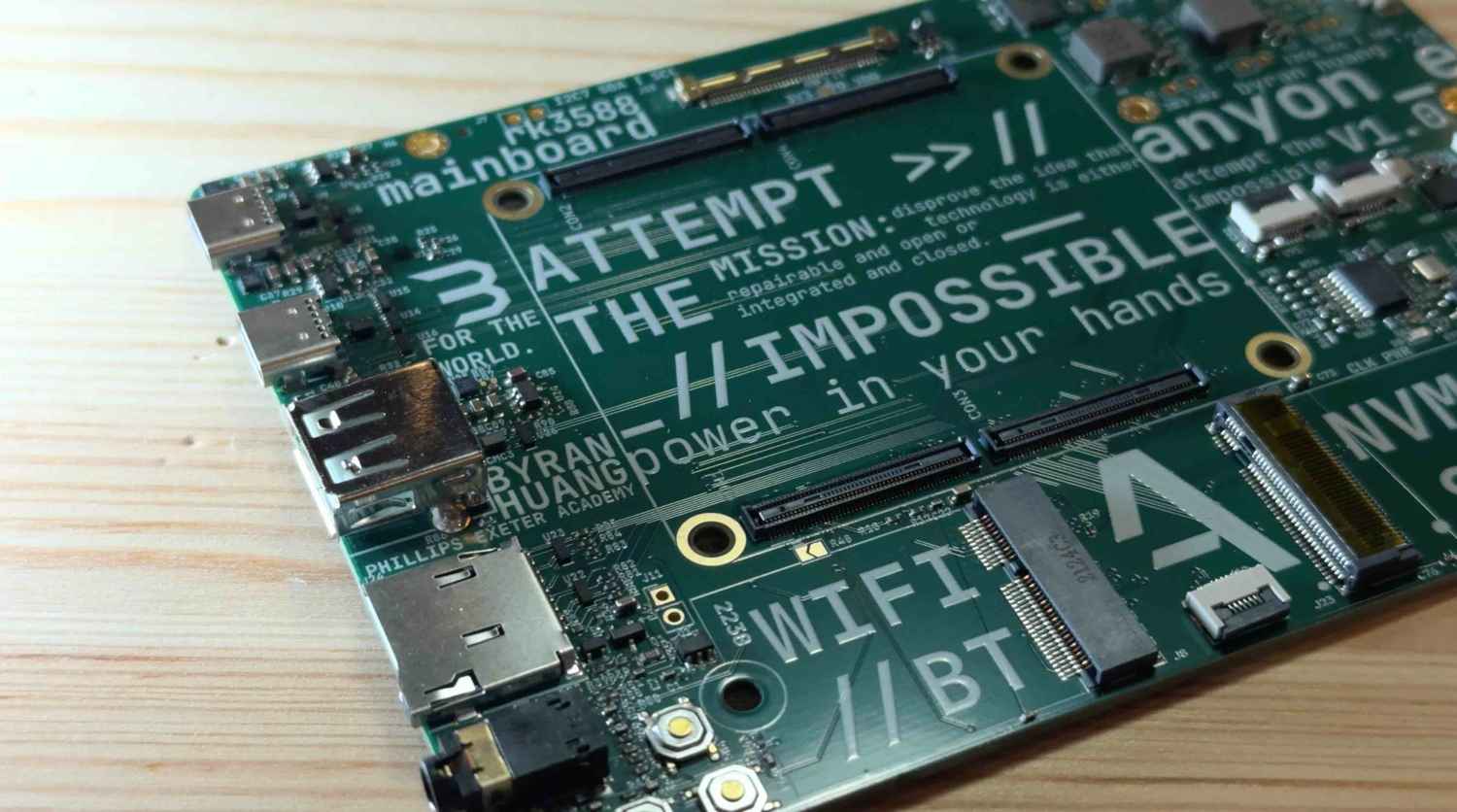
With the major components selected, designing the motherboard required careful consideration of both electrical and mechanical constraints. The available space dictated a maximum board width of around 90 millimetres, which had to accommodate all the necessary connections and components.
The input/output selection reflects modern laptop expectations: dual USB-C 3.1 ports for power and data, a traditional USB-A port for legacy devices, a headphone jack, and a microSD card slot for storage expansion. Internally, the design includes an M.2 E-key slot for wireless connectivity (populated with an RTL8852BE WiFi 6 and Bluetooth 5.2 card) and an M.2 M-key slot for NVMe storage up to 2242 size, though the chassis could accommodate full-size drives with modifications.
Rather than starting from scratch with the software stack, Byran leveraged existing open-source work, specifically Joshua Riek’s Ubuntu-Rockchip distribution, combined with optimisations from the Armbian project. This provided a solid foundation with most RK3588 features already supported.
The development workflow showcased modern efficiency techniques. Instead of developing directly on the ARM-based laptop, Byran used his MacBook Pro with Visual Studio Code and Orbstack virtualisation software running Ubuntu 24.04. This allowed rapid iteration on device tree configurations – the low-level hardware description files that tell Linux how to interact with custom hardware.
Changes to hardware configurations could be compiled on the development machine, transferred to the laptop via secure copy protocol, and activated with a simple bootloader update and restart. This streamlined approach significantly accelerated the hardware bring-up process for display configurations, PCIe connectivity, USB functionality, and other system-level features.
One of the most distinctive features of this laptop is its detachable mechanical keyboard. Rather than settling for typical laptop keyboard mechanisms, Byran designed a fully wireless mechanical keyboard using Cherry MX ULP switches, the same high-quality switches found in premium desktop keyboards. The keyboard runs ZMK firmware on an nRF52840 system-on-chip, providing reliable wireless connectivity and excellent battery life from a slim 200-milliamp-hour battery.
Also read: What is TGP and why it matters for gaming laptops
The mechanical design required significant innovation to fit everything into a 7-millimetre height constraint. A custom battery protection board fits between key rows to save precious vertical space, whilst the main controller sits beneath the spacebar. The housing combines 3D-printed PLA components with precision-machined 6061 aluminum from Fabworks.
For the trackpad, Byran chose pragmatism over complete custom design. Finding a suitable capacitive touch solution, he selected the Azoteq PXM0057-401 evaluation module, a glass-topped multi-touch trackpad that communicates over USB. Whilst this component has since been discontinued, it provided the reliable, high-quality pointing device the project required.
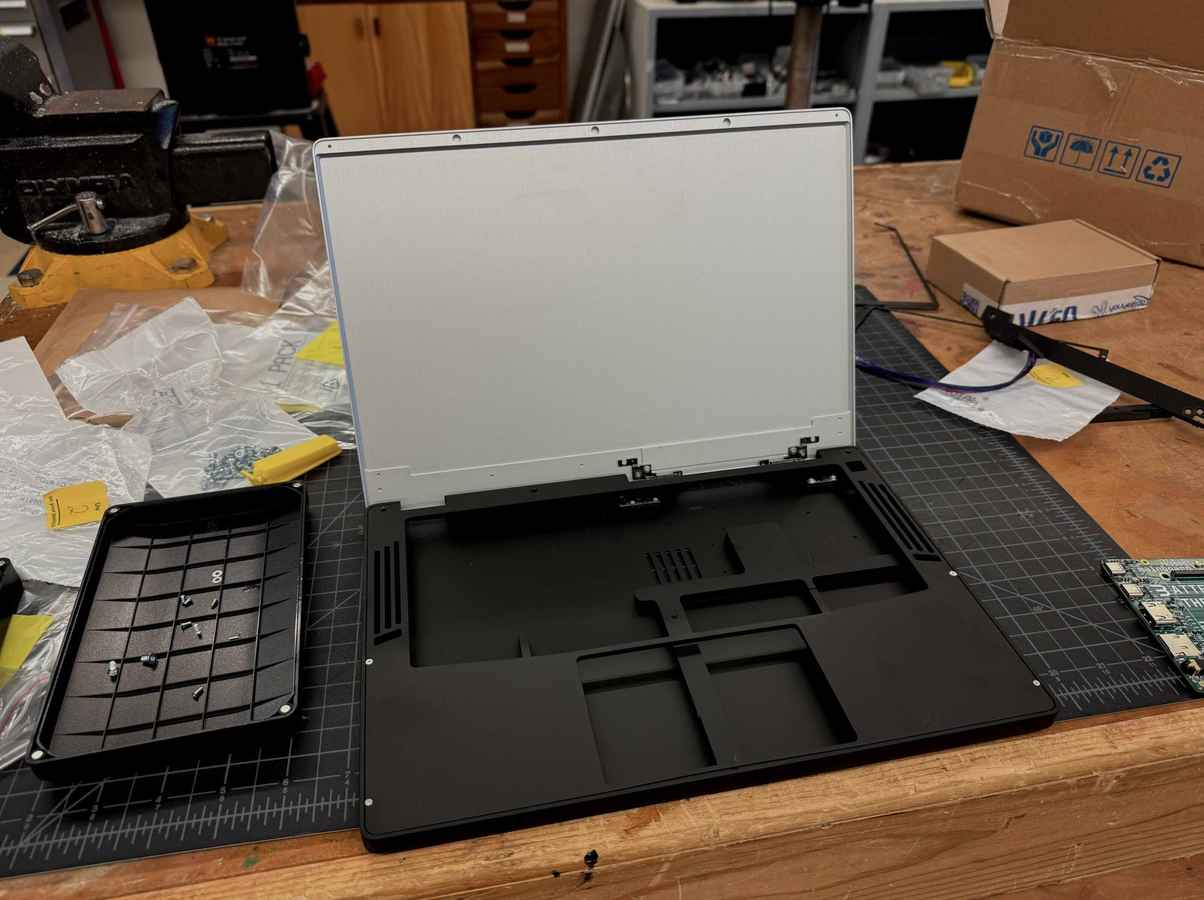
The laptop’s chassis is more of a masterclass in balancing aesthetics, functionality, and manufacturing constraints. Drawing inspiration from premium laptop designs like the Razer Blade and MacBook Pro, Byran created a minimalist yet robust design using computer-aided design software PTC OnShape.
The chassis is machined from aluminum blocks with a matte black anodised finish, chosen after testing multiple finishes for both feel and appearance. The internal layout optimises space usage: batteries occupy the bottom section, the power management board sits on the right, the motherboard on the left, and the hinge mechanism spans the top.
One of the most challenging aspects was the hinge design. Rather than creating a completely custom solution, Byran adapted Framework’s 13.3-inch laptop hinge, using its 3D model in OnShape to ensure proper clearances and closing angles. To balance the asymmetric weight distribution caused by the wide motherboard, a carbon fibre rod provides structural support on the left side.
Thermal management proved particularly constrained, with less than half a millimetre clearance between the keyboard bottom and heatsink top. The cooling solution combines a custom CNC-machined copper heatsink from JLCCNC with a heatpipe and fan assembly, all connected using PTM7950 thermal interface material for optimal heat transfer.
Audio capabilities come from PUI speakers mounted on either side of the laptop. When the CM3588’s built-in digital-to-analog converter proved problematic, Byran created a separate USB audio converter board feeding a Class-D amplifier. This modular approach allowed him to achieve good audio quality despite time constraints that prevented developing a fully integrated solution.
The final assembly process combined multiple manufacturing techniques: selective laser sintering of nylon powder for complex internal components, fused deposition modelling with carbon fibre reinforced PA6 for structural parts, and precision CNC machining for the external chassis. The result is a laptop that looks and feels like a premium commercial product whilst being completely custom-designed and open-source.