MCL Chat - Running Offline LLM Models
Imagine carrying a powerful AI language model in your pocket, running entirely on your Android device without an internet connection. The MLC Chat app, developed by the MLC LLM project, makes this possible by enabling you to run large language models (LLMs) like Phi-2, Gemma, or Llama3 locally on your phone or tablet. This feature walks you through setting up and using MLC Chat to run an offline AI LLM on Android, delivering a private, portable, and accessible AI experience.
Also read: Sam Altman confirms delay in OpenAI’s open-weight model: What is it and how does it work?
MLC Chat is a lightweight Android app designed to run LLMs directly on your device’s hardware. Unlike cloud-based AI services, it processes everything locally, keeping your data private and allowing use even in airplane mode. The app supports open-source models, from compact ones like Phi-2 (2.7 billion parameters) to more robust ones like Llama3 (8 billion parameters), optimized for Android devices, particularly those with Snapdragon chipsets. Built on the Machine Learning Compilation (MLC) framework, MLC Chat is a demo app with a simple interface, ideal for tech enthusiasts, researchers, or anyone prioritizing data privacy.
Running an LLM on your Android device offers compelling advantages. Your prompts and responses stay on your device, ensuring privacy. You can use the AI anywhere be it on a flight, in a remote area, or without Wi-Fi. Once downloaded, the app and models are free to use, with no subscription costs. Advanced users can even customize models for specific needs. However, performance hinges on your device’s hardware, and larger models may struggle on mid-range or older phones. The app’s minimal interface also lacks features like conversation history, but it remains a powerful way to bring AI to your device.
MLC Chat isn’t available on the Google Play Store, so you’ll need to sideload the APK which you can get from the official MLC LLM website or GitHub repository. On your Android device, enable installations from unknown sources in Settings under Security or Apps. Download the APK directly to your device or transfer it from a computer.
Also read: Gemma 3n: Google’s open-weight AI model that brings on-device intelligence
Open MLC Chat to find a list of available LLMs, including Phi-2 (2.7B parameters, lightweight and ideal for most devices), Gemma 2b (compact and efficient), and Llama3 8B or Mistral 7B (powerful but demanding). For most users, Phi-2 is a good starting point, as it runs smoothly on devices like the Samsung Galaxy S23 or OnePlus 7T with 4–6 GB of RAM. Tap “Download” next to your chosen model. Download sizes vary, Phi-2 takes a few hundred MB, while Llama3 8B can exceed 5 GB, so ensure you have enough storage and a stable internet connection.
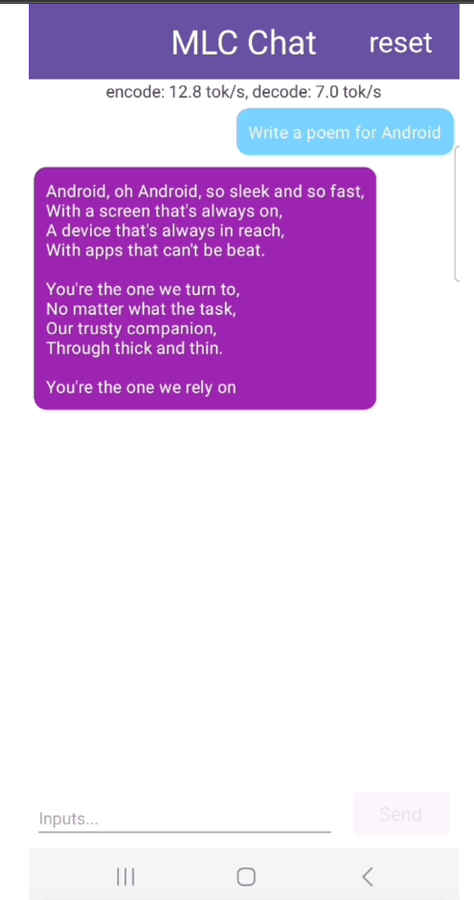
The app offers a simple chat interface where you can type prompts and receive responses. Ask Phi-2 to write a story, explain a concept, or answer a question. Response speed varies by device, a high-end phone like the Galaxy S23 with a Snapdragon 8 Gen 2 can generate about 8 tokens per second with Phi-2, while an older OnePlus 7T might achieve 3 tokens per second. Experiment with different prompts to explore the model’s capabilities.
MLC Chat’s performance depends on your device’s hardware. A minimum of 8 GB of RAM is recommended for smaller models like Phi-2 or Gemma 2b, while larger models like Llama3 8B may need 12–24 GB. Snapdragon chipsets, like the Snapdragon 8 Gen 2, are optimized for MLC Chat, outperforming other processors like MediaTek or Exynos. Storage is also key, ensure enough space for the app and model files, which can range from hundreds of MB to several GB. High-end devices like the OnePlus Ace 2 Pro with 24 GB RAM can handle Mistral 7B, but mid-range devices are better suited for Phi-2 or RedPajama 3B.
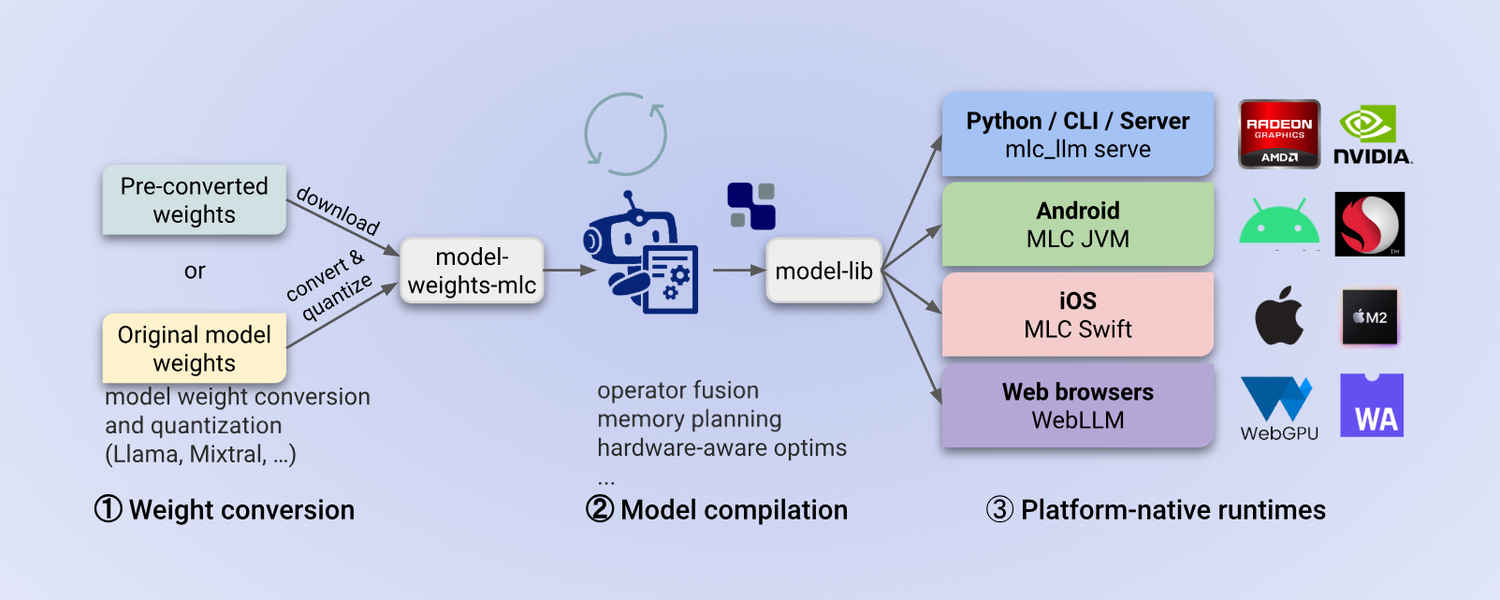
For those with technical expertise, MLC Chat offers customization options. Use pre-converted model weights from Hugging Face or convert your own with the MLC LLM framework, requiring tools like Rust, Android Studio, and the Android NDK. Modify the mlc-package-config.json file to adjust parameters like context window size. You can also compile the app from source for tailored optimizations. The MLC LLM GitHub and Discord community offer detailed guidance for these advanced steps.
As a demo app, MLC Chat has a basic interface without features like saving conversations or editing messages. Performance varies widely, high-end devices shine, but budget or older phones may struggle with larger models. The app currently relies on the CPU, not the Neural Processing Unit (NPU), limiting efficiency on devices with AI-specific hardware. Only pre-optimized models are supported out of the box, and custom models require technical know-how.
MLC Chat demonstrates the potential of running advanced AI on consumer devices. As Android hardware and optimization techniques evolve, we can anticipate faster performance, support for larger models, and more polished apps. For now, MLC Chat offers an accessible entry point for exploring offline AI.
Also read: DeepSeek R1 on Raspbery Pi: Future of offline AI in 2025?