Canva Visual Suite 2.0
Canva has unveiled its latest product update, Visual Suite 2.0, which aims to merge creative and productivity workflows into a single platform. The announcement follows Canva’s long-standing ambition to make design more accessible, moving beyond isolated tools for visual content, and marks a significant expansion of the company’s suite of services.
Visual Suite 2.0 introduces a “world-first” design format that brings together presentations, videos, whiteboards, websites, spreadsheets, and more within one environment. Of course, we’ve seen web apps for office applications from the likes of Google and Microsoft. And we’ve seen web apps for design tools from the likes of Adobe and Figma but a single platform for design apps as well as office apps? That’s what Canva has just brought out with the launch of Visual Suite 2.0. Rather than juggling multiple files or applications, users can now combine ideas for events, campaigns, and lessons in a single canvas. According to Canva, the main goal is to streamline the creative process by minimising the need to switch between disparate tools.
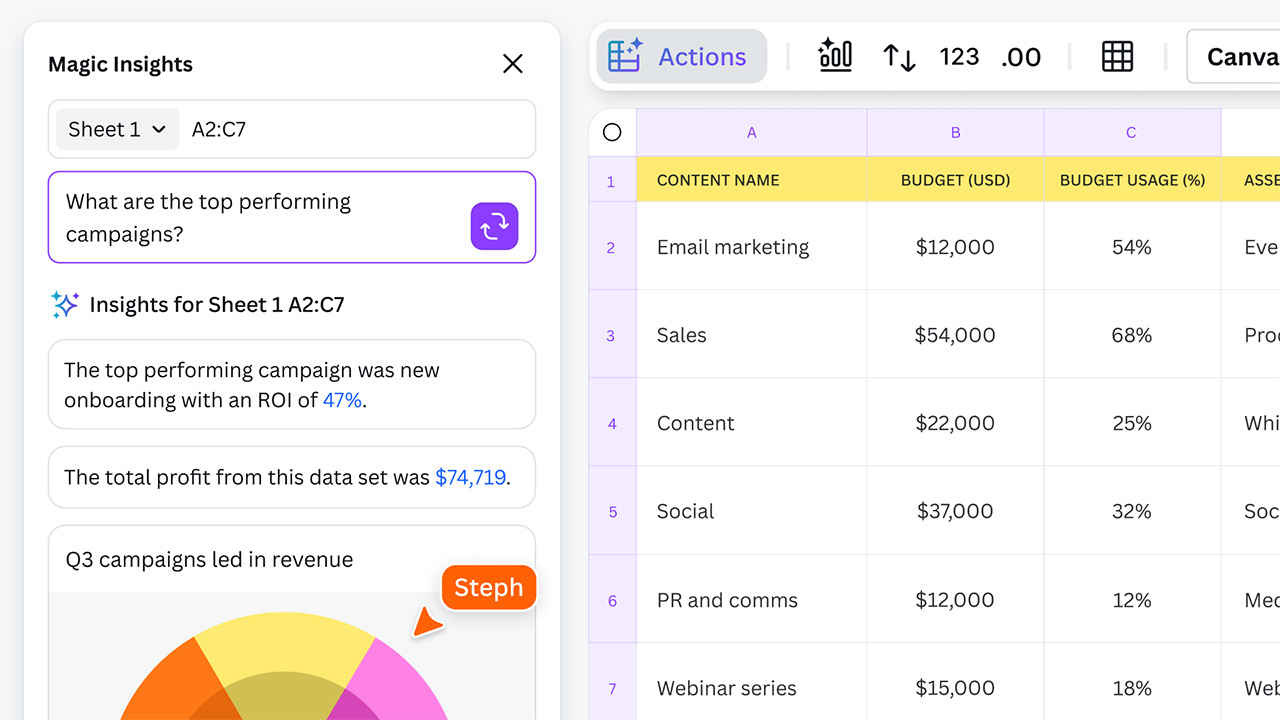
One of the most notable additions is Canva Sheets, described by the company as a spreadsheet tool “reimagined” for visual communication. It supports AI-powered features such as Magic Insights and Magic Formulas, which allow users to input data and have charts, insights, or formulas generated automatically. This isn’t a new concept since Google Sheets has had their own Gemini integration for data analysis and content creation. What Canva has managed to pull off is the ability to fill empty cells using prompts. This is quite significant for content generators and would enable a huge uptick in productivity. Canva is incorporating its Magic Studio AI engine into the new platform to support large-scale content generation. A bulk translation function also allows instant localisation of text entries. In addition, Bulk Create offers a way to produce multiple versions of a single design simultaneously, storing generated links or content in new spreadsheet columns for easy management. Magic Resize, another AI-driven tool, automates the resizing of entire sets of designs to different formats or dimensions.
The tool also includes drag-and-drop layouts and integration with platforms like Google Analytics and HubSpot. By providing live data connections, Canva Sheets is intended to simplify the creation of reports, dashboards, or infographics without exporting data to separate design software.
Alongside spreadsheet tools, Magic Charts is intended to eliminate the complexity of data visualisation. Users can connect live data and receive automated chart-type suggestions, converting raw figures into interactive graphics that remain synchronised with changing datasets. Canva describes this feature as part of a broader push to blend data analysis, visual storytelling, and design in a single platform.
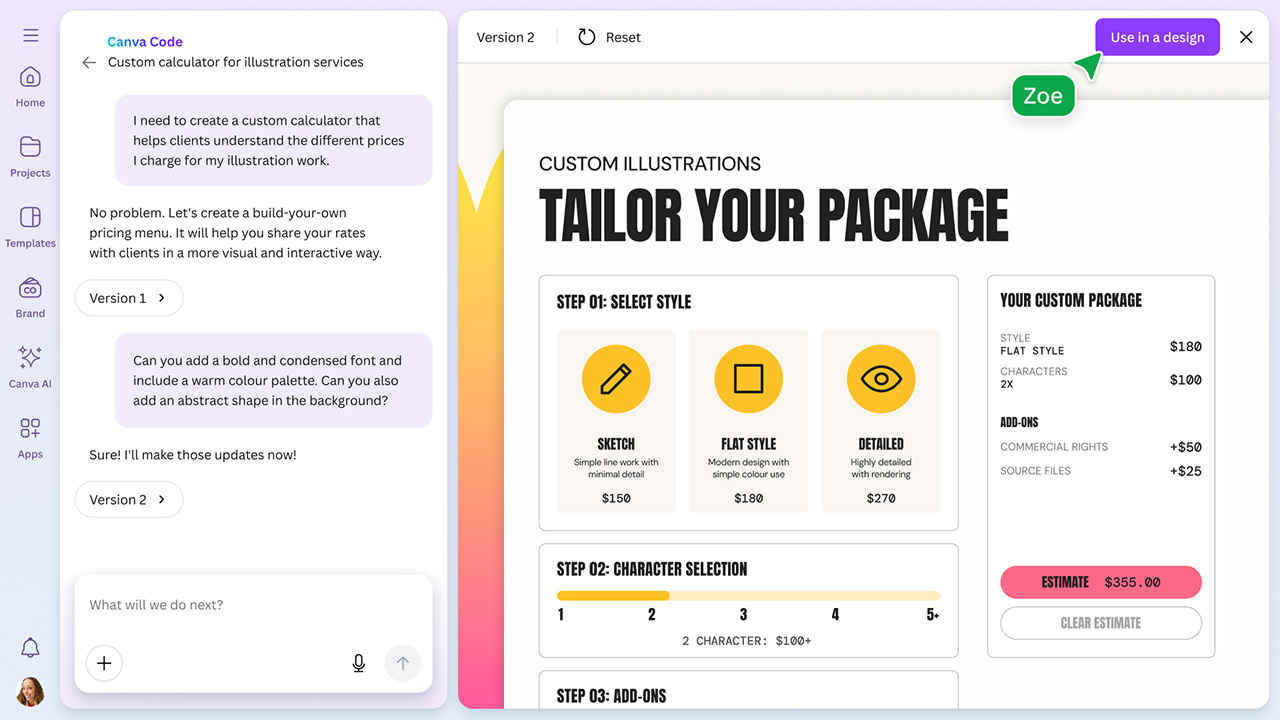
Another key feature is Canva Code, designed to simplify the process of building interactive elements or applications—such as learning games, custom calculators, or personalised tools. By typing a description of what they want, users can generate code-based widgets which are then embedded in any Canva design. The feature does not require traditional coding knowledge, and its output can be published or shared as links or embedded modules.
Central to Visual Suite 2.0 is Canva AI, an AI assistant that can respond to voice, text, or media prompts. Its functions include generating graphics, presentations, or layouts based on user requests, with the aim of speeding up initial design drafts. Canva states that this assistant is designed to help users who need to move rapidly from an idea to a finished creative asset. The company positions Canva AI as a support tool rather than a replacement for creative roles, suggesting that it tackles repetitive tasks to allow more time for high-level planning and refinement.
In addition to data-driven and AI-powered features, Canva has added a Photo Editor that allows users to modify backgrounds, remove unwanted objects, and adjust the appearance of images. According to the company, these edits can be made “in a single click,” using AI models that factor in lighting and subject context to produce seamless results. The aim is to eliminate the need for users to shift between different editing applications or browser tabs.
Visual Suite 2.0 is rolling out on the Canva homepage, where existing and new users can access features including Canva Sheets, Canva Code, and the AI-powered Photo Editor. More details are available on Canva’s website, along with introductory resources for each of the new tools.
By integrating spreadsheets, coding, AI-driven content creation, and advanced photo editing into a single ecosystem, Canva is positioning itself as a more comprehensive alternative to traditional office suites and design software. The company has been steadily moving in this direction, having introduced features for presentations, whiteboards, and brand management tools in recent years. With Visual Suite 2.0, Canva appears to be taking another step towards unifying productivity and creativity under one interface.