GPT 5 Coding Projects
When GPT-5 came out, I didn’t just want to glance at changelogs or watch demo videos. I wanted to see what it could actually do for me, hands-on. Could it really build functional, fun, and usable projects in one go?
So, I decided to give it five different challenges – some nostalgic games, some practical tools, and one logic-heavy puzzle. The plan: describe what I wanted, let GPT-5 write the code, run it, and see what happened.
No extra debugging unless the project was completely broken. No sugar-coating. Just pure “here’s what the AI gave me.” By the end of it, I had learned three things: GPT-5 works fast, thinks ahead (sometimes more than I asked), and is apparently better at Flappy Bird than I will ever be.
Also read: Google’s Jules coding AI agent enters free beta: Here’s what it can do
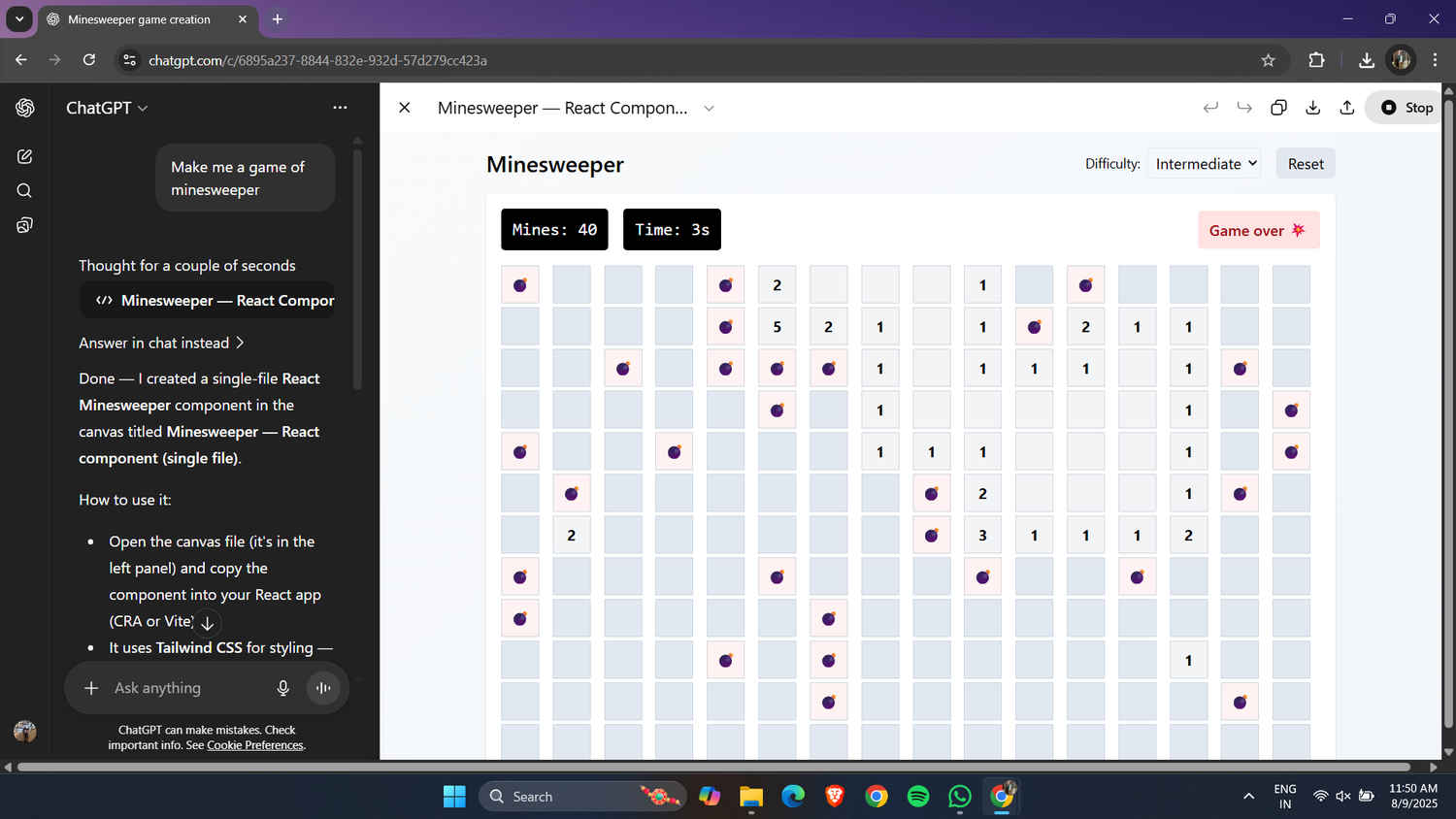
I kicked things off with Minesweeper – the kind of project that tests both logic and UI skills. I gave GPT-5 a simple prompt: “Make me a game of Minesweeper” It delivered and then some. Somehow, without me ever mentioning it, GPT-5 decided my Minesweeper needed three difficulty modes: Beginner, Intermediate, and Expert. This wasn’t in my request, but I wasn’t complaining, it meant it automatically adjusted the board size and number of mines depending on what I picked.
Clicking tiles worked exactly as it should, flags could be placed for suspected mines, and when I hit a mine (which was often), the game ended instantly with all mines revealed. The UI wasn’t flashy, but it was clean and responsive.
I went in expecting a barebones version. Instead, I got something that felt like a throwback to the Windows XP days, only this time, my computer didn’t come preloaded with it. GPT-5 had basically given me a fully featured little time sink.
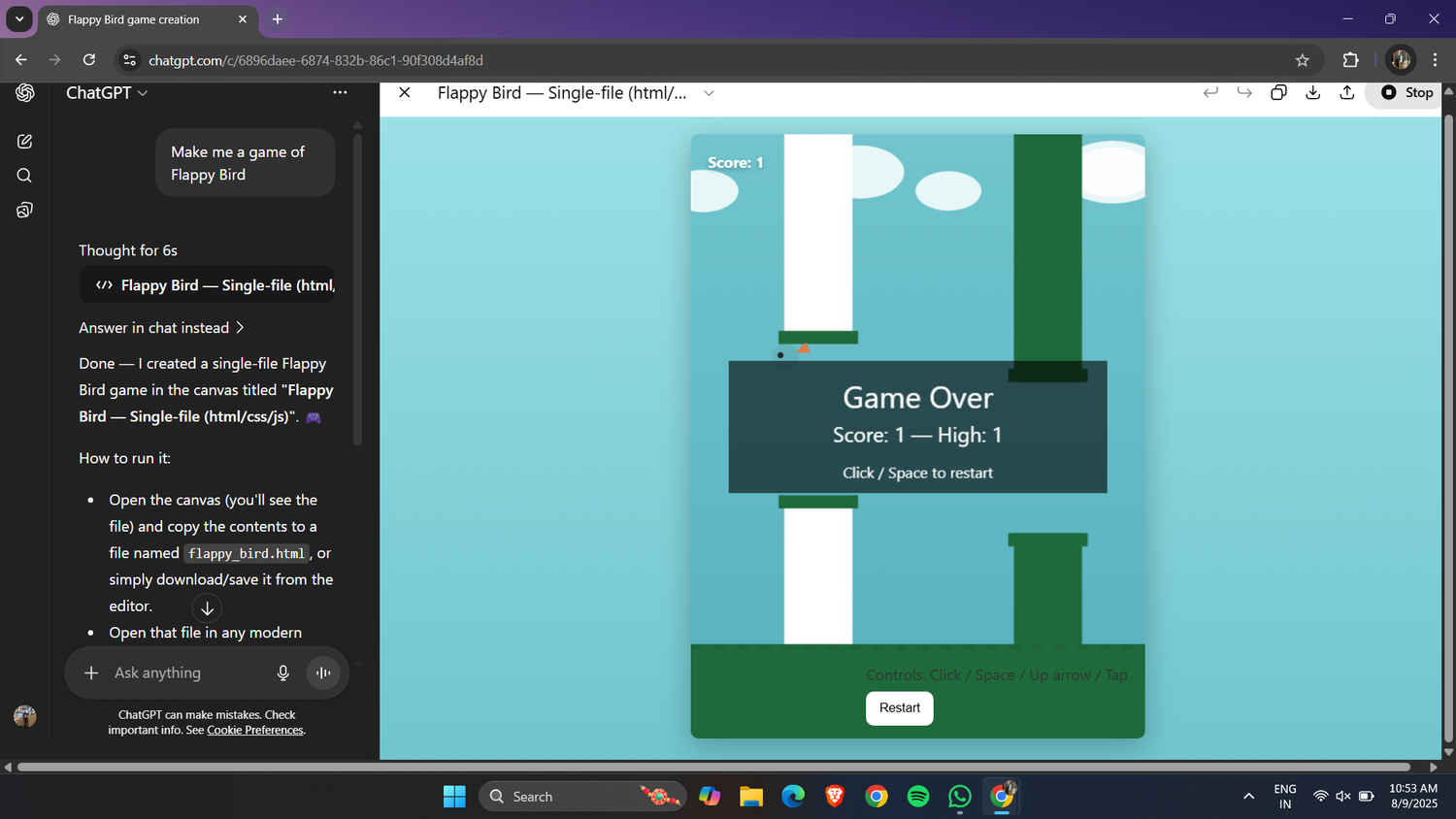
Next up was the game that broke phones and tempers back in 2014: Flappy Bird. GPT-5 handled the request like a pro. It got practically every aspect of the game right, a bird sprite that flapped with each click or spacebar press, pipes moving smoothly from right to left, collision detection that ended the game instantly and a score counter ticking up for each pipe passed. I’d love to say I soared through the pipes like a pro gamer. Reality? My high score was three.
It didn’t matter that the game ran perfectly – my reflexes are, apparently, stuck in slow motion. GPT-5 didn’t taunt me (thankfully), but if it could raise an eyebrow, it probably would have. Still, for anyone with actual coordination, this was a fully playable, perfectly tuned Flappy Bird clone you could run in a browser.
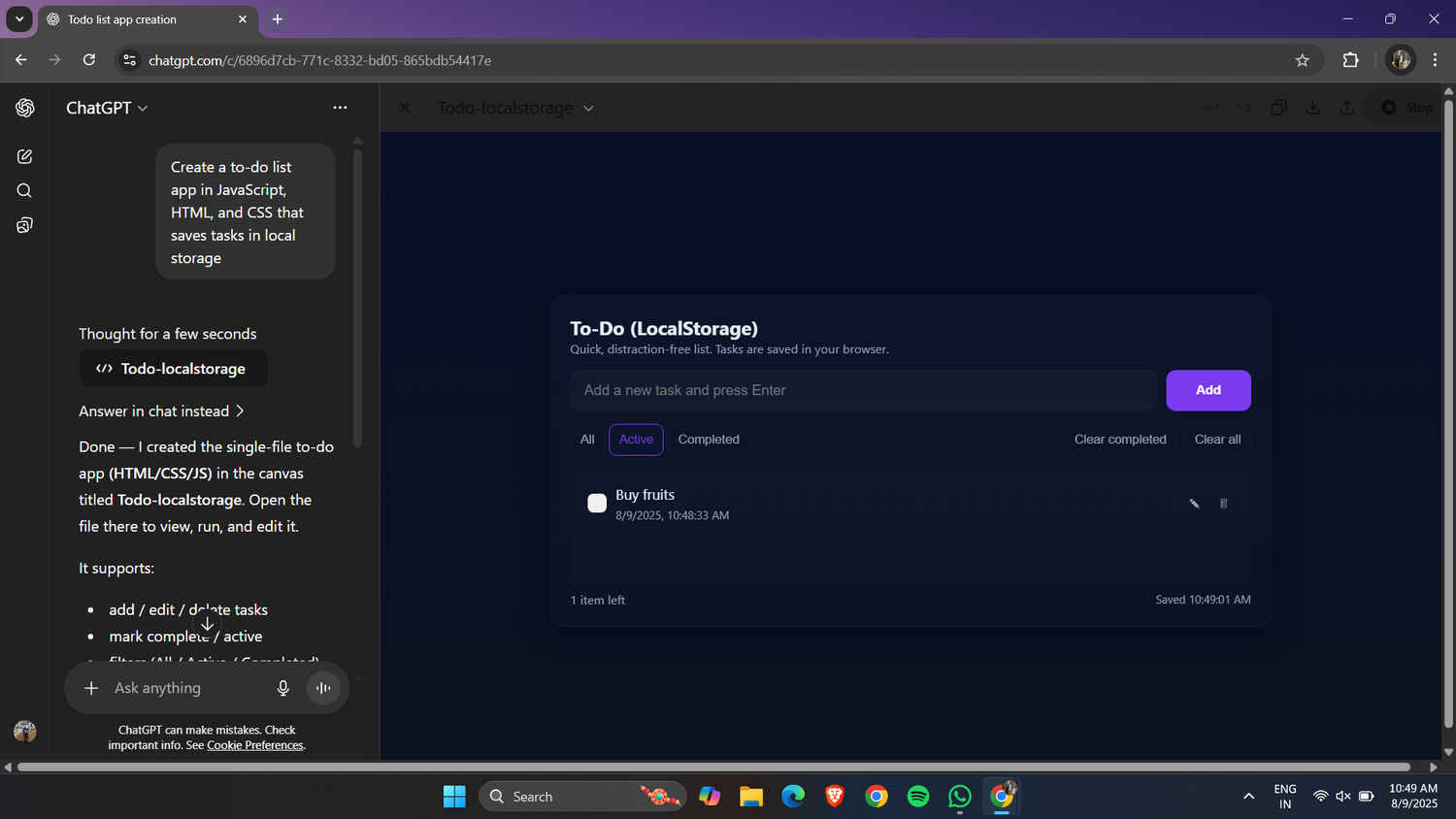
For the third challenge, I decided to go practical: a to-do list web app that stores tasks in local storage so they don’t disappear when you close the browser. GPT-5 gave me exactly that, sort of. I got a clean, minimal interface where I could add and delete tasks instantly. Tasks stayed saved even after refreshing or closing the tab.
Also read: Anthropic’s Claude AI now lets you build apps without any coding
But then I noticed something odd, a tab labeled “Completed Tasks.” Naturally, I tried to mark a task as completed. There was no way to do it. No checkbox, no “mark as done” button, nothing.
It’s like GPT-5 started building a feature it thought I’d want, then forgot to finish it. So the Completed Tasks tab sat there, taunting me, like a locked treasure chest in a game that you never find the key for.
Still, the main app worked smoothly, and with a little tweaking, a coder can easily make it fully functional.
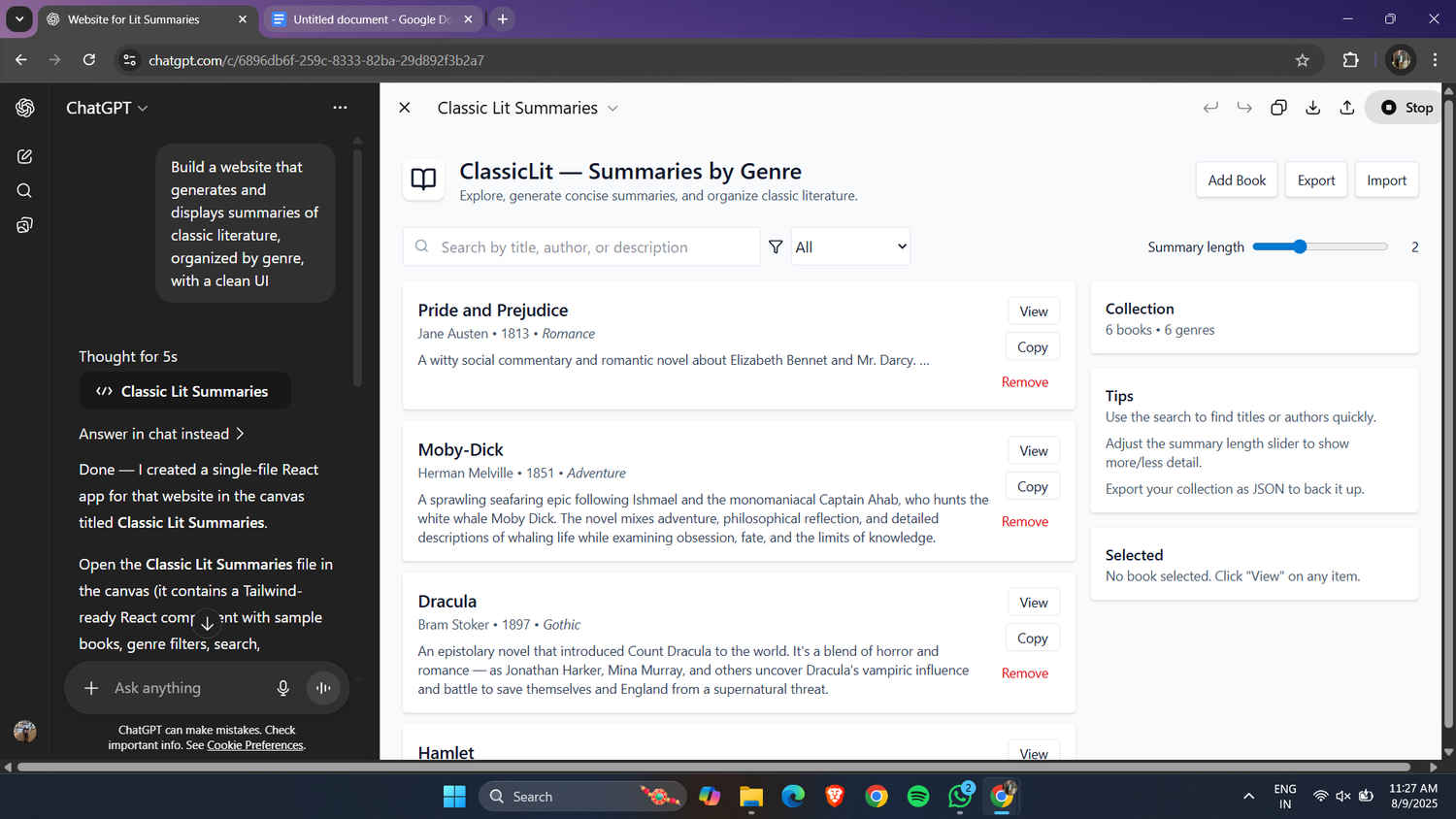
This one started with a simple request: “Build a website that generates and displays summaries of classic literature, organized by genre, with a clean UI.”
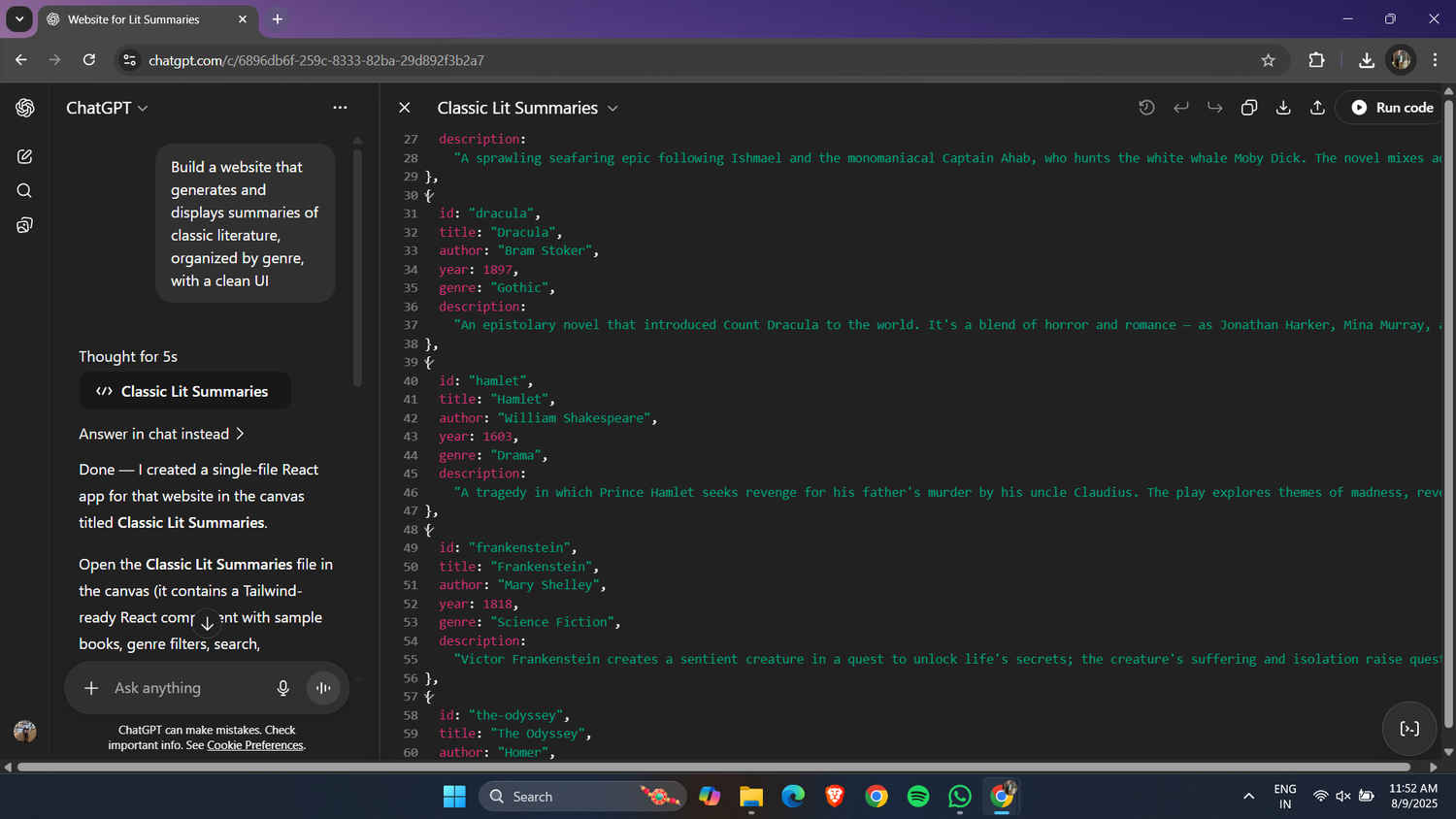
GPT-5 came back with a React app called ClassicLit – a minimalist interface with a search bar, genre filter, adjustable summary length, and buttons to add, export, and import books.
At first glance, it looked surprisingly polished, the kind of site you might expect to find in an online academic portal. But here’s the thing: under the hood, it was very barebones. GPT-5 had hardcoded summaries for just five or six classic books, clearly pulled straight from the internet, and organized them into equally minimal genres.
That said, it was a fantastic starting point. The UI was clean, responsive, and already had the infrastructure for adding more entries. You could manually add your own books, upload a JSON file with hundreds of titles or – and this is the exciting part – ask GPT-5 to hook the app up to a literature API or an online lexicon so the database updates automatically.
In other words, GPT-5 didn’t give me a full website, it gave me a framework. And that framework could turn into a full-scale, dynamic literature reference site with just a few extra steps.
By this point, I’d tested GPT-5’s ability to make games and a functional web app. For the final challenge, I wanted something pure and logical – no graphics, no animations, just raw problem-solving.
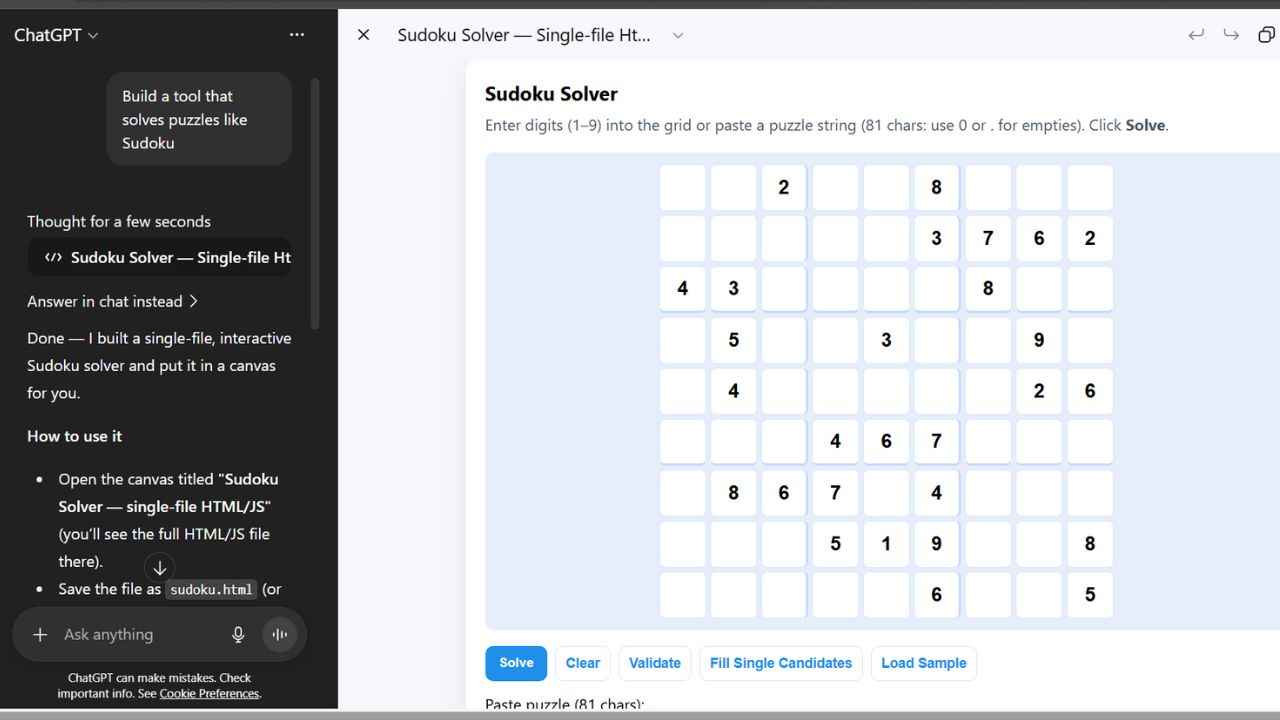
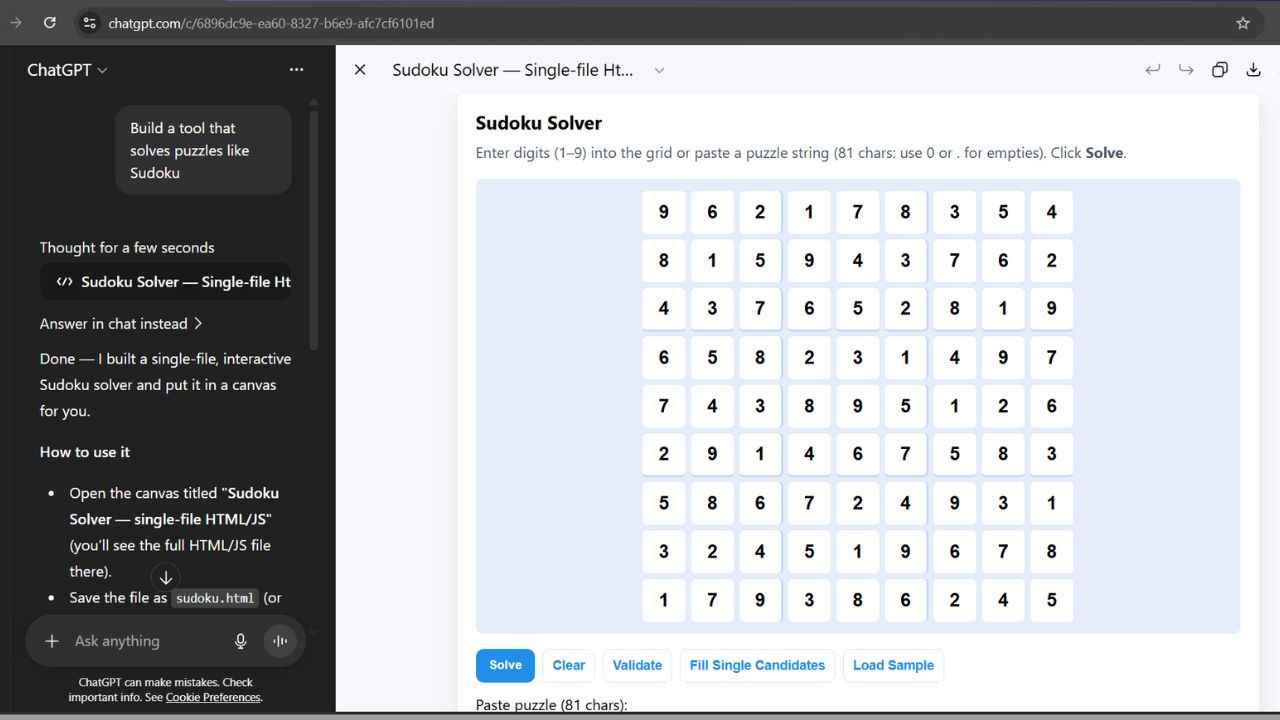
The request was simple: “Build me a Sudoku solver.” When I ran the code, I got an empty 9×9 grid that I filled partially with a puzzle and clicked solve. There was no loading animation, no “thinking..” message – just instant output. The moment I clicked “Run,” the grid was complete.
Technically, GPT-5 had implemented a backtracking algorithm – a tried-and-true method where the solver tries numbers one by one, checking if they fit the puzzle rules, and backtracks when it hits a dead end. Humans use the same logic, but at a much slower pace. The difference? GPT-5 didn’t hesitate for even a fraction of a second.
It wasn’t just fast, it was correct. Every row, column, and 3×3 box followed Sudoku’s rules perfectly. I double-checked the solution manually, partly to test its accuracy and partly because my brain didn’t believe a puzzle that could take me 15-20 minutes was solved in less than the time it takes to blink.
Of course, this was just the barebones version. But with GPT-5’s speed, it wouldn’t be hard to wrap it in a slick UI, add a “step-by-step solve” mode for teaching, or even let it generate new puzzles.
This one wasn’t flashy, but it was probably the most impressive display of raw computational efficiency I saw all week. It made Flappy Bird and Minesweeper feel like leisurely walks compared to the speedrun that was GPT-5 solving Sudoku.
Over five projects, GPT-5 proved three things: It works faster than any human coder I’ve seen, ideas become runnable code in minutes, it sometimes overdelivers (like Minesweeper’s surprise difficulty modes) or underdelivers (hello, mysterious Completed Tasks tab) and it still needs a human eye to test, polish, and finish the details.
Also read: Meet Asimov: Reflection’s AI agent to help write the best software code for anyone
The best way I can describe it? GPT-5 is like a supercharged junior developer. It doesn’t get tired, doesn’t complain, and sometimes goes the extra mile without asking, but you still need to check its work before shipping it.