Building a gaming PC on a budget doesn’t mean you have to settle for outdated hardware or choppy performance. With smart component choices, it’s possible to put together a machine that delivers smooth 1080p gameplay, fast everyday performance, and even room for future upgrades, all without crossing the ₹40,000 mark. This carefully balanced build brings together AMD’s reliable Ryzen CPU, Nvidia’s proven RTX graphics, and modern storage and memory to create a setup that’s not just affordable, but genuinely enjoyable to use. Whether you’re a student, casual gamer, or someone looking for a versatile work-and-play desktop, this PC offers the perfect entry point into the world of gaming rigs.
Also read: Best gaming PC build under ₹30,000 in September 2025
The Ryzen 5 5500 is a 6-core, 12-thread processor based on AMD’s efficient Zen 3 architecture. It offers excellent value for budget builders, handling everyday multitasking with ease while also delivering smooth 1080p gaming performance. Paired with a decent GPU, this CPU is more than capable of running modern titles without breaking the bank.
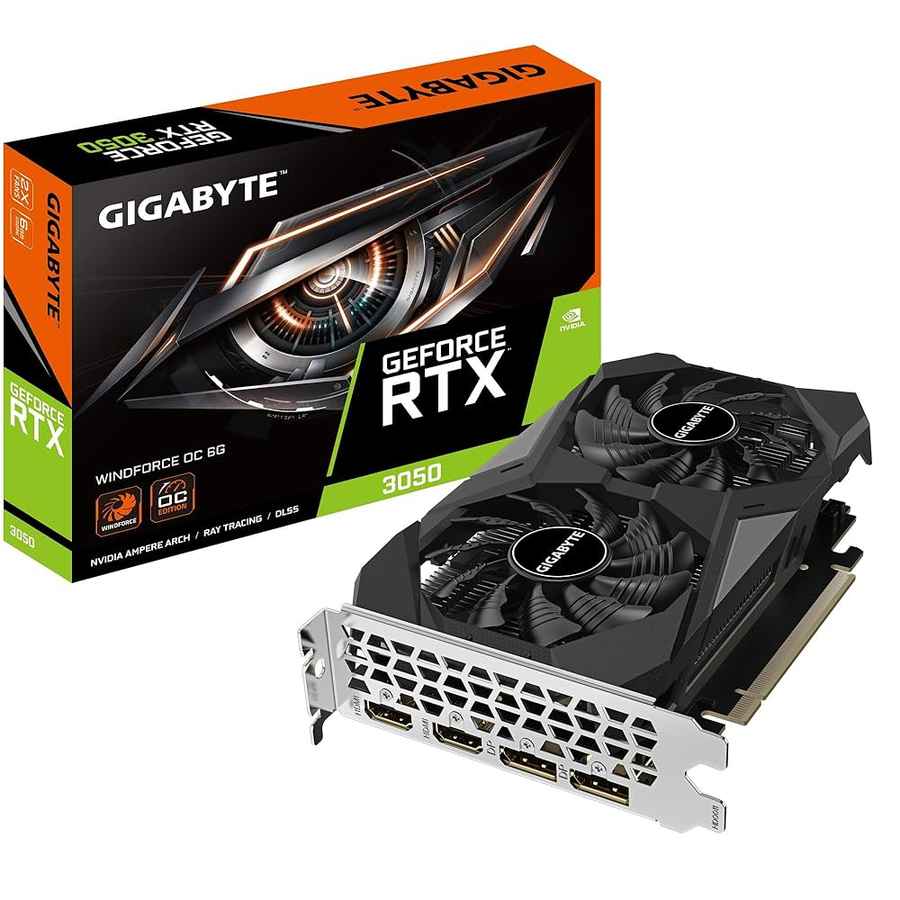
At the core of gaming performance is the GPU, and the RTX 3050 is a sweet spot card for 1080p gaming. Gigabyte’s WINDFORCE OC edition brings dual fans and efficient cooling, allowing stable frame rates even during long sessions. With ray tracing and DLSS support, it delivers smoother visuals and future-proofs your setup for upcoming titles—all without breaking the bank.
This entry-level motherboard from Asus offers a perfect foundation for budget PC builds. Supporting Ryzen processors, DDR4 memory up to 3200MHz, and NVMe SSDs, it ensures stable performance for gaming and productivity. Its compact design and essential connectivity options make it a solid choice without unnecessary extras.
Speed matters, and this dual-channel 16GB DDR5 kit from Adata ensures games load quickly and run smoothly. While DDR5 is still newer in the budget range, its higher bandwidth offers better performance scaling over time, making this build more future-ready. With 16GB as the standard for gaming today, you’re covered for everything from competitive shooters to open-world adventures.
Also read: Smart rings in India 2025: Buying guide, features, top picks, FAQs explained
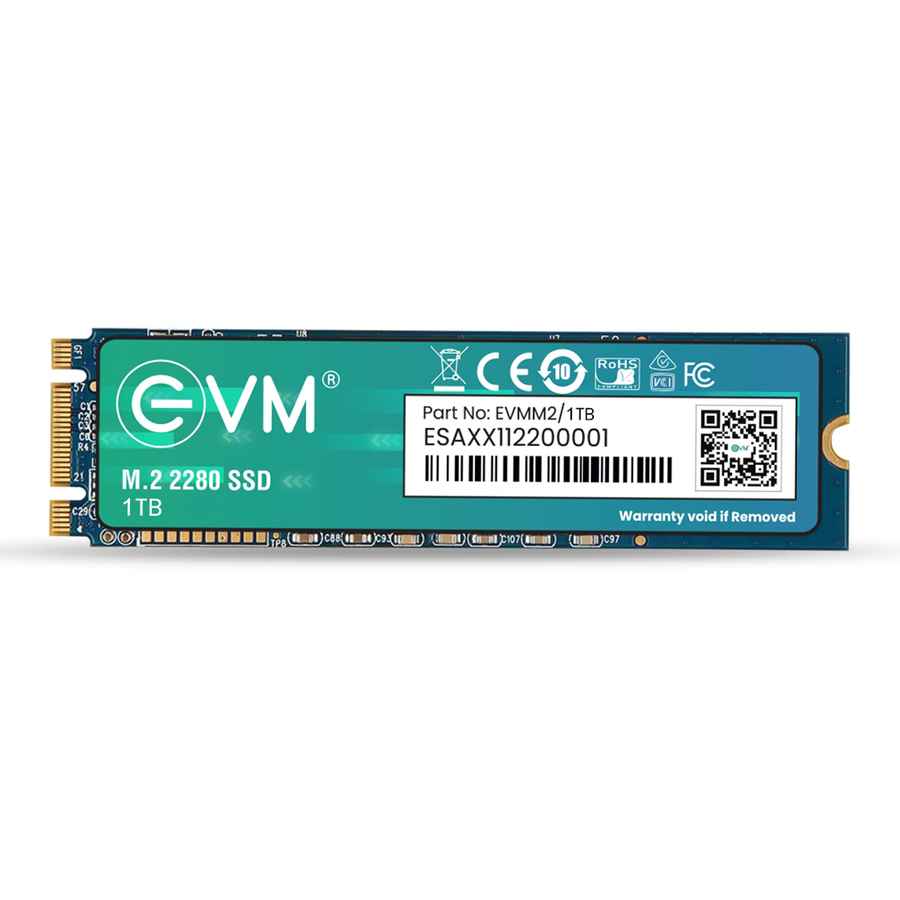
Say goodbye to slow loading screens. The EVM 1TB NVMe SSD brings blazing-fast read/write speeds, ensuring quick boot-ups and seamless game launches. With a full terabyte of space, you’ll have room for your OS, applications, and a sizable library of modern titles—without worrying about juggling installations.
A reliable power supply is essential for long-term stability, and the Cooler Master MWE 450W fits the bill perfectly. With 80+ Bronze efficiency certification, it delivers consistent power to your components, ensuring safety and energy efficiency for your gaming setup.
Affordable yet practical, the ZEBRONICS ZIUM Mid-Tower case offers good airflow and adequate space for components. Its simple design makes it easy to work with for first-time PC builders, while still providing a clean look for your gaming rig.
| Component | Model/Specification | Price (₹) |
| CPU | AMD Ryzen 5 5500 | 7,000 |
| GPU | Gigabyte GeForce RTX 3050 WINDFORCE OC V2 | 15,800 |
| Motherboard | Asus Prime A520M DDR4 Motherboard | 3,700 |
| RAM | Adata 16GB (8GBx2) DDR5 5600MHz | 5,000 |
| Storage | EVM 1TB NVMe SSD | 4,500 |
| PSU | Cooler Master MWE 450 Bronze V2 | 3,000 |
| Case | ZEBRONICS ZIUM Mid-Tower | 1,600 |
| Total | 40,600 |
Gaming: This build is tuned for smooth 1080p gaming at an affordable budget. Esports titles like Valorant, CS2, and League of Legends run at high settings with ease, delivering well over 100+ FPS for competitive play. Popular AAA games such as GTA V, The Witcher 3, and Shadow of the Tomb Raider average between 50–70 FPS at medium settings. Even modern releases like Cyberpunk 2077 and Elden Ring remain playable at low-to-medium settings, ensuring a reliable entry-level gaming experience without overspending.
Everyday Use: With the Ryzen 5 5500 and 16GB DDR5 RAM, multitasking feels snappy whether you’re browsing, streaming, or working on office tasks. The 1TB NVMe SSD keeps boot times under 10 seconds and ensures near-instant app launches. For students and professionals, it’s a dependable workhorse that can also handle light content creation, video editing, and productivity workloads with ease.
Upgrade Path: This setup is well-balanced at ₹40K, but future upgrades can unlock even more performance. A GPU bump to the RTX 4060 or RX 7600 makes it ready for higher FPS 1080p or even 1440p gaming. Expanding storage with a 1TB+ HDD or SSD keeps up with growing libraries. Moving to a B450/B550 motherboard adds better compatibility for higher-end CPUs. And if you’re eyeing more powerful GPUs later, upgrading to a 550W or 650W PSU provides the headroom you’ll need.
Also read: Gaming Peripherals 101: How to choose the correct display