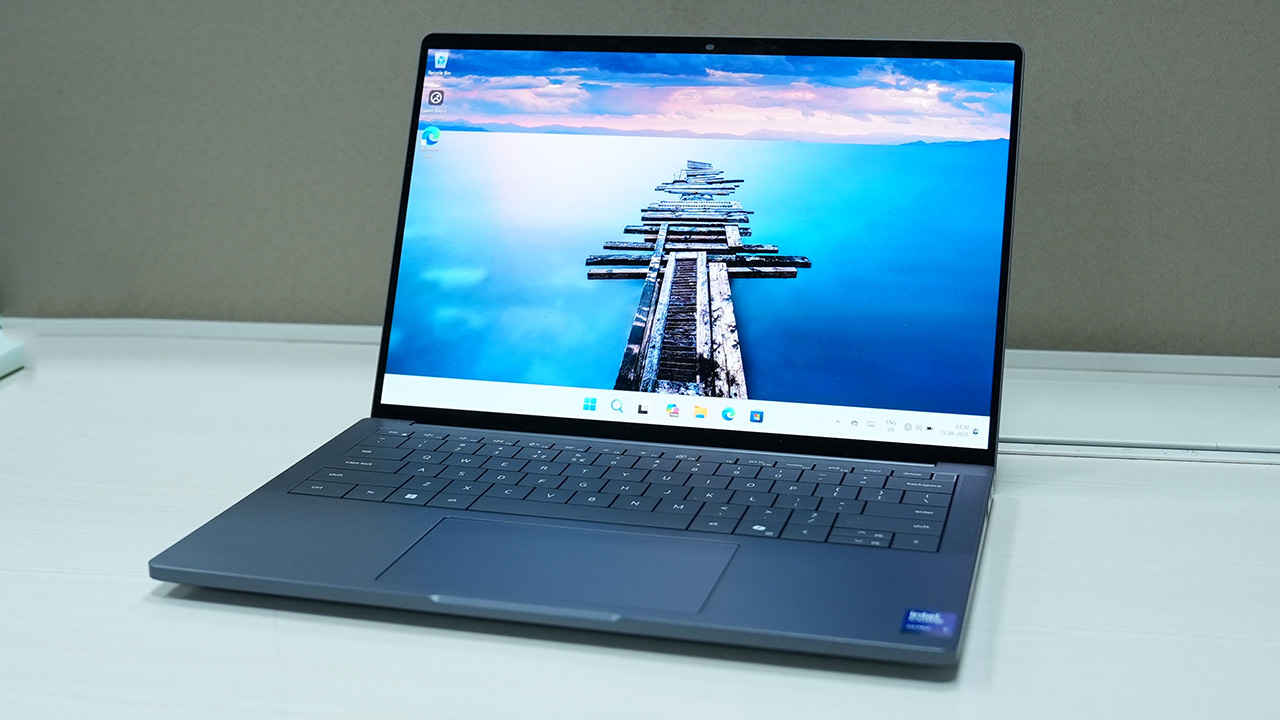
Dell Pro 14 Premium PA14250
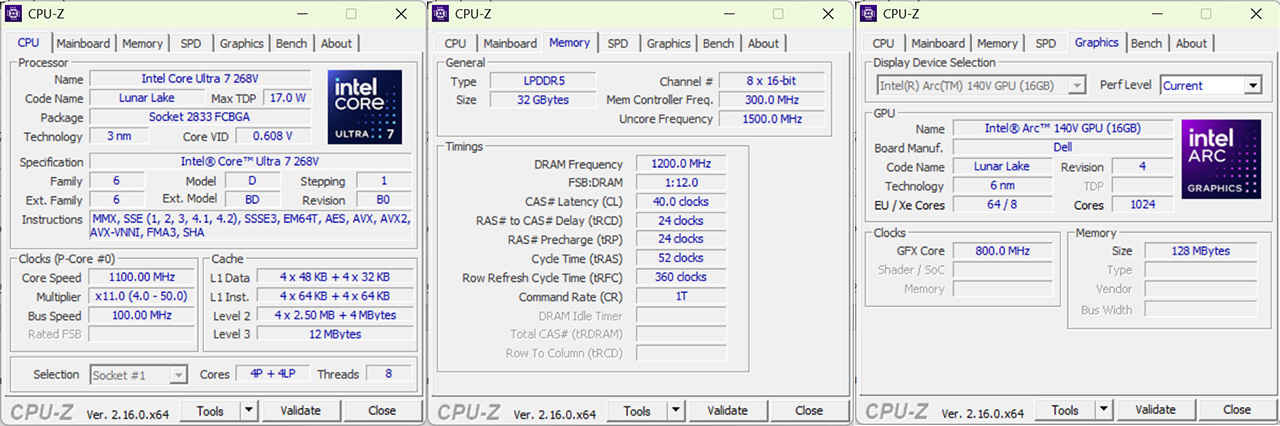
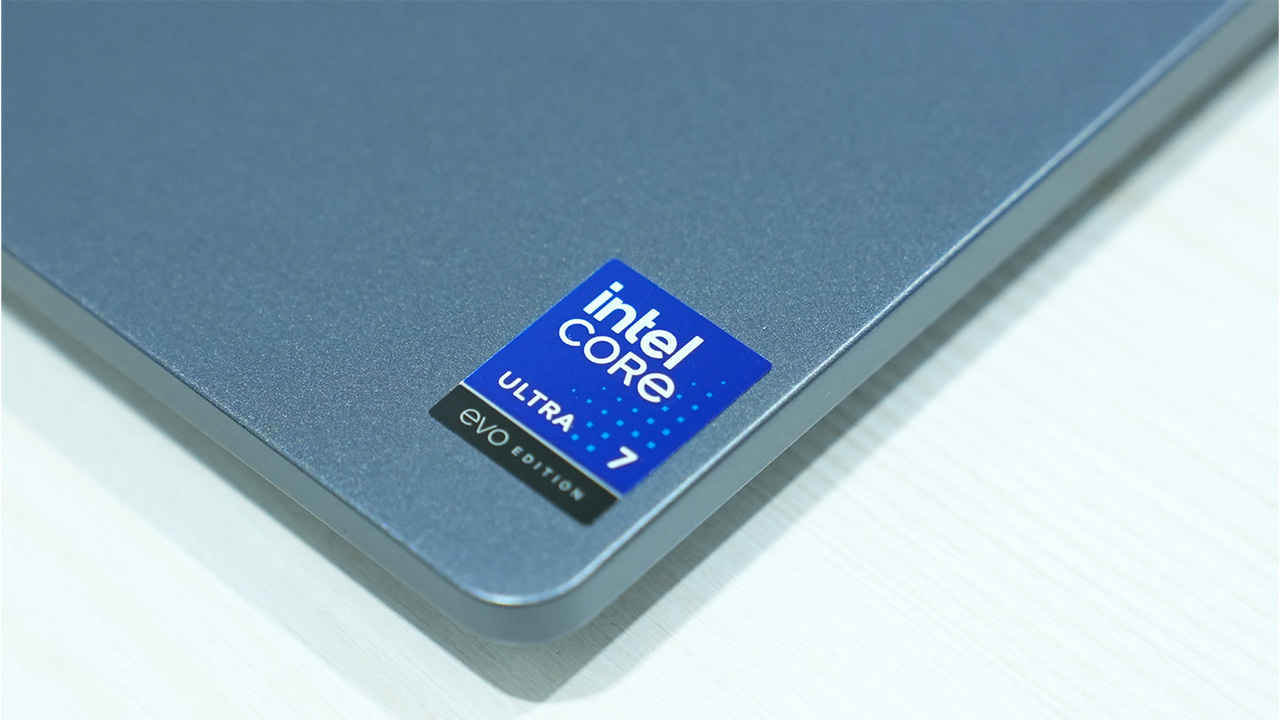
The Dell Pro 14 Premium PA14250 is one of those laptops that makes sense the moment you stop judging it as “just another 14-inch Windows machine” and start looking at what it’s actually trying to be, which is a thin, premium, corporate-friendly ultrabook (if we’re still using that term) that leans hard into three things at once, namely portability, battery life, and a modern AI-ready platform. In the particular configuration given to us, Dell has gone with Intel’s Core Ultra 7 268V on the Lunar Lake-MX platform, paired it with 32GB of LPDDR5X memory, a fast-enough 512GB Samsung NVMe SSD, Intel’s latest Wi-Fi 7 BE201, and an OLED panel that is far more ambitious than the average business laptop display. The unit is running Windows 11 Pro (24H2) as well, which is relevant because Microsoft’s current AI and security push is deeply OS-tied.
That mix is interesting because it lands in a price bracket where buyers can reasonably ask for everything. At a little over ₹2.4 lakh for this custom configuration (with the base range starting closer to ₹1.5 lakh), the Dell is sitting in the same conversation as the Lenovo ThinkPad X1 Carbon class and premium HP EliteBook models. This is the part of the market where “nice” is not enough, you expect meaningful engineering advantages: a display you actually enjoy staring at, a keyboard you can type on all day, conference-call hardware that does not make you sound like you’re speaking into a tin can, and performance that is consistent rather than flashy for five minutes and compromised thereafter.
What makes the PA14250 particularly interesting is that Intel’s Lunar Lake approach changes the tone of the performance discussion. Instead of chasing the highest multi-core score at any cost, the platform tries to deliver strong single-core responsiveness, respectable multi-core throughput, and better efficiency under real workloads. Business laptops spend a lot of their time off the charger, and because premium thin-and-lights cannot rely on brute cooling to cover up power-hungry silicon, it helps if you have an efficient processor. So, does this Dell justify its premium positioning as an all-rounder, or is it a beautiful corporate machine that makes you pay extra for the design language and the badge? We’ll soon find out.
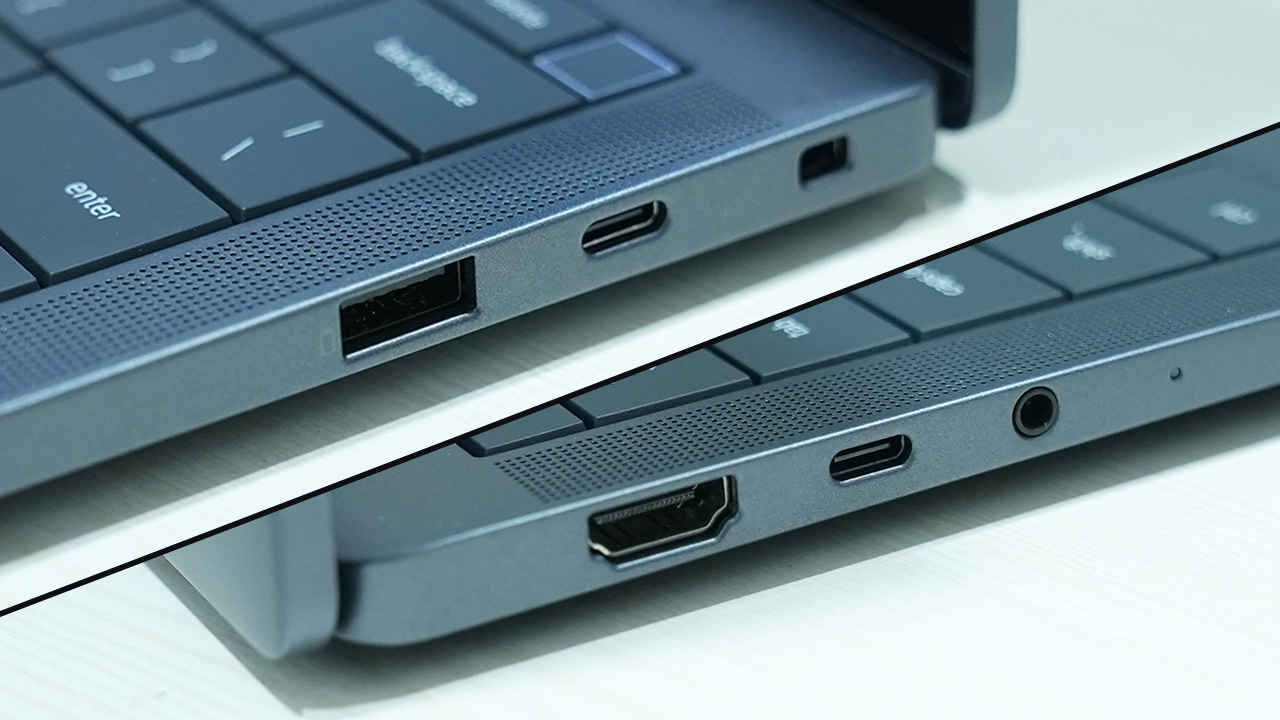
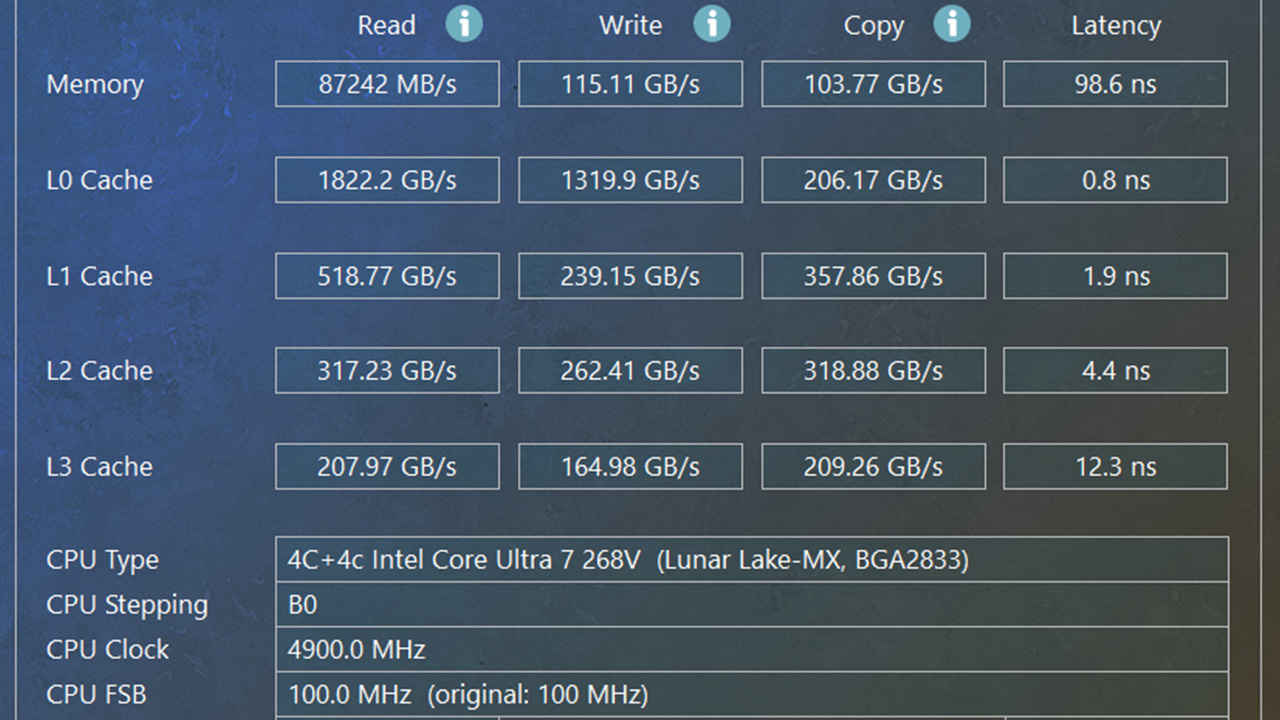
The Dell Pro 14 Premium PA14250 review unit runs Windows 11 Pro and is built around Intel’s Core Ultra 7 268V on the Lunar Lake-MX platform, using an 8-core layout (4 performance cores plus 4 low-power efficiency cores). It is paired with 32 GB of LPDDR5X memory and a 512 GB Samsung PM9C1a TLC NVMe SSD. Graphics are handled by the integrated Intel Arc 140V GPU, delivering modern DirectX performance without a discrete chip. Wireless connectivity comes via Intel’s Wi-Fi 7 BE201, supporting the latest high-bandwidth, low-latency networks. The display is a 14.0-inch 16:10 OLED touchscreen made by LG Phillips (panel model 140WT1 OLED, LGD07A0), with a 2880 × 1800 resolution, 243 PPI pixel density, glossy finish, HDR support, 60 Hz refresh rate, and 10-point capacitive touch. Power comes from a 3-cell 60Wh battery, charged using a 60 W ultra-light adapter. For calls and security, it includes an 8MP HDR webcam with IR for facial authentication, plus a power button that doubles as a fingerprint reader. The recycled magnesium chassis weighs 1.3 kg and offers two Thunderbolt 4 ports (one each side), HDMI, USB Type-A 3.2 Gen 1, and a 3.5 mm audio combo jack.
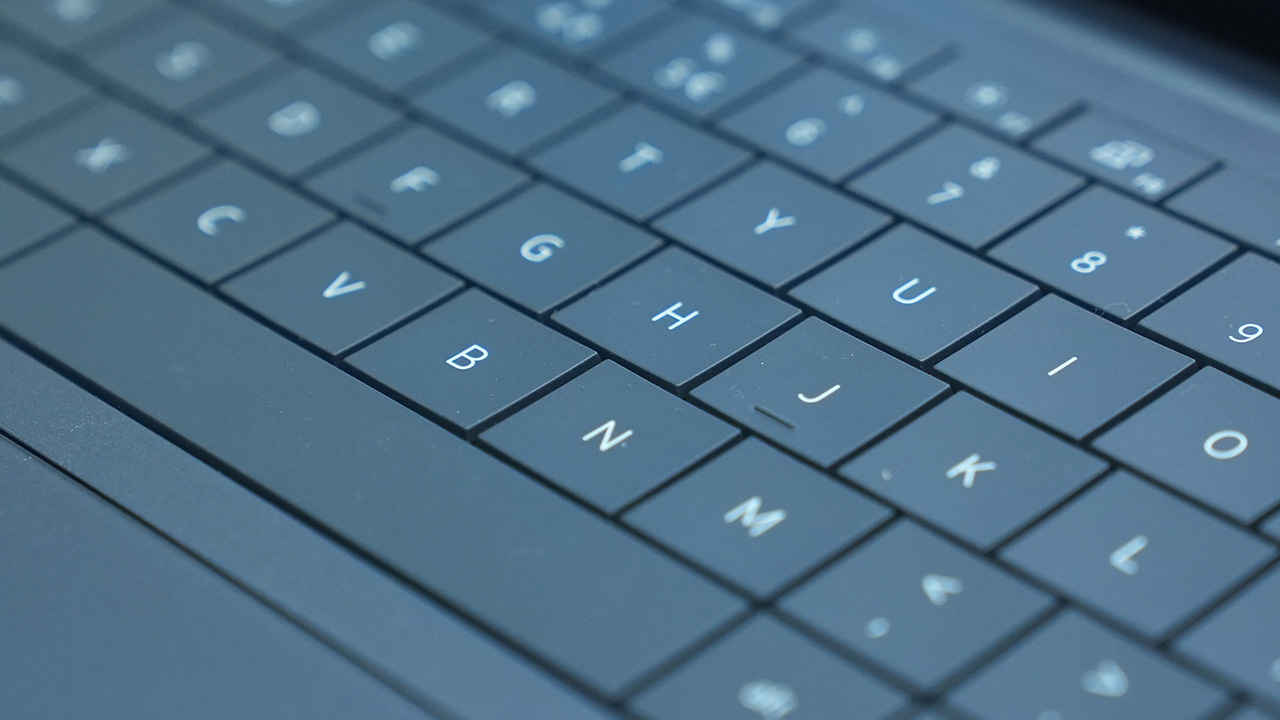
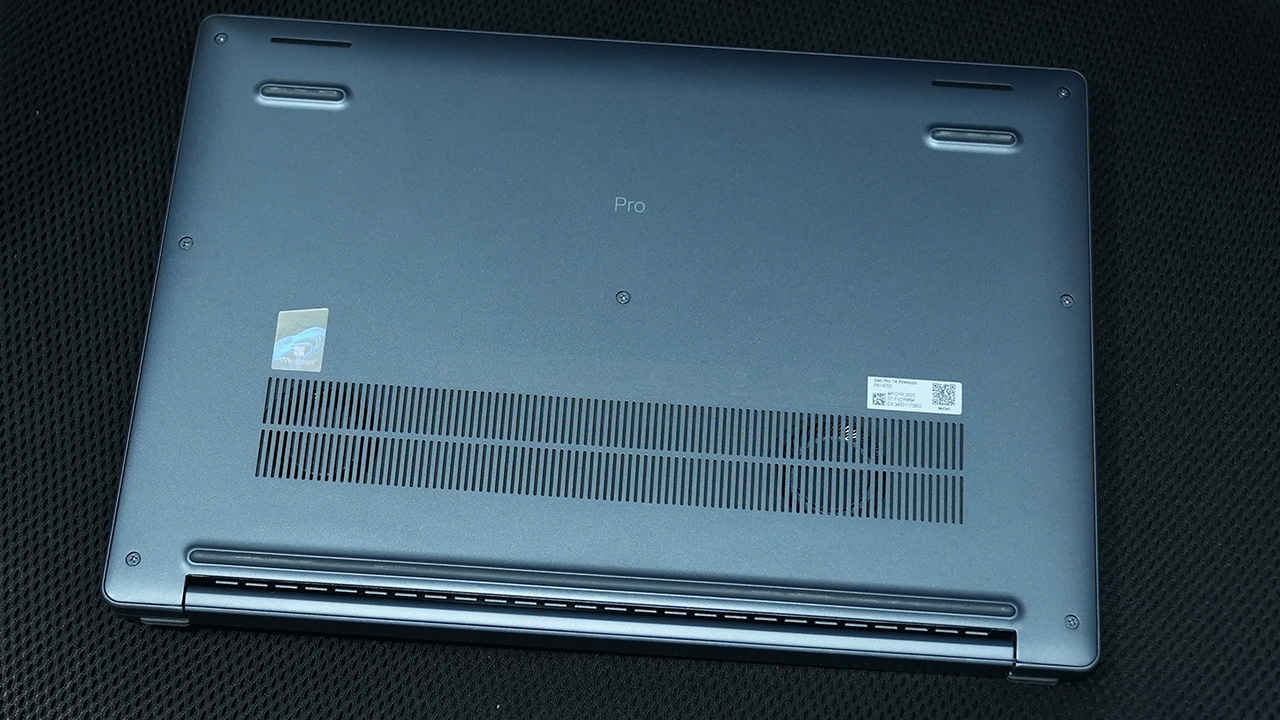
The PA14250 communicates “premium” in a way that suits a business machine: not through flamboyant styling, but through restraint and materials that feel chosen for utility as much as aesthetics. The recycled magnesium chassis is a good foundation for a 14-inch ultrabook because it can deliver stiffness without pushing weight upward, and in this category stiffness is not just about durability. It’s about the confidence to use the laptop one-handed, to type energetically, and to throw it into a bag without feeling like the lid needs kid-glove treatment.
The matte texture on the top cover is the sort of detail that makes daily ownership better. Glossy lids can look impressive under lights and miserable after five minutes of handling. Matte finishes tend to hide fingerprints better, age more gracefully, and fit the understated identity of a professional laptop. There’s also a psychological benefit, in the sense that you’re getting a business laptop that is too “precious” can feel like it belongs on a desk, not in motion. The PA14250’s finish suggests it expects to be carried.
At 1.3kg, portability is a genuine strength rather than a spec-sheet boast. This is a weight that makes a difference in routine, especially for commuters, frequent travellers, or anyone moving between desks and meeting rooms. It also means the laptop can comfortably coexist with the other things work bags accumulate: chargers, notebooks, a mouse, dongles (even if fewer are needed here), and the inevitable “just in case” accessories.
Structural quality matters most in the areas that thin laptops often get wrong – the keyboard deck, lid rigidity, hinge behaviour and handling by the corners. The configuration and performance characteristics suggest the chassis and cooling solution are not being pushed beyond what the form factor can sustain, and that tends to correlate with better long-term mechanical feel. A laptop that runs too hot, too often, frequently becomes a laptop that feels less solid over time because heat cycling is unfriendly to thin structures.
Rather than going all-in on USB-C minimalism, Dell includes HDMI and a USB-A port. That choice implies a laptop designed to reduce friction for real work setups: meeting rooms, existing peripherals, and environments where “just use a dongle” is not the default behaviour.
Overall, the PA14250’s build quality aligns with what premium business laptops should aim for: light, stiff, practical, and not visually exhausting.
Performance on a laptop like the PA14250 should be read through two lenses. The first is “how fast does it feel in the work that actually happens”, the second is “how consistent is that speed under sustained load without turning the machine into a noisy, hot compromise”. Benchmarks can cover the first lens well and partially cover the second, but the real judgement comes from how the numbers align with the thermal and power characteristics of the chassis.
The PA14250’s results suggest a well-balanced platform. CPU benchmarks indicate strong single-core speed and solid multi-core capability for an ultrabook class device. The integrated Arc 140V GPU produces unusually capable results for a business laptop, supporting light creative workloads and casual gaming without the need for a discrete GPU. Storage performance is comfortably modern, with strong sequential throughput and reasonable random performance that should translate to snappy app behaviour. Battery life is a standout, especially for an OLED configuration.
Cinebench R23 posts 1,926 in single-core and 10,082 in multi-core. Similarly, Cinebench 2024, often a better reflection of modern rendering pipelines, returns 122 single-core and 573 multi-core. The single-core score is particularly meaningful for the everyday experience of Windows laptops. It correlates with fluid UI, browser performance, and the general sense that the machine is reacting instantly rather than thinking about it. In a premium business device, strong single-core matters because the laptop spends most of its time in lightly threaded or mixed workloads rather than pegged at full multi-core utilisation.
The multi-core score of 10,082 indicates that the Dell Pro 14 Premium PA14250 is not a one-trick pony. It has enough throughput for heavier bursts for tasks such as large file compression, code compilation on moderate projects, batch photo exports, and the sort of multi-app multitasking that can stress weaker ultrabook CPUs. It is not, however, trying to outmuscle larger laptops built around higher-TDP silicon. That matters because sustained, high-load workflows such as long video exports, heavy 3D rendering, and continuous scientific computation will always favour machines with larger cooling solutions and higher power budgets.
Geekbench 6.4.0 scores 2,811 single-core and 11,145 multi-core. Geekbench can be sensitive to architecture and platform behaviour, but here it reinforces the broader picture which is excellent single-threaded capability for everyday work, and enough multi-threaded performance to avoid feeling constrained when workloads become heavier.
In practice, that makes the PA14250 a strong candidate for typical professional workloads: Office suites, extensive browser sessions with many tabs, communication apps, light to moderate content creation, and development work that is not dependent on sustained all-core processing for long periods. It also suggests the laptop should handle demanding multitasking well, which is often the real “performance test” for business users.
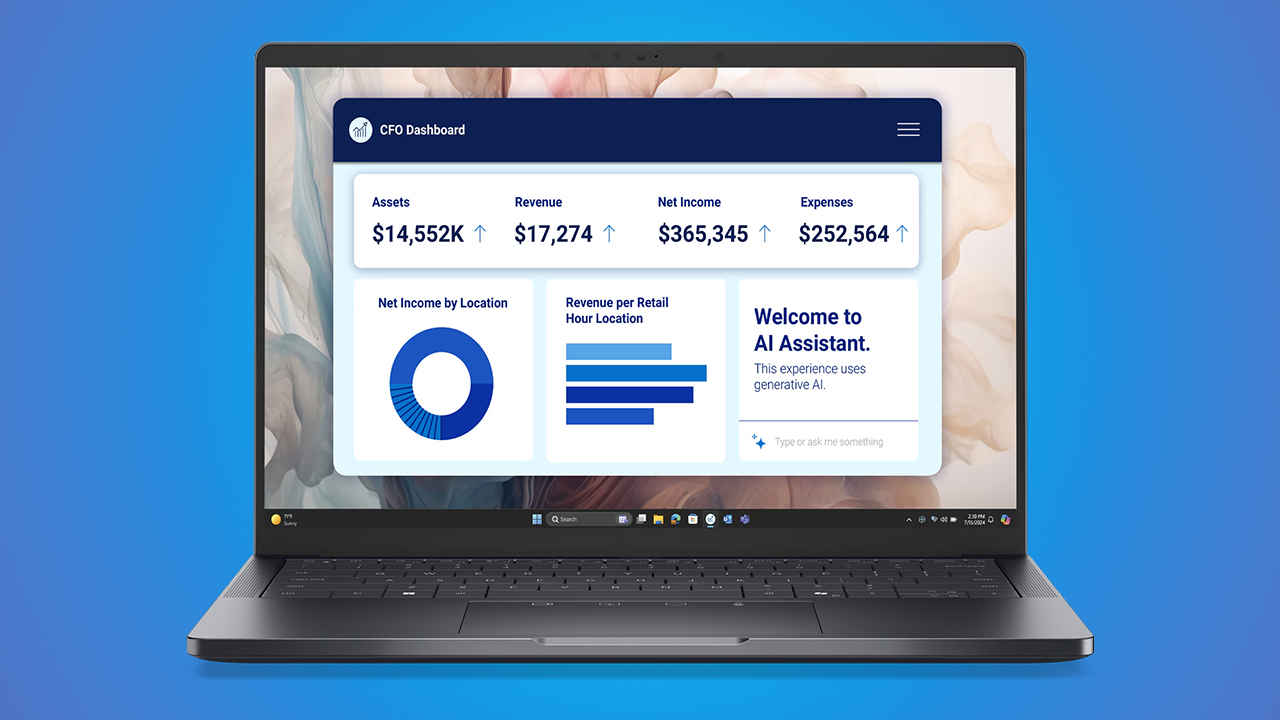
Local AI inference results highlight how much the software stack influences performance on this platform. Using ONNX on the CPU, the scores are 2,450 for single precision, 1,243 for half precision, and 4,976 for the quantised test. Switching to OpenVINO on the CPU lifts those numbers to 3,149 (single), 2,225 (half), and 8,178 (quantised), with the largest gain coming from quantised inference which is expected.
Intel’s OpenVINO path is extracting noticeably more throughput than a more generic ONNX route, particularly in the kind of quantised workloads that are common in practical, efficiency-focused on-device AI deployments. This is why tweaking the model matters and raw TOPS isn’t really a great indicator of how well you’ll experience AI tools on your PC. In real terms, that can mean faster processing for supported local AI features, such as transcription, background effects, noise suppression, and certain assistive tools inside productivity or creative apps without getting massive models.
One important limitation remains: these are CPU-based inference scores, so they do not isolate the NPU in the way an NPU-only benchmark would. Even so, they are still useful because many Windows applications and enterprise AI workflows continue to run inference through CPU runtimes for compatibility reasons. The best-case experience on the PA14250 will come when software is tuned to use optimised execution paths (OpenVINO here), rather than relying purely on generic inference pipelines.
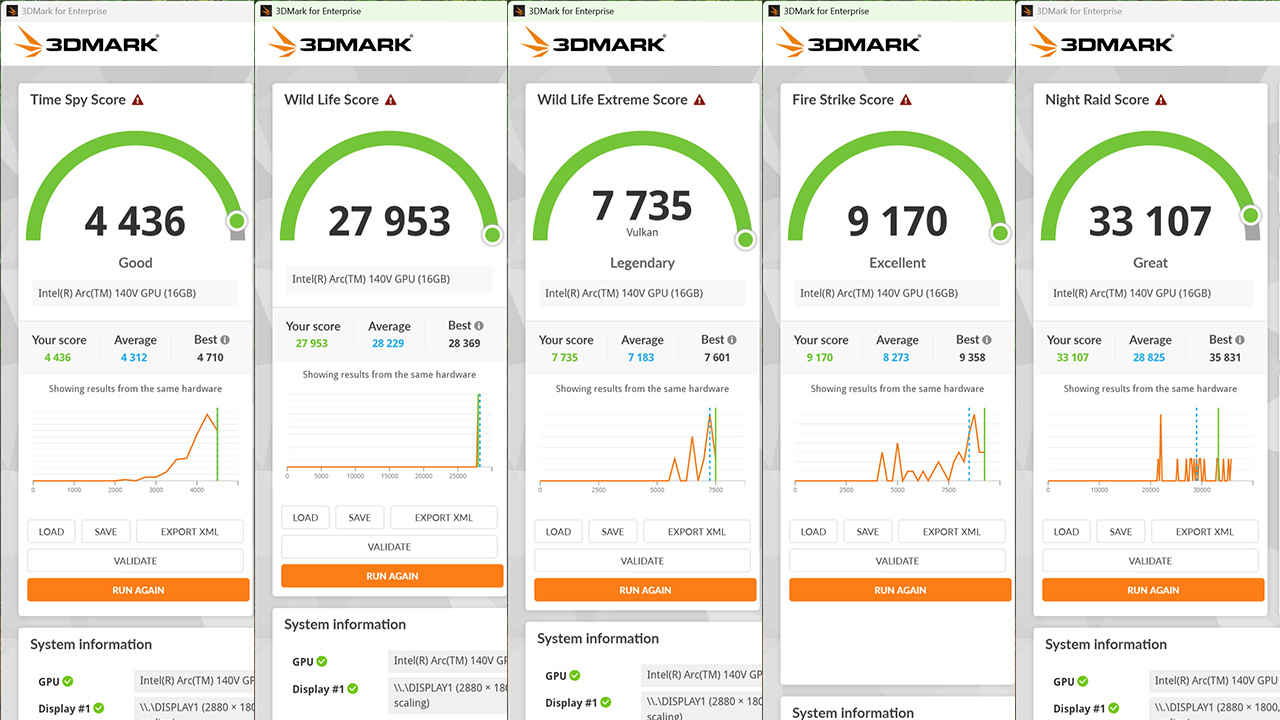
Integrated graphics is one of the most quietly important parts of the PA14250’s performance profile. Business laptops have historically treated iGPUs as display engines first and performance devices second. The Arc 140V results here suggest something different: a capable integrated GPU that can meaningfully contribute to creative workloads, GPU-accelerated productivity features, and casual gaming.
Time Spy is a particularly useful indicator because it is a DirectX 12 test that tends to reflect more modern rendering behaviours than older benchmarks. A 4,436 score in a thin, 14-inch business laptop is a strong signal that the iGPU is not merely adequate, it is genuinely capable.
Fire Strike at 9,170 reinforces the idea that even in older DirectX 11-centric workloads, the integrated graphics has enough power to deliver decent results. Night Raid at 33,107 suggests strong performance in lighter, more integrated-friendly scenarios, which can translate to smooth UI compositing, accelerated workloads, and some esports or older titles running comfortably at sensible settings.
Wild Life and Wild Life Extreme scores are useful as cross-platform indicators, often aligning with the kind of GPU behaviour seen in mobile-adjacent workloads and some modern app acceleration scenarios. Scores of 27,953 and 7,735 respectively point to a GPU that can handle sustained graphics loads better than typical business iGPUs of the past.
The practical implication is that the PA14250 is more flexible than most laptops in its category. It should handle light photo editing, GPU-accelerated filters, hardware-accelerated playback, and multiple external displays without strain. For casual gaming, the 60Hz panel sets an upper bound on perceived smoothness, but the GPU capability suggests many titles will be playable at reasonable settings, particularly if the goal is stability rather than maximum visual flair.
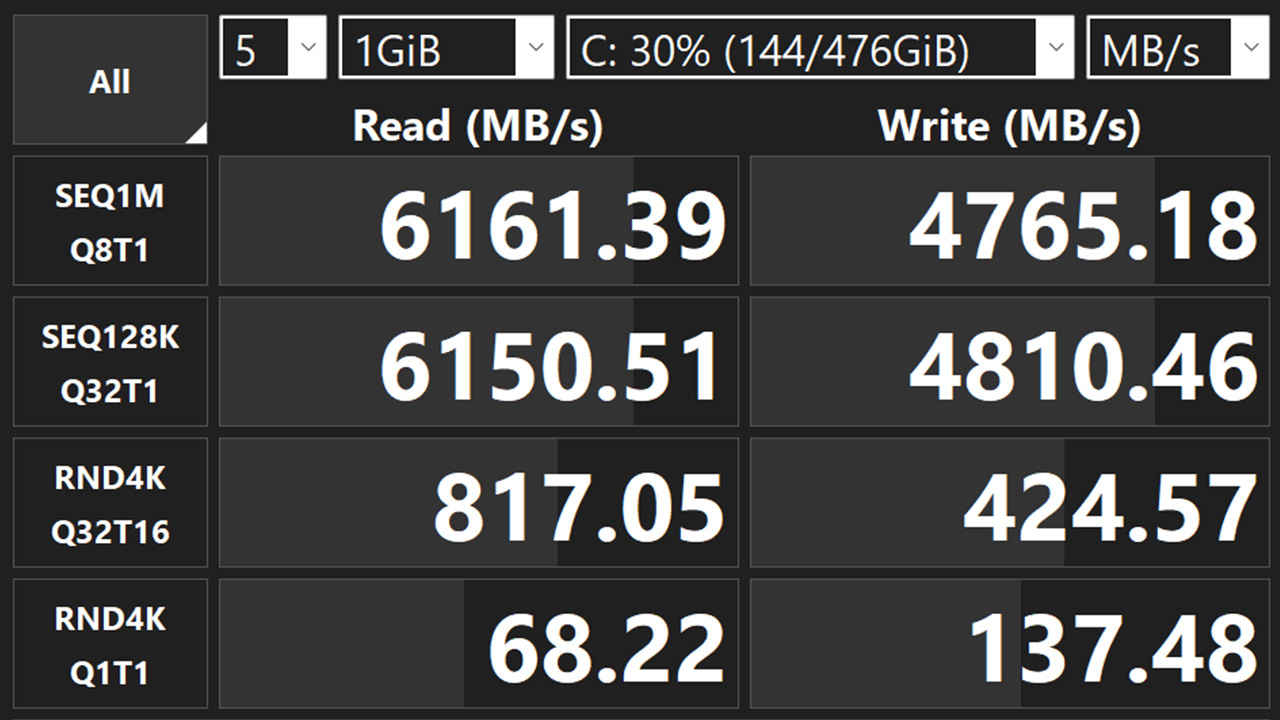
The Samsung PM9C1a 512GB SSD delivers the kind of performance expected from a modern premium laptop. CrystalDiskMark results in about 6161 MB/s for read speeds and similar write speeds. The sequential numbers are strong and will benefit large file transfers, application installs, and workloads involving big media assets. The random numbers, particularly the 4K Q1T1 results, are important for everyday responsiveness: boot behaviour, app launching, and the countless small file operations that happen under the hood in Windows. The results here are healthy, and they should translate to a laptop that feels quick and consistent in daily use.
PCMark 10 Full System Drive returns 2,176. PCMark’s storage test is valuable because it uses traces designed to reflect real usage patterns rather than pure synthetic throughput. A good score supports the interpretation that the SSD behaviour will feel snappy in practical workflows.
The one potential complaint is capacity rather than speed. At this price tier, 512GB can be limiting depending on workload. For office productivity, it is usually fine. For heavy content creation, large local media libraries, or multiple development environments, it can become tight quickly. The performance, though, is not the bottleneck.
The display is a major part of the Dell Pro 14 Premium’s identity. A 14.0-inch OLED panel with 2880 × 1800 resolution, 16:10 aspect ratio, HDR support, and touch input is not the sort of screen typically associated with corporate laptops. It’s the sort of screen that changes the daily experience of using the machine, even for people who do not think of themselves as “display snobs”.
Resolution and pixel density are a practical win. Text looks sharp and clean, and UI elements have a crispness that reduces visual noise during long sessions. The 16:10 aspect ratio provides more vertical room, which matters constantly in real work i.e. more lines of text, more rows in spreadsheets, less scrolling, and better split-window layouts.
The panel is glossy, which is a trade-off. Gloss tends to enhance perceived contrast and colour richness, but reflections can be an issue in bright environments. In typical office lighting it is manageable, and in controlled indoor settings it can even be preferable. In unpredictable bright spaces, it can become more situational.
Refresh rate is 60 Hz. In the premium market, higher refresh panels are increasingly common, and 60 Hz is not going to satisfy people who have become used to 120 Hz smoothness. That said, 60 Hz is still absolutely fine for productivity, and it can be a sensible choice for battery life, especially with OLED in play.
Touch support adds flexibility. It is not transformative in the way it is on a convertible, but it is useful for quick interactions, presentations, and certain browsing and document workflows. On a premium OLED panel, it also feels more natural, because touch responses pair well with the panel’s clarity and contrast.
Overall, the display feels like a genuine premium differentiator, and it is one of the strongest arguments for this specific configuration.
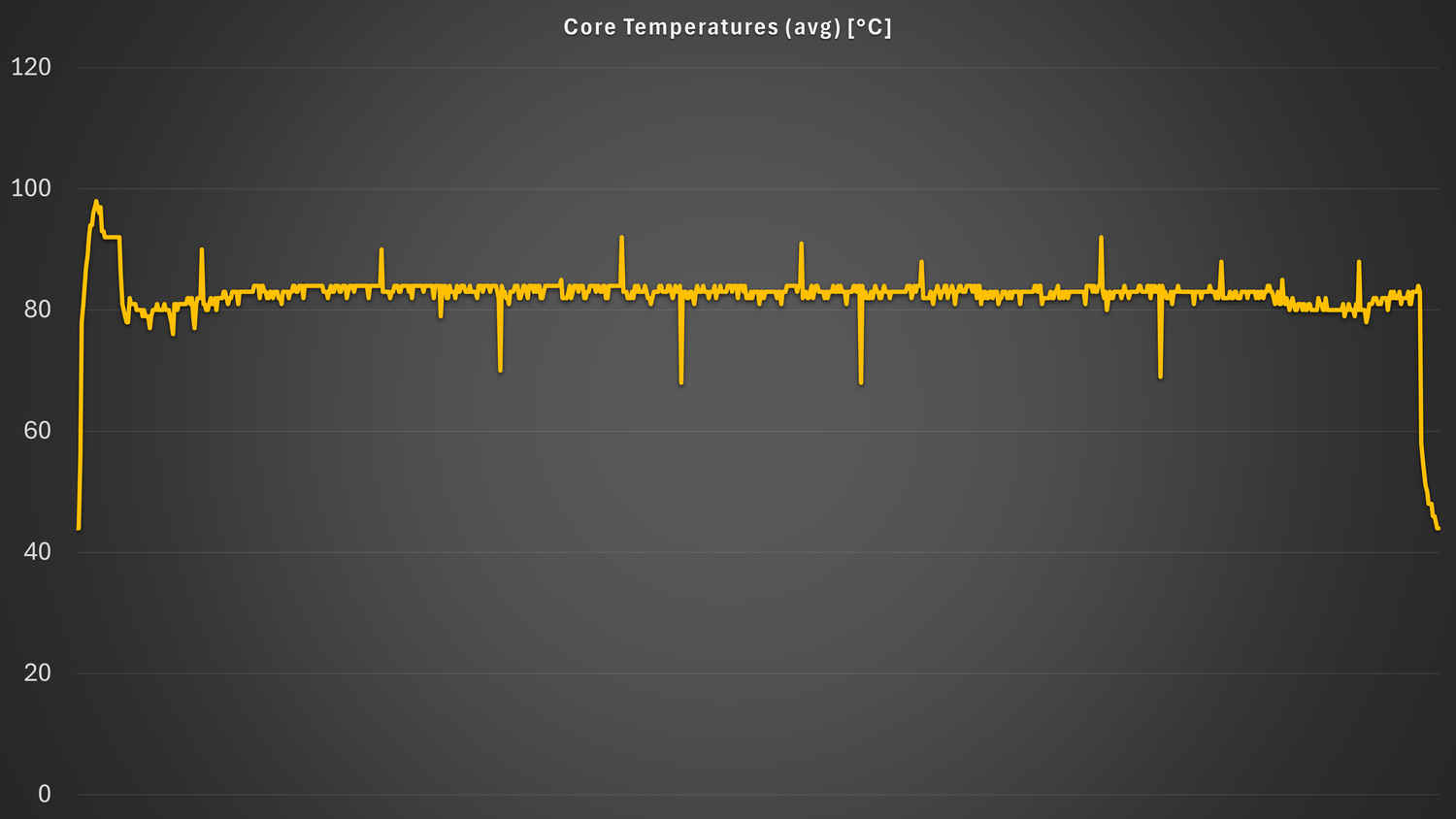
Thermal behaviour is where a laptop like this either proves it was engineered thoughtfully, or exposes itself as a thin shell around components it cannot manage. The Dell Pro 14 Premium PA14250’s thermal behaviour is best described as “fine”, with typical temperatures around 48°C and the system hitting limits during benchmarks.
That pattern is consistent with a well-tuned thin-and-light. Under everyday workloads, it stays within comfortable thermal bounds. Under stress, it reaches the thermal or power limits that are inevitable in a slim chassis. The real test is what happens when those limits are reached: whether the machine becomes unpleasantly hot to use, whether fan noise becomes distracting, and whether performance becomes erratic.
Acoustically, it does not do anything that sticks out like a sore thumb. Hitting limits during benchmarks is not inherently a flaw, it is often the outcome of a deliberate tuning choice to maintain user comfort, avoid extreme fan ramps, and keep sustained performance predictable rather than spiky.
In a corporate context, this is usually preferable. A laptop that is slightly less aggressive in chasing short-term benchmark peaks can deliver a better long-term ownership experience: quieter operation, less heat soak, and fewer annoying moments where the machine suddenly sounds like it is trying to take off during a meeting.
Speaking of wireless capability, the Intel Wi-Fi 7 BE201 is a current-generation solution designed for high throughput and improved latency characteristics on compatible networks. In practical terms, the best measure of wireless is consistency i.e. stable connections, predictable roaming in office environments, strong performance in congested networks, and the ability to make the most of newer routers and access points as they become common. Wi-Fi 7 capability also helps future-proof the laptop for a multi-year lifespan, which matters in this price tier. In that context, the BE201 is exactly what a premium business laptop should ship with.
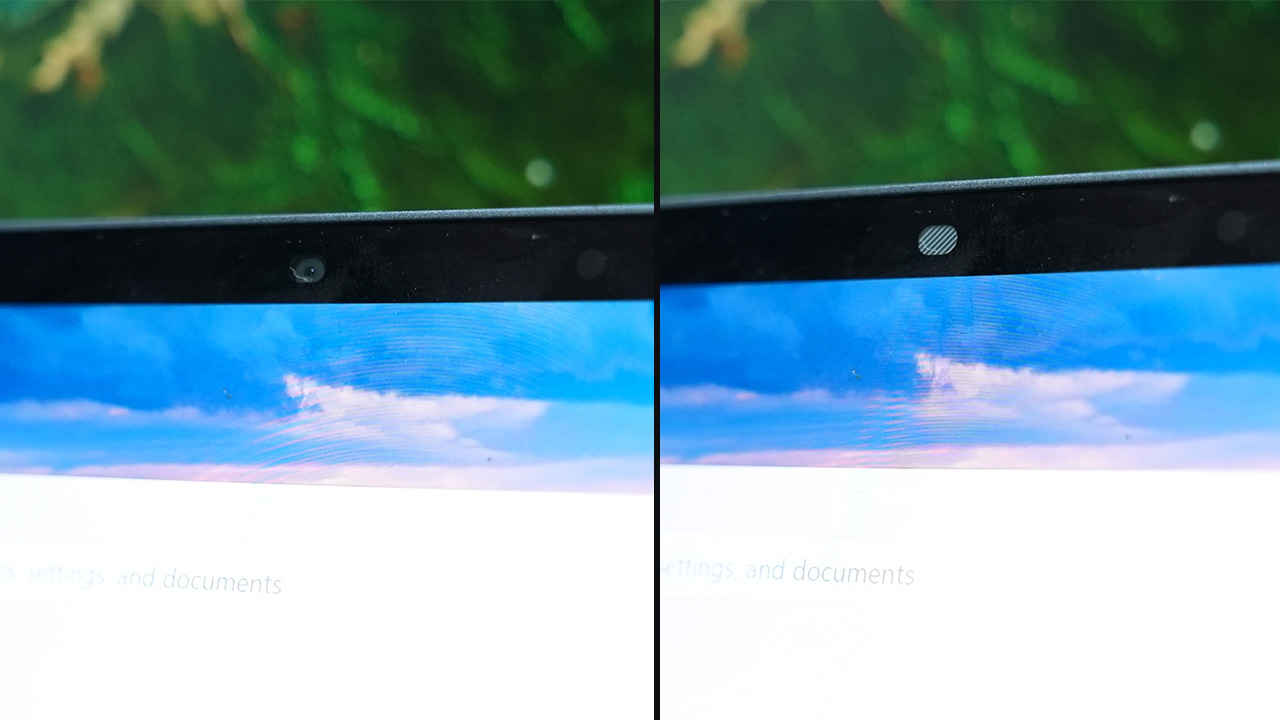
The PA14250’s webcam setup is one of its strongest practical advantages. An 8MP HDR camera with IR support represents a significant leap over the 1080p webcams that still dominate even expensive laptops. The higher resolution improves detail and clarity, particularly in the kind of compressed video conferencing environment where weaker cameras can look soft and noisy. HDR helps in challenging lighting situations common in offices and homes, such as bright backlighting from windows or uneven overhead lighting. The result is a more presentable image with less effort.
IR support enables Windows Hello facial recognition, which improves the daily login experience, particularly when paired with a fingerprint reader integrated into the power button. Multiple biometric options matter more than they sound, because they reduce friction across varied real conditions: low light, different angles, masks, or moments when one method is simply more convenient than the other. In a world where professional presence is often mediated through a webcam, this feature lands as a meaningful upgrade rather than a luxury.
Battery life is arguably the headline performance result here, especially given the OLED display. PCMark 10 Battery Life reports 14 hours 36 minutes. That is a strong outcome for a premium 14-inch laptop with a high-resolution OLED touchscreen. It suggests the platform is doing its efficiency job well, and that Dell’s tuning is prioritising sustained mobility rather than leaving battery life as a footnote.
It also indicates that the PA14250 is likely to be genuinely all-day capable for many working patterns, depending on brightness, network conditions, and workload. Heavy video calling, for example, can drain battery faster because it keeps multiple subsystems active (camera, microphone, networking, and often AI effects). Even allowing for that variability, starting from a 14 hr 36 min baseline in PCMark is a reassuring indicator.
The Dell Pro 14 Premium PA14250 in this customised configuration is priced in a bracket where “value” cannot mean “cheap”. It has to mean “worth it for the right buyer”. At roughly ₹2.4 lakh for this configuration (with the base range closer to ₹1.5 lakh), the machine is priced alongside premium business icons, including the ThinkPad X1 Carbon class and high-end HP EliteBook models. In that segment, the buying logic often shifts from raw performance-per-rupee to a broader calculus which includes considerations such as portability, screen quality, call experience, battery life, connectivity, and the feeling that the laptop is not adding friction to the workday.
The Dell Pro 14 Premium PA14250 makes a good case because several of its strengths are immediately tangible. The OLED 2880 × 1800 display is a daily quality-of-life improvement. It is sharper, richer, and more pleasant for long work sessions than typical business IPS panels, and the 16:10 aspect ratio is a productivity advantage. Touch support adds an extra layer of convenience rather than being a gimmick.
The webcam setup is a genuine differentiator. An 8MP HDR + IR camera is exactly the kind of feature that can justify a premium in 2026 because it directly improves the quality of calls, which are now a core part of professional life. This is the sort of upgrade that is visible to others, not just to the person using the laptop.
Battery life is another compelling justification. 14 hours 36 minutes in PCMark 10 with an OLED configuration is the sort of result that changes how the laptop is used. It reduces charger anxiety, makes travel easier, and enables full-day work away from a desk.
Performance is well-judged for the form factor. CPU results show strong single-core speed and respectable multi-core capability. Integrated graphics is unusually capable for a business laptop, and storage performance is comfortably modern. Thermals and acoustics are described as controlled and unremarkable, which is exactly what many business buyers want.
The compromises are more about preferences and configuration choices than about outright flaws. The display is 60 Hz, which may feel behind the curve to people who have become accustomed to higher refresh panels. Storage capacity at 512 GB may be limiting for certain professional workloads, even if the drive itself performs well. NPU capability is future-facing, but the practical benefits depend on software adoption, which varies.
Taken as a whole, the PA14250 offers value for buyers who prioritise mobility, display quality, conferencing performance, and battery life at least as much as they prioritise peak multi-core performance. For those buyers, the premium pricing aligns with features that are used daily, not just boasted about occasionally.
The Dell Pro 14 Premium PA14250 gets the fundamentals right for a modern premium business ultrabook. At 1.3 kg with a recycled magnesium chassis, it’s genuinely easy to carry, and the port selection is refreshingly practical. Performance is well-balanced rather than showy, with strong single-core results that keep day-to-day work feeling quick, and enough multi-core headroom for heavier bursts. Integrated Arc graphics is unusually capable for this class, making light creative work and casual gaming more realistic than on typical business laptops. The standout features are the 14-inch 16:10 OLED touchscreen and the 8 MP HDR + IR camera, aside from the long battery life.
At around ₹2.4 lakh in this configuration, the Dell Pro 14 Premium PA14250 is not trying to be the obvious pick for everyone. It is aiming at professionals and organisations that value a premium daily experience which are – excellent screen quality, strong conferencing hardware, modern connectivity, and battery life that supports real mobility. For that audience, it delivers a cohesive, well-tuned package that feels expensive for reasons that show up every day, not just on a spec sheet.