You can follow a pattern for almost anything in life, but surely not for those hectic working days. And as a journalist, I have plenty of them. Some mornings begin quietly with a cup of coffee and a half-written feature, while others spiral into chaos with back to back calls, last-minute edits, and dozens of Google Chrome tabs fighting for attention. In the middle of all this, the one thing that absolutely can’t give up (apart from me) is my laptop. It has to be light enough to carry everywhere, powerful enough to handle multitasking without slowing down, and reliable enough to last an entire day without sending me hunting for a charging point.
Another aspect that is just as important is the display. When your job involves staring at text, images, and timelines for hours on end, screen quality becomes as important as everything else. And when I got the Asus Zenbook 14 for review, I decided to use it as my daily driver for a week to find out if it can survive my intense working style and still look good while doing it all.
The Zenbook lineup has always been positioned as Asus’ premium thin and light offering, and the 2026 Zenbook 14 continues that tradition. Before we talk in depth about the laptop, here are some of the key specifications.
Processor: AMD Ryzen AI 5 430
Display: 14-inch 3K OLED touchscreen
Graphics: AMD Radeon 840M
RAM: 16 GB
Storage: 1 TB
Price: Rs 1,15,990
Now, the Asus Zenbook 14 is loaded with all the bells and whistles you would expect in 2026. But does it actually deliver in real-world usage? Let’s find out.
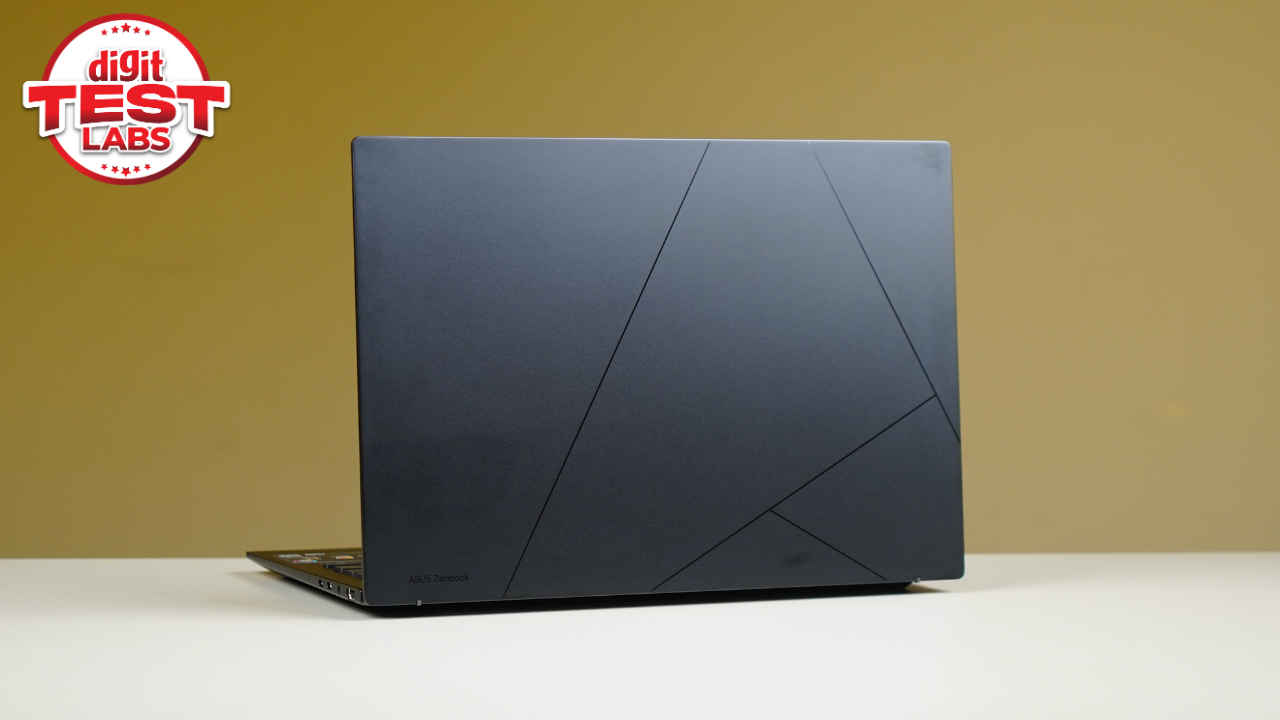
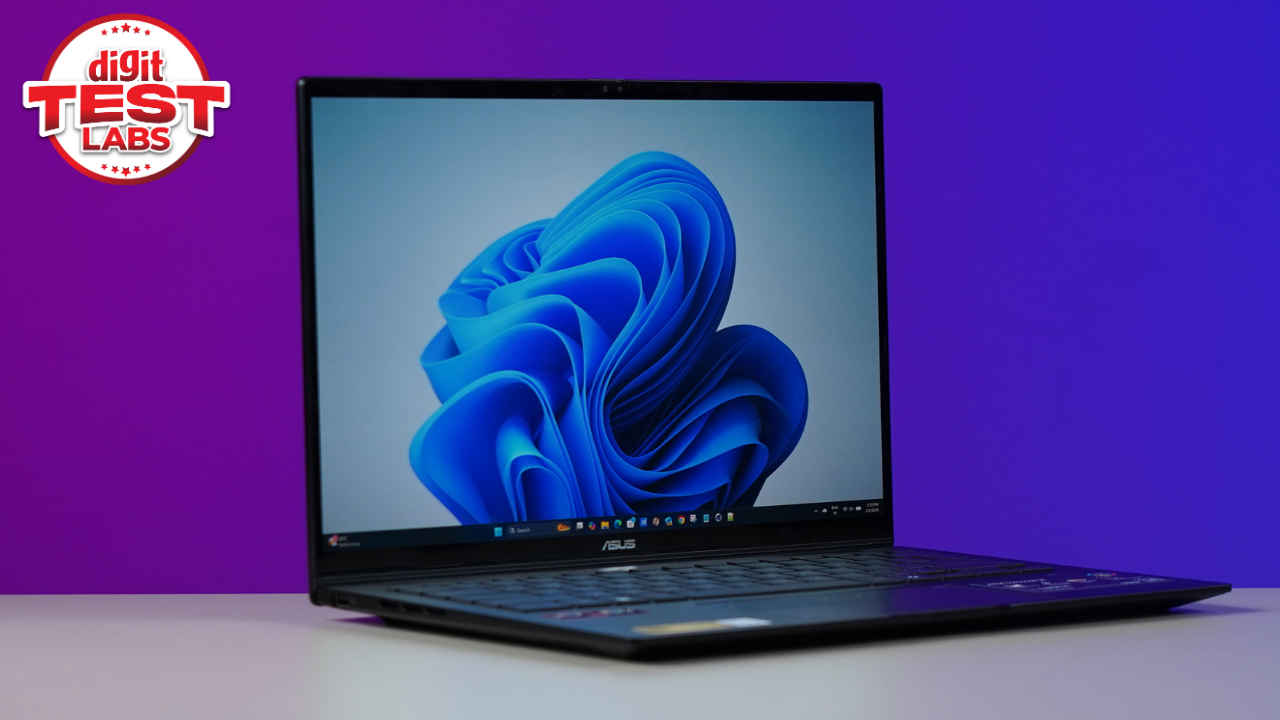
At first glance, the Zenbook 14 looks exactly what you expect from a Zenbook. It is slim, lightweight, and clean, without trying too hard to stand out. The familiar glossy lines on the lid are still here, adding just enough character without feeling loud. Asus branding sits neatly in the corner and never feels distracting.
The Jade Black colour variant I tested looks refined and mature, making it suitable for office environments as well as cafes and co-working spaces. Now I personally love black colour on laptops way too much and might therefore be a little biased here. If you like experimenting with your laptop’s colour choices, the Zenbook 14 sadly doesn’t have many options.
Coming to portability, it is one of the Zenbook 14’s strongest suits. Weighing just 1.2 kg, it is genuinely easy to carry around all day. I slipped it into a tote bag, carried it between meetings, and even worked with it on my lap without ever feeling uncomfortable. So if you move a lot during the day, this is the kind of laptop you will appreciate very quickly.
In terms of build quality, the chassis feels solid and well-built, with no noticeable flex on the keyboard deck or the base. Even when applying pressure on the lid, the laptop holds its shape well, which inspires confidence in its durability. But with that being said, the hinge mechanism could have been better. Opening the laptop with one hand is not as smooth as it should be on a premium machine. The base tends to lift slightly, which can get mildly annoying, especially when you are trying to quickly open the laptop on a Monday morning. It is not a dealbreaker, but it is something you notice almost immediately if you are used to smoother hinge designs.
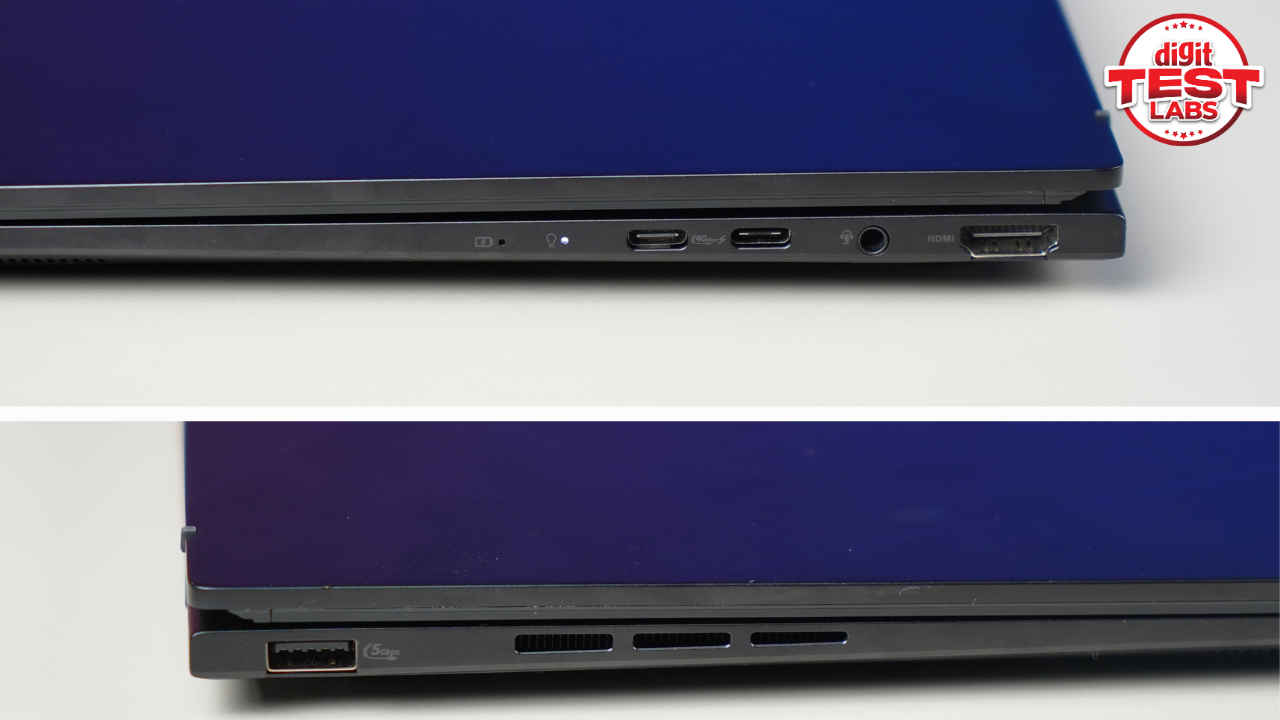
In terms of ports, Asus has taken a practical approach. On the right side, you get an HDMI port, two USB Type-C ports, including one for charging, and a headphone jack. On the left, there is a single USB Type-A port. For most office users, this should cover the basics. I had no trouble connecting external displays, storage drives, and accessories. However, once the laptop is plugged in for charging, you are left with only one free USB Type-C port, which can feel limiting if you rely on multiple Type-C accessories. In my case, I occasionally had to juggle connections or reach for a hub.
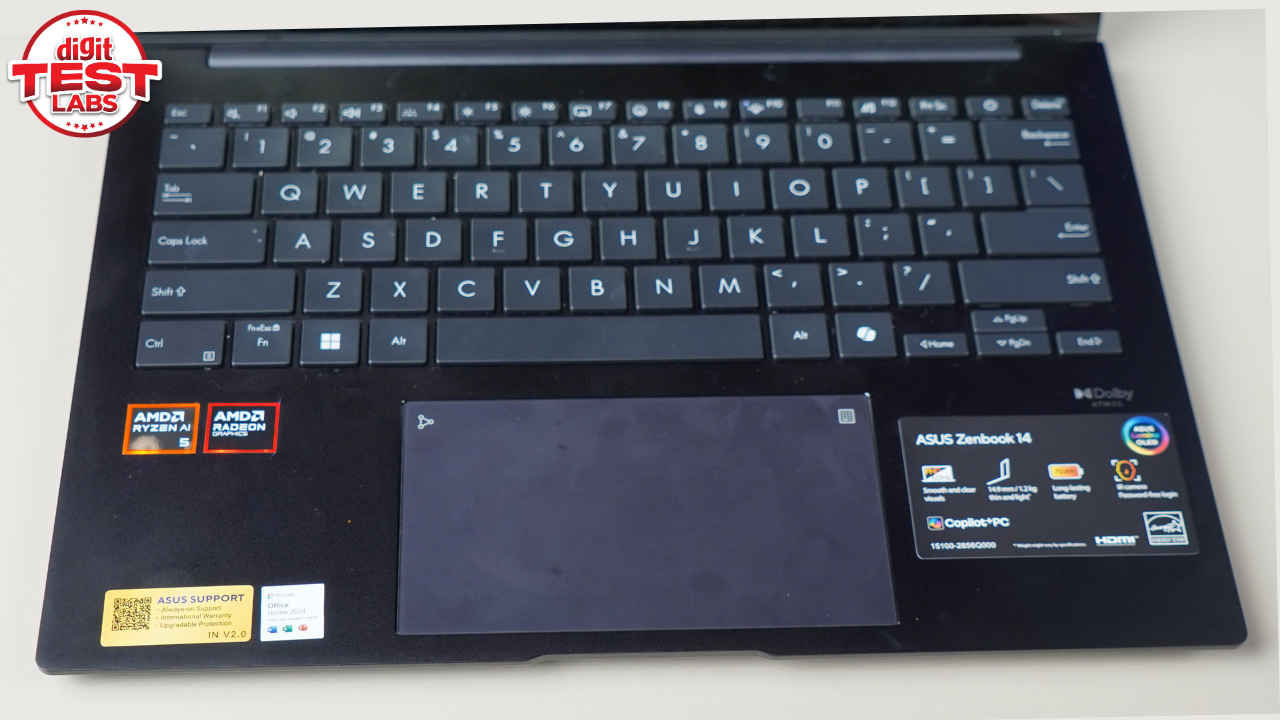
The keyboard is one of the highlights of this laptop. It is compact yet comfortable, with well-spaced keys and satisfying tactile feedback. As someone who types for several hours every day, this matters a lot. The keys have a slight clicky sound, which I personally enjoy because it helps me stay focused while typing.
I usually use my M3 MacBook Air 15-inch as my daily driver and absolutely love its keyboard. But switching from that to the Zenbook 14 was also quite simple. Within a day, I was typing at full speed without having to look down. The keyboard is also backlit, which is perfect for late-night work sessions, and there is a dedicated Copilot key for quick access to AI features.
The touchpad is smooth, accurate, and generously sized. It registers gestures reliably and feels pleasant to use for long periods. One interesting feature is the built-in NumberPad that lights up on the touchpad when you press longer on the top right corner. This turned out to be more useful than I initially expected, especially when working with figures and symbols during editing and planning. The only challenge was remembering that the feature existed in the first place.
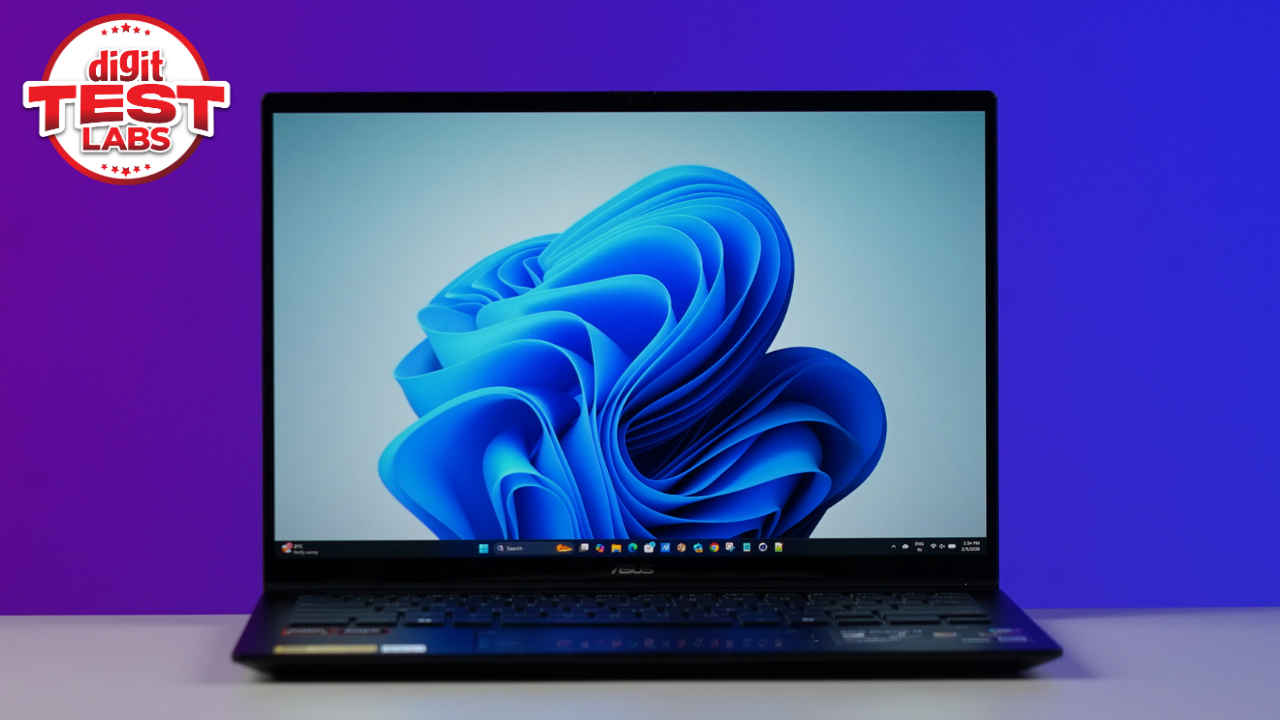
The display of the Asus Zenbook 14 is another feather in its cap. You get a 14-inch 3K OLED screen with a 60Hz refresh rate. Colours look vibrant, blacks are deep, and text appears crisp, making it excellent for reading and writing. During internal testing, the display showed 137.5% sRGB coverage with an average Delta of 1.1, which means colour accuracy is spot-on. Brightness levels are suitable for office environments, and I found myself using it comfortably at around around 70% most of the time. The screen size also feels just right for work, easy to carry around without feeling cramped. Personally, I feel laptops with 14-inch screens have been a game-changer in the productivity laptop space.
If there is one drawback to the screen, and I am really nitpicking here, it is that, being an OLED panel, reflections can be an issue here. Especially if you are sitting with a bright light source right behind you. Coming to the touchscreen part, it feels more like a bonus than a necessity. I often forgot the screen was touch-enabled, except for when I accidentally shut all my Google Chrome tabs while I was trying to adjust the screen.
The webcam also surprised me in a good way. Video calls look clear and sharp, and face login worked flawlessly every time. For those who work from home or attend frequent virtual meetings, this is a small but meaningful win.
Under the hood, the Asus Zenbook 14 is powered by the AMD Ryzen AI 5 430, paired with 16 GB of LPDDR5 RAM and a 1 TB SSD. In day to day usage, performance feels exactly as you would expect from a premium productivity laptop. Apps open quickly, multitasking is smooth, and the system remains responsive even with multiple programs running simultaneously. I regularly ran Google Chrome with several tabs, Microsoft Word, Excel, File Manager, Edge, and Notepad all at once, without experiencing any slowdowns.
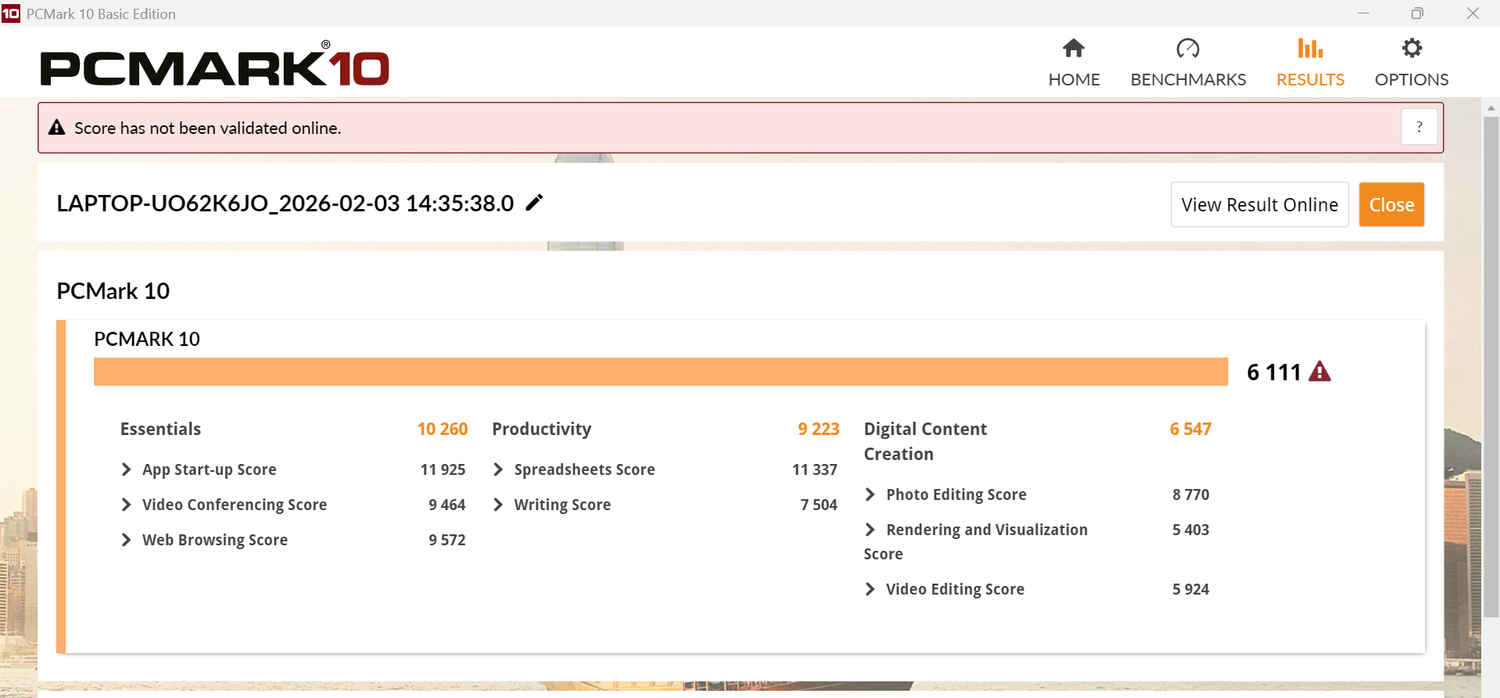
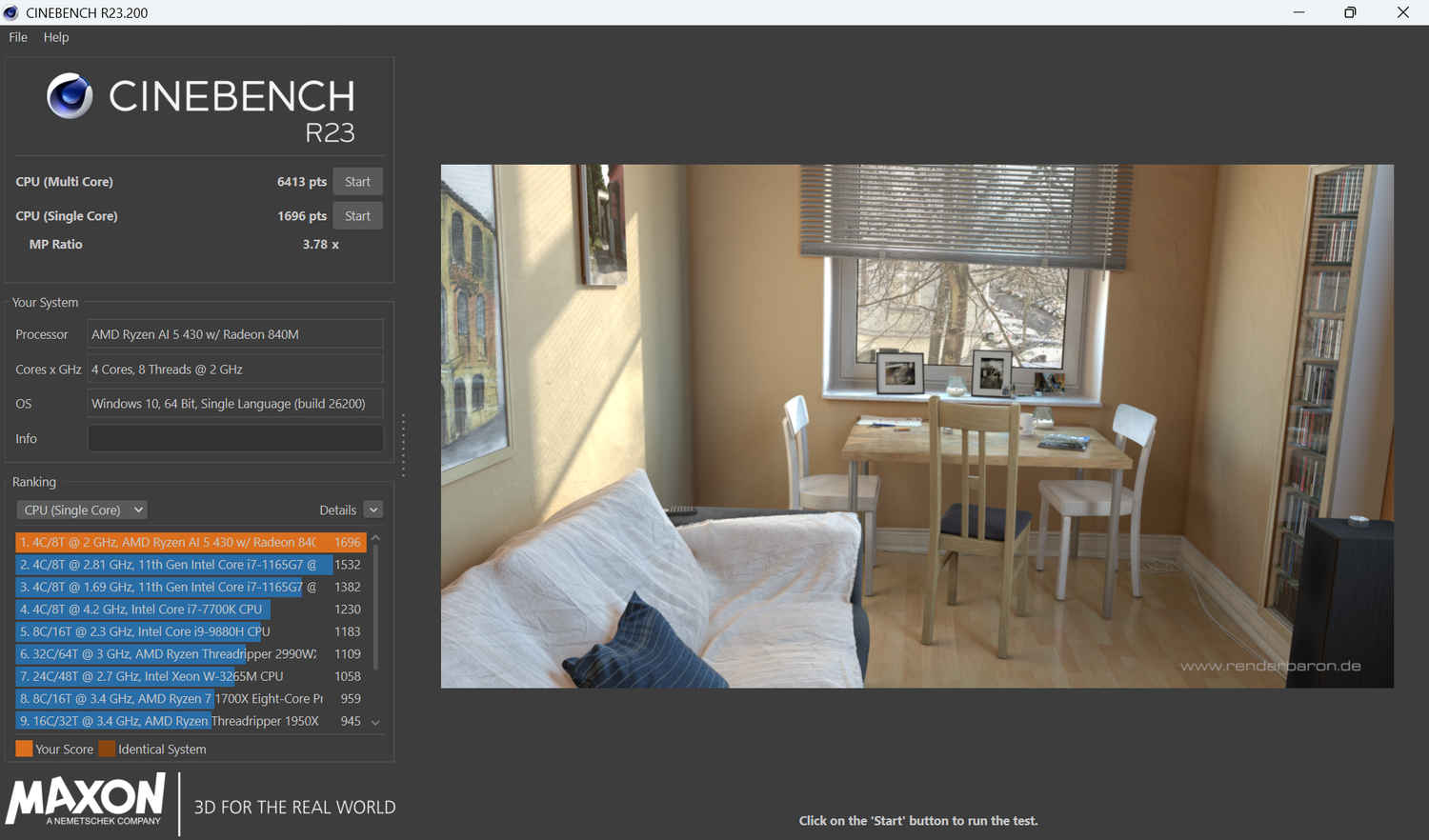
The benchmark testing results also reflected this performance. To test the CPU, I ran PC Mark, Geekbench and Cinebench on the laptop. And while the numbers aren’t exactly ground-breaking, they are solid for a productivity laptop around the Rs 1 lakh mark.
In the PC Mark benchmark test, the laptop scored 6,111 points overall with 10,260 in Essentials, 11,925 in App Start-up and 9,464 in the Video Conferencing test. It also scored 9,223 points in productivity, 11,337 in spreadsheets and 7,504 in Writing.
In the Geekbench benchmark test, the single-core score stood at 2,372, while the multi-core score was 7,413. Coming to the Cinebench R23 benchmark test, the laptop scored 6,413 points in multi-core and 1,696 points in the single-core test. It also didn’t lose much performance in the throttle test.
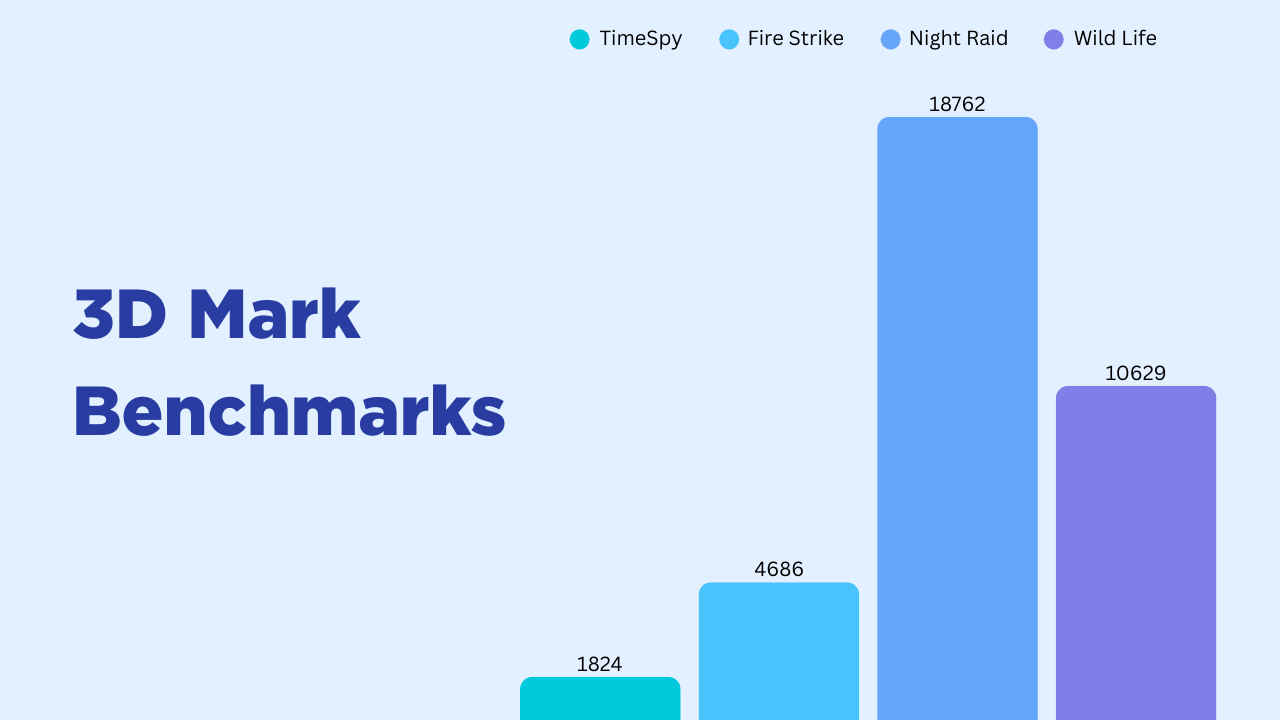
For graphics, I ran multiple 3D Mark tests, including Time Spy, Fire Strike, Night Raid, and Wild Life. And considering the laptop relies on integrated graphics, the numbers are quite justified.
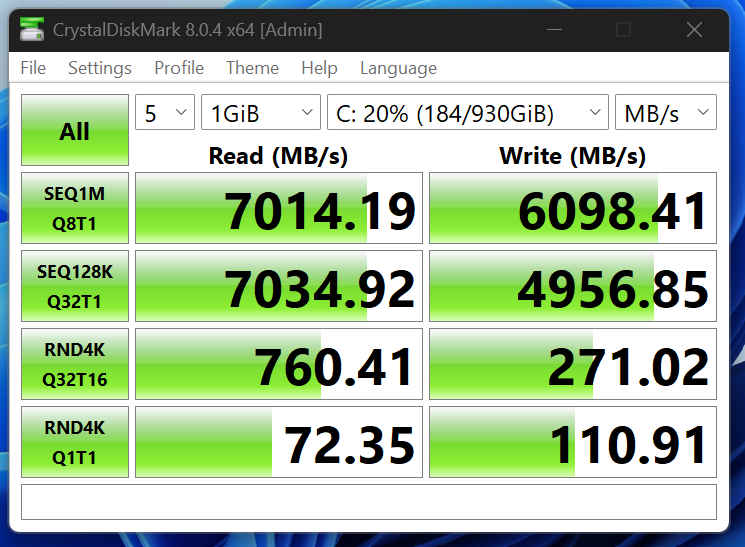
The storage performance was excellent. The Crystal Disk Mark benchmark test showed super-fast read and write speeds, and in PC Mark’s full system SSD test, the laptop scored 2,124 points.
Battery life is another area where the Zenbook 14 scores full marks. The laptop can last up to 2 working days, depending on the number of hours and the nature of your job. If you work continuously for 15 hours, then no, the battery won’t last for two working days. But if you are on your laptop for roughly 7-8 hours a day, you won’t need a charger that often. Also, if you are watching a lot of YouTube videos, keep your brightness at max, and keep the backlighting on your keyboard on; the battery drain will be faster.
Coming to thermals, they also remain well managed and will rarely be an issue. During my usage, the surface temperatures stayed between 25 and 30 degrees Celcius in key areas during heavy stress tests. On the other hand, internal CPU temperatures peaked at around 89 degrees Celcius during an extended Cinebench run. This is acceptable for a thin and light laptop. In everyday use, heat was never noticeable, and the laptop remained comfortable to use even during long sessions.
Audio, however, is a weak point. While dialogues sound clear during video calls, the speakers lack bass and volume. As a result, watching shows or movies on the device feels underwhelming unless you use headphones or external speakers. This is something to keep in mind if media consumption is a big part of your usage.
So, should you buy the Asus Zenbook 14? If you are looking for a lightweight office laptop that offers reliable performance, an excellent display, and outstanding battery life, the answer is yes. But do keep in mind that the laptop is not perfect. The hinge could be smoother, the speakers could be better, and an extra Type C port would have been a welcome addition. But as a work machine that quietly gets things done without drama, the Zenbook 14 delivers.
Priced at Rs 1,15,990, Asus Zenbook 14 2026 earns a solid 8 out of 10, and for workdays that never seem to slow down, that consistency is worth paying for.
Also read: This Asus laptop is available for under Rs 30,000, and it can reach your home in under 5 minutes