As I review high-end headphones day in and day out, laptops with inadequate codec support have always been a pain point. So, when Sennheiser sent their new USB Bluetooth dongle/transmitter, I was excited to test out its usability, not just for me, but also for others who may own mid to high-end headphones and want a simple, standards-based way to go wireless for music, streaming and casual gaming. The plug-and-play device turns a PC or laptop into a higher-quality wireless audio source by enabling Bluetooth 5.4, advanced codecs like aptX Lossless, and Auracast support. I have been using it on my MacBook Air M1 and Samsung Galaxy S23 and listening via Sennheiser HDB 630 (review) for some time, and here’s how the experience was:
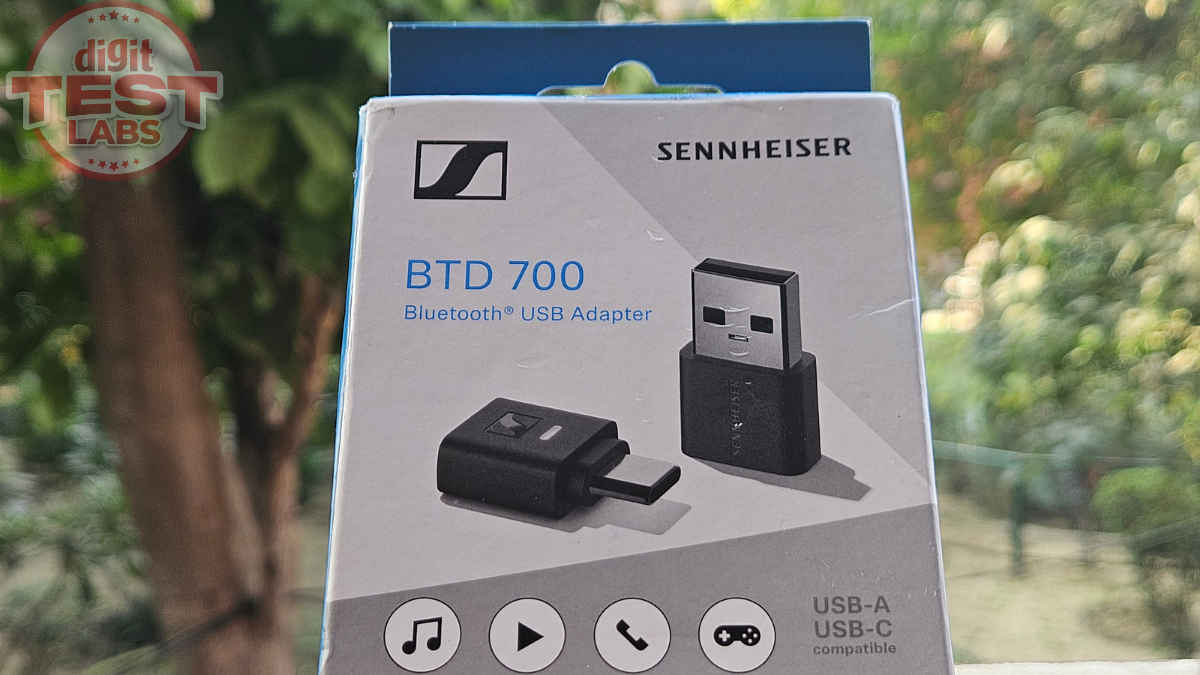
The BTD 700 arrives in a small rectangular box, with the USB-C Bluetooth transmitter/dongle, a USB-C to USB-A adapter and a quick start guide. Conversely, its predecessor was USB-A by default and bundled a USB-A to USB-C adapter. A good change.
Like the packaging, the dongle also has a minimal look with a matte black plastic body. It feels light and has a solid build. You need not worry if it is accidentally dropped while using, but the thing is too small. So, be careful not to lose it.
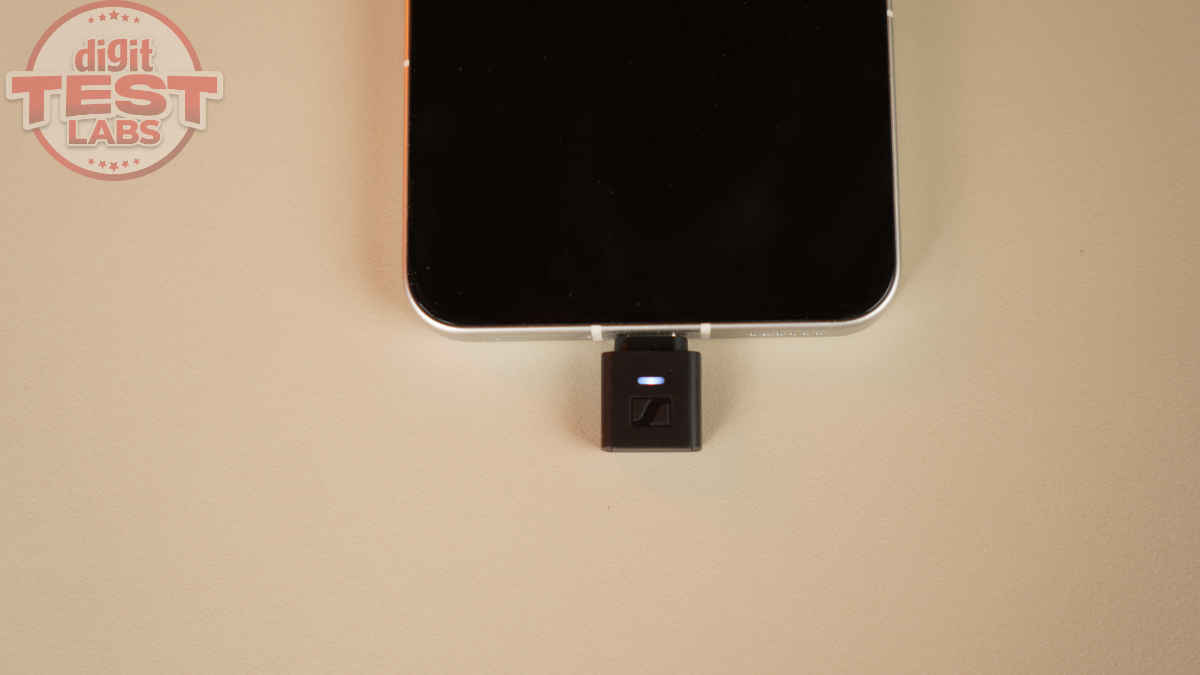
As for functionality, BTD 700 has a simple plug-and-play design: Plug in the dongle to a laptop or phone. It is powered by the host device and is programmed to just run. The body has an LED indicator for connection status, and a button to turn on, start pairing, and turn off the dongle. For more controls, you can use Sennheiser’s apps on different platforms. More on that in the following section:
Let’s start with the pairing process: Insert the dongle into a USB port and let the OS recognise it. Once connected, the dongle’s LED indicator blinks white for some time. In case you don’t connect it to a headphone, the indicator turns off.
So, press the pair button on the back of the dongle for a few seconds till the indicator lights up white and red. Ensure the headphone is also in pairing mode. Ideally, in a matter of seconds, BTD 700 should connect to the headphone. Once it is connected, the indicator shows a constant white light. And when you play something, the dongle light turns into one of these colours: pink in the case of aptX Adaptive, purple in the case of aptX Lossless and white in the case of SBC.
The pairing stability is strong. I tested it indoors and outdoors. BTD 700 supports Bluetooth 5.4, Bluetooth LE Audio, and codecs like aptX Classic, aptX Adaptive, and aptX Lossless. The dongle automatically chooses the best available codec and audio quality.
If the host/source device is a smartphone, you can use the Sennheiser Smart Connect Plus app. And for Windows and macOS, you can use the Sennheiser Dongle Control. You can update the dongle OS and see the audio codec, bit depth, sample rate and Bluetooth details supported by the connected headphones on these apps. When the HDB 630 is paired with both the BTD 700 and my S23, the app lets you switch between the two sources with one tap.
The device also enables audio broadcasting to compatible receivers (speakers or headphones) via Auracast.
So, overall, UI on both these apps is straightforward, with only the essential features. Let’s now get to what matters most: the sound experience.
BTD 700 is most useful on laptops that cannot output aptX Adaptive or aptX Lossless on their own. If your headphones support these codecs, the transmitter lets you theoretically hear high-resolution sound (with low compression) or even near-lossless audio from a device that normally cannot deliver it.
You see, the dongle is rated for 24-bit 96 kHz under aptX Adaptive, but real-world performance depends on several factors, including the source device, firmware, Bluetooth conditions, and headphone support. So using the dongle makes sense only if you have the perfect mix of source device, playback source, firmware, Bluetooth conditions and headphone support.
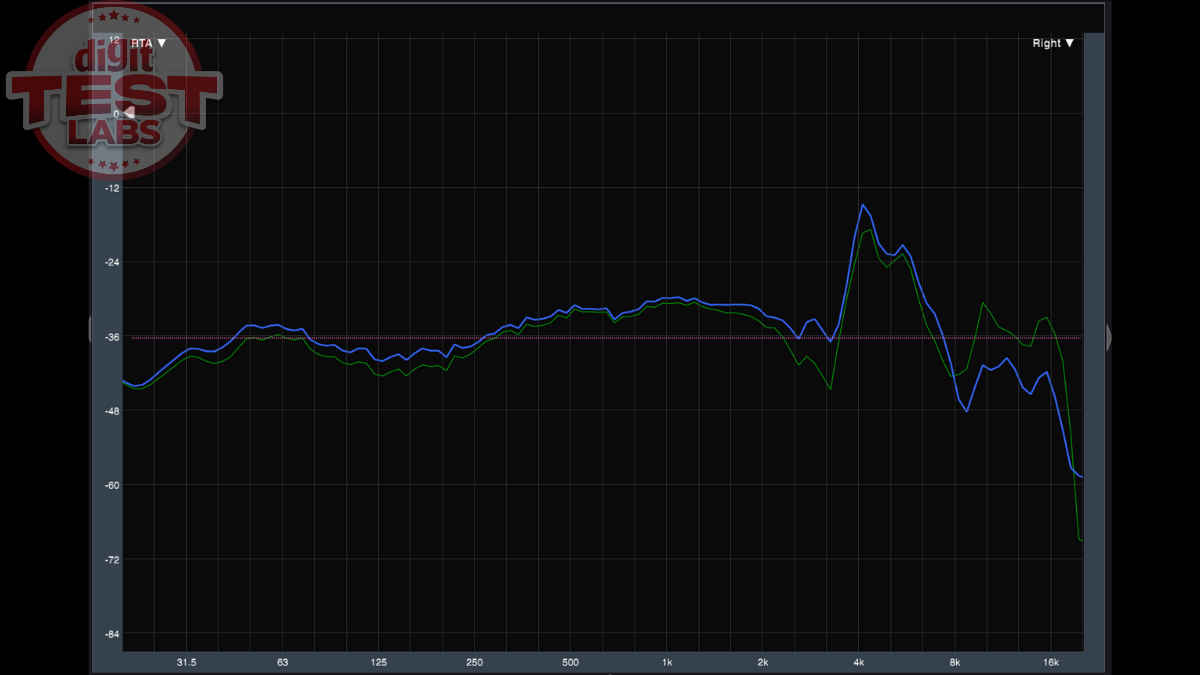
In our tests, the BTD 700 handled aptX Adaptive well, and the highest output we could get was 16-bit or 24-bit audio at a 48 kHz sample rate. We don’t find it to be a transmission issue, and 48 kHz is an expected operating mode. It is still enough for clean, detailed sound with good dynamic range. The midrange sounded clearer than SBC. We tested it out by switching between it and the headphones’ Bluetooth connection, and also toggling SBC and aptX Adaptive and Lossless in the Sennheiser Dongle Control app. While my ears couldn’t pick any night and day difference, the mids sounded a tad clearer and the trebles extended a little higher, through the dongle.
Also Read: Apple Beats Powerbeats Fit vs Sony LinkBuds Fit: Top specs and features comparison
A few other things to note: The BTD 700 performance was better than Mac’s built-in AAC output. And if any of the devices in use support the LDAC codec, it does not matter because the BTD 700 cannot use it. And as for latency, there was a noticeable difference, thanks to the dongle’s 30ms Low Latency Game Mode.
With that, it is time for the conclusion:
If you already own good over-ear headphones, preferably Sennheiser or other Qualcomm-based models, and you are frustrated by the weak Bluetooth stacks on your laptop or phone, the BTD 700 can deliver slightly cleaner mids, clearer highs, and more stable codec performance than built-in SBC or AAC.
It is true that your ears may not pick up a dramatic jump in resolution with aptX Adaptive or aptX Lossless. You also need the right combination of hardware, firmware, and Bluetooth conditions to get the most out of the transmitter.
But, BTD 700 can help as a simple and consistent solution for when your laptop or phone has weak Bluetooth, only outputs SBC or AAC, when you want low latency for gaming or editing, when switching devices is annoying, or when you want to avoid OS-level restrictions.
If you want these benefits, you can consider the Sennheiser BTD 700 for Rs 4,990. Just keep your expectations in check. The improvement is subtle but real. It will not turn wireless audio into a wired reference experience, but it could make everyday listening a bit better.
Keep reading Digit.in for similar audio product reviews.
Also Read: QCY H3 Pro review: Budget headphones with flagship ambitions