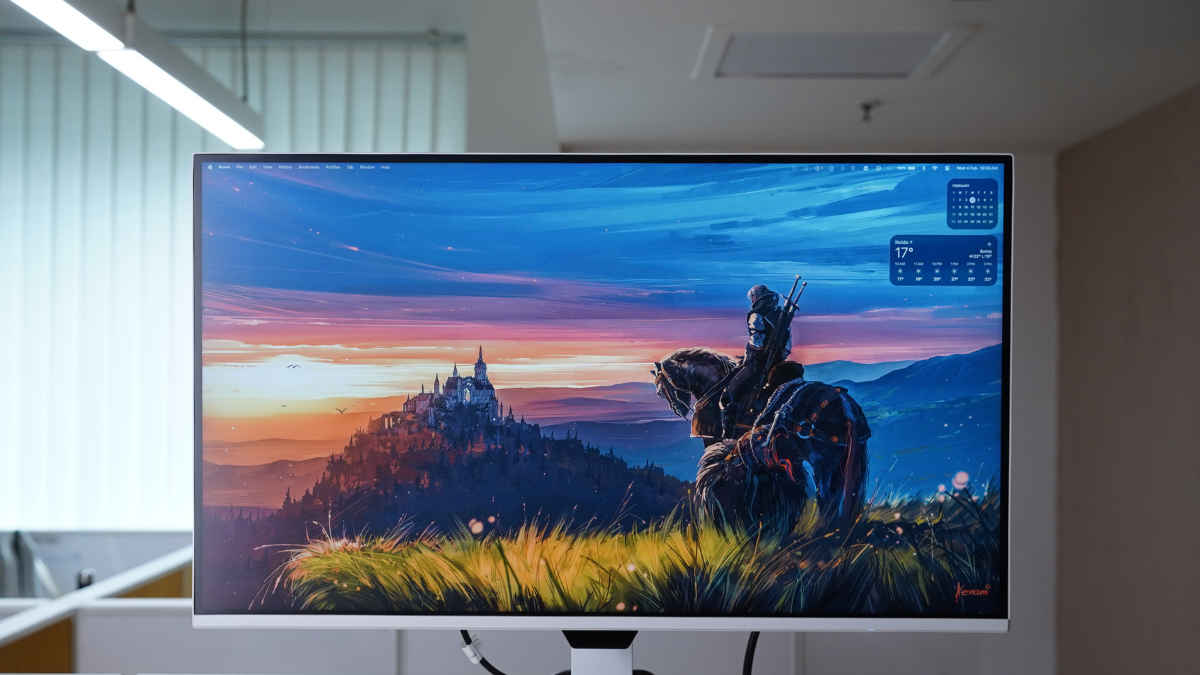
BenQ’s recent monitors have leaned into a clean white aesthetic across several models. The BenQ EW270Q, a gaming monitor, also share this design. No RGB strips or aggressive branding. Rather, its appearance feels more at home in a work-from-home setup than a gamer’s or streamer’s room. For an asking price of Rs 17,989 in India, the BenQ monitor offers a 200Hz refresh rate, 2K resolution, 5Wx 2 speaker setup, and a USB-C port with up to 65W power delivery. On paper, this combination looks quite ambitious. So, while using the EW270Q as a daily work monitor, a gaming display in the evenings, and a casual screen for movies and shows after hours, I aimed to test how it all actually holds up in real use.
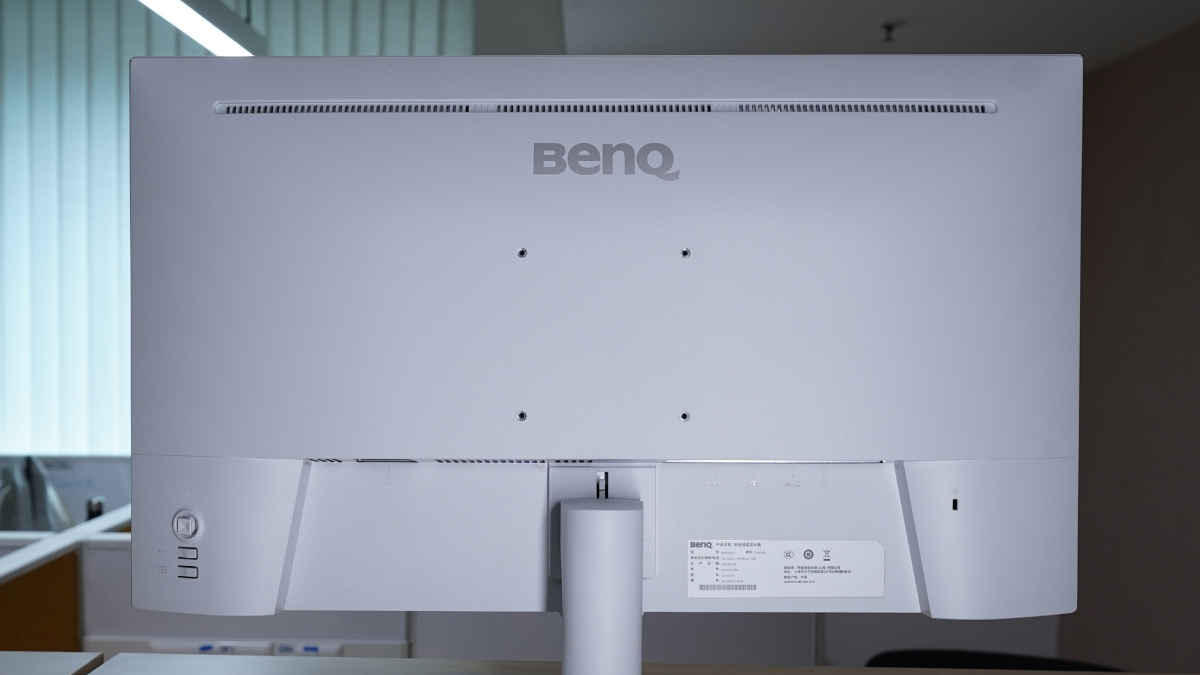
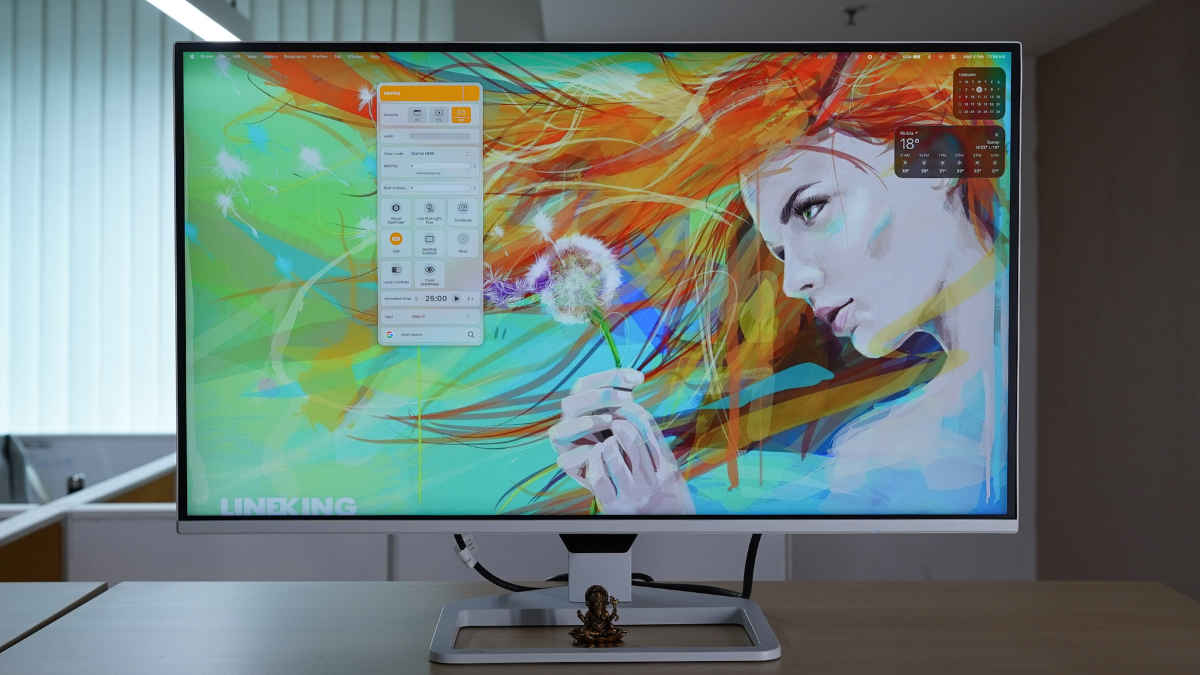
The white finish on the stand and rear panel immediately sets the BenQ EW270Q gaming monitor apart. It looks nice on a light-coloured desk. I use it alongside my M1 MacBook Air, and it blends well with the grey tone of the Mac. Someone buying a sub-Rs 20,000 monitor may be a student, freelancer or a professional working from home, and they may like this look.
The stand and the screen come detached in the box. But joining them is very easy. You can follow BenQ’s tutorial on YouTube. Once set up on the desk, you can change its position by tilting and swiveling. So, ergonomic: check.
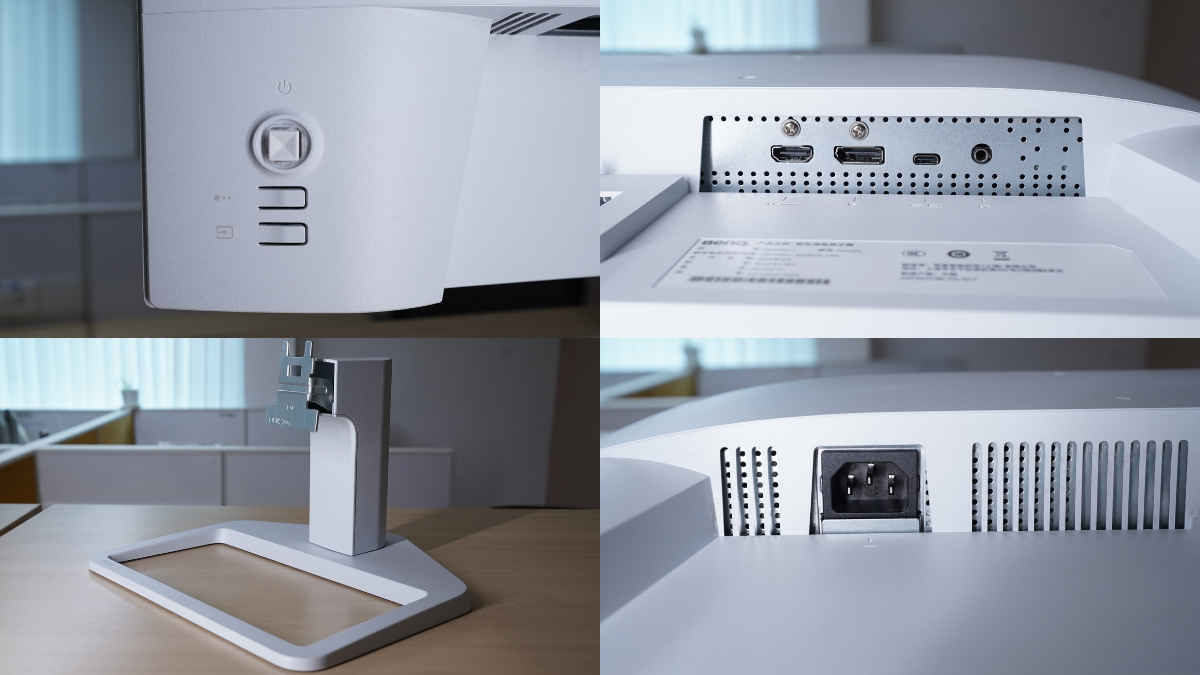
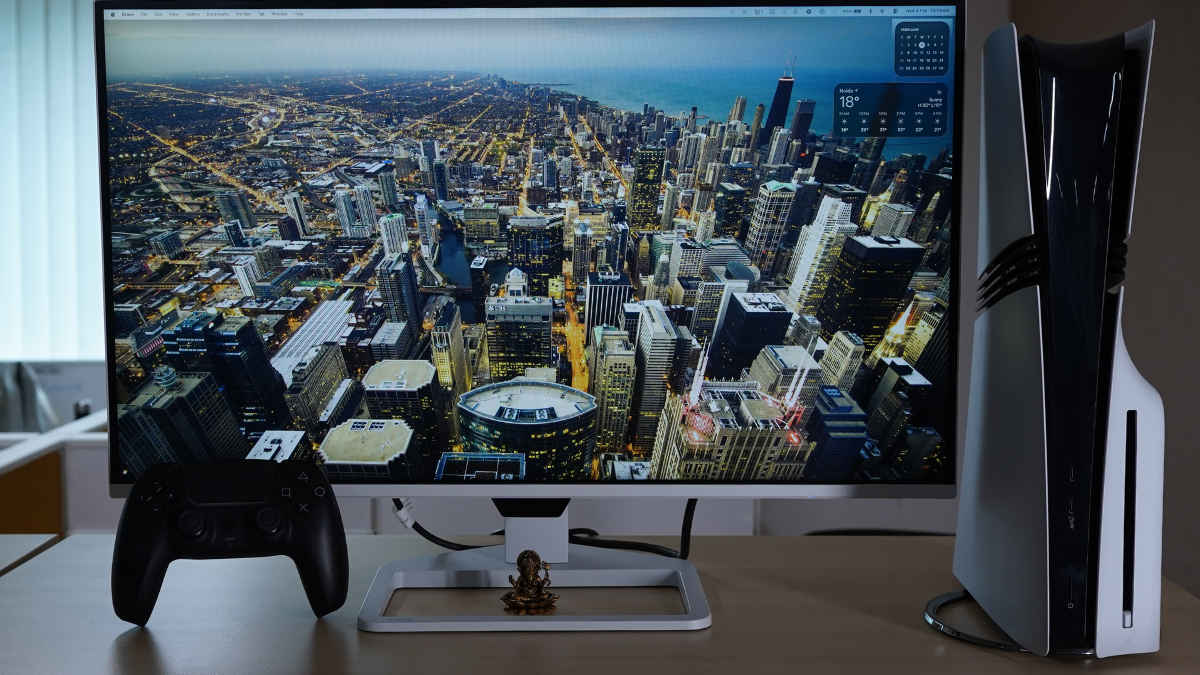
The build quality is solid, too. BenQ has used strong plastic with a clean finish. The stand doesn’t wobble. The base is wide and stable, and it offers an enclosure to place small items like a phone, TWS case, god idols or soft toys. Thoughtful design choice.
The bezels are negligible. You shouldn’t have a problem using it in a dual-monitor setup.
You can turn on the monitor with a physical joystick button on the back. This, along with two other buttons are situated on the back of the right side of the display. With these three buttons, you can navigate the menu, change picture modes and select input options.
The monitor supports accessing these menus and controls through BenQ’s Display Pilot 2 app. We’ll read more about that in the following section.
Besides the buttons, the ports are also present on the back. There is a power socket, a DisplayPort (1.4), an HDMI (2.0) port, a USB-C port, and a 3.5mm audio jack for headphones and external speakers. The HDMI and DP are inputs for desktops and consoles.
The highlight is the USB-C with up to 65W power delivery. For MacBook and Windows laptop users, this acts as one cable for handling display output and charging the laptop. The one cable solution reduces desk clutter. During work hours, I had the monitor connected to my MacBook with a single USB-C cable, and everything just worked. The input detection is rather quick.
Also Read: BenQ EW3290U review
The BenQ EW270Q uses a 27-inch QHD (2560 x 1440) panel with a 200Hz refresh rate. In the sub-Rs 20,000 segment, most high-refresh monitors still top out at Full HD, or offer QHD at lower refresh rates. That’s what makes this combination interesting.
During testing, I mostly used the EW270Q with a Sony PlayStation 5, which naturally caps refresh rate output depending on resolution. That meant I spent most of my time between 1080p 120Hz multiplayer sessions and 1440p 60Hz story-driven titles. While playing Ghost of Yotei, we had to tweak some settings and then were able to have clean motion and decent colours without noticeable lag. Gran Turismo 7 (GT7) also ran well.
The monitor’s 200Hz refresh rate, AMD FreeSync Premium support, and 1ms GtG response times can be utilised on a powerful PC, though. In fast-paced games, the extra headroom will provide a cleaner and more responsive experience.
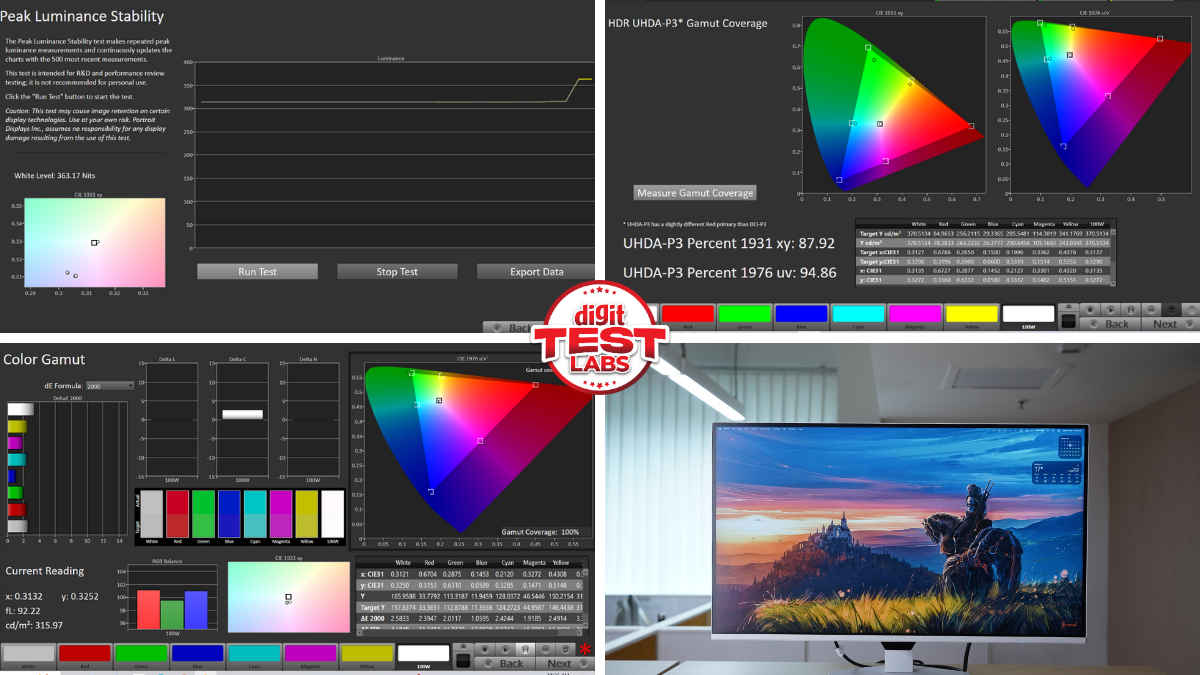
I had set AMA to High. AMA premium resulted in bright halos around moving objects. The monitor is HDR10 compliant with a 1200:1 native contrast ratio. It offers 3 HDR profiles. I chose the vibrant Game HDRi mode, which is punchier than ‘HDR’ and ‘Standard’ modes. But, when it comes to the brightness test, the HDR mode turned out to be the best result of about 360 nits in a 25% window. With a matte finish on top, it seemed fine for gaming indoors.
In the Calman test, we got close to 95% UHDA P3 coverage (HDR) and 100% sRGB coverage (SDR). Blacks and contrast were just acceptable for the price point. For movies and shows, we preferred the Standard colour mode. The over 90% P3 colour gamut means you can use it for casual editing.
For work, QHD is a noticeable upgrade over 1080p. Text looks big and sharper on the 27-inch screen. And I appreciated the increased usable space for my browser tabs, documents, and other apps in use. The viewing angles aren’t too wide. You will notice some colour desaturation from extreme off-axis viewing.
The BenQ EW270Q monitor wakes up quickly from sleep and doesn’t struggle with input detection, which helps in mixed setups where you switch between a laptop and a desktop.
The visuals are backed by a built-in 5Wx2 speaker setup. It is plenty loud for playing casual games, quick YouTube sessions, Netflix episodes, or catching up on a show. The bass has a very narrow and light thump. You may want a dedicated speaker or headphones for more detailed audio. But the built-in speaker saves you from always reaching for these external devices.
There is no remote. So, you have to access the back buttons to access the on-screen display (OSD) menu. It is easy to navigate. And if you want quicker access to some of these settings, you can download and use the Display Pilot 2 app on your Windows or Mac machine.
You also get quality of life improving features like eye-care protection filter, a Pomodoro timer and a Google search bar.
At Rs 17,989, the BenQ EW270Q is a very competitive offering from the brand. The highlights are easy to spot. The 2K resolution on a 27-inch screen is sharp and vibrant for work and home use. The 200Hz refresh rate offers enough headroom for PC gamers who can push higher frame rates. A USB-C port for connecting to and charging modern Windows and MacBook machines is genuinely useful, especially for those who want a neat desk setup. The monitor’s subtle white design also aids in a clean aesthetic.
In daily use, it transitions smoothly between productivity, gaming, and casual content consumption without forcing the user to compromise heavily in any single area. The built-in speakers, while basic, adds convenience for quick entertainment sessions, and features like Display Pilot 2 and eye-care tools improve everyday usability.
However, there are some limitations as you’d expect in this budget. HDR performance is more than functional, but brightness and contrast remain within expectations. For immersion, you’d want to look past the speaker setup.
Despite these compromises, the EW270Q makes strong practical sense for a wide category of users. It is particularly well-suited for students, hybrid workers, content creators starting out, and casual gamers who want one screen that handles both productivity and play. Laptop users who value USB-C charging and a clutter-free desk will likely find this monitor especially appealing.
Ultimately, the BenQ EW270Q delivers a well-rounded experience and will suit buyers looking for a QHD monitor that can support work during the day and gaming or streaming at night.
Keep reading Digit.in for similar reviews.
Also Read: LG G5 TV review: Best OLED TV for mainstream buyers