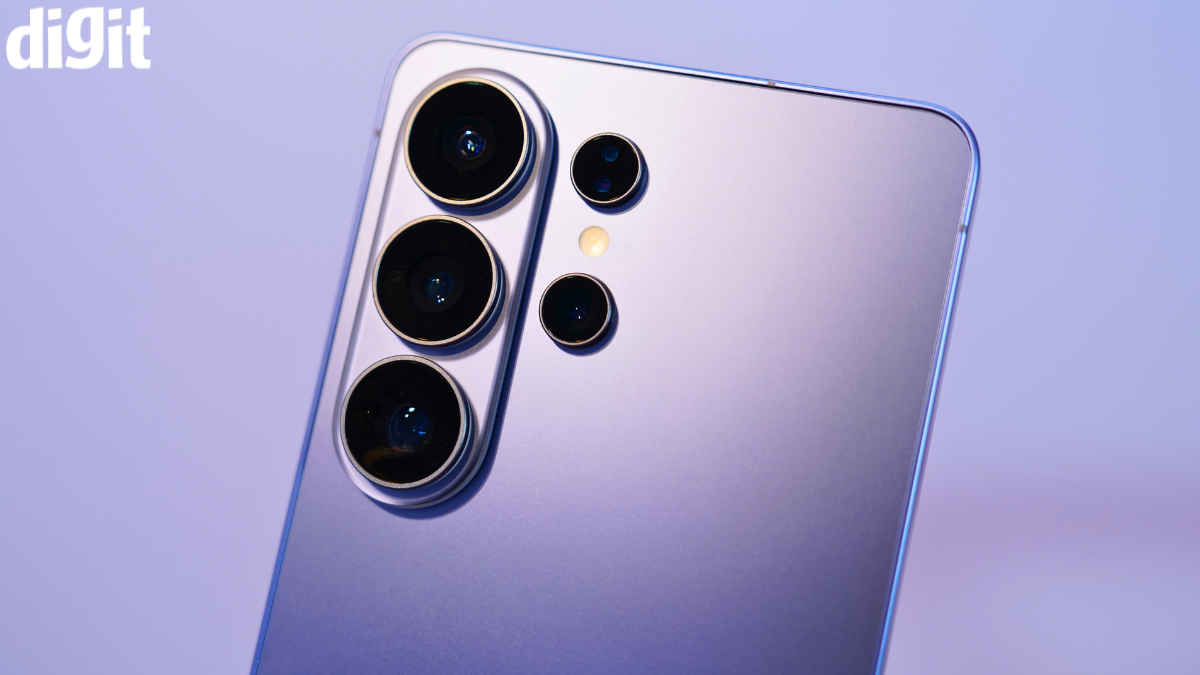
Since my brief hands-on time with the Galaxy S26 Ultra at last week’s Samsung briefing in Delhi NCR, I have been impatiently waiting for my review unit. Two long days later, on a Saturday afternoon, my S26 Ultra finally arrived. And here I am, 48 hours later, sitting with a head full of thoughts. First up, my review unit comes in Cobalt Violet, a finish that’s starting to grow on me. I did see the white variant, my personal favourite, at a Samsung store last Friday and was quite taken by it, but this violet shade has its own charm.
Anyway, getting back to the core. I have been using the Samsung Galaxy S26 Ultra for a little over 2 days now, and my initial impressions are largely strong. Also, possibly the last Samsung Ultra phone I used was the S24; I can look at the changes more clearly. There are quite a few things I want to talk about. Let’s dive in. This is the Samsung Galaxy S26 Ultra in the Digit Test Labs.
Also read: Samsung Galaxy S26, S26 Plus first look: Getting the basics right
The moment I held the Galaxy S26 Ultra, after unboxing it in a jiffy for video purposes at Digit, the first thing I did was, of course, set up the phone and at the same time, also praise the design marvel that this phone is. Now, don’t think that Samsung has drastically changed the design here, but the subtle changes you get here, such as the inclusion of the strip-style camera island, the flat sides, the rounded corners and the overall slimmer and lighter profile, make for a worthwhile first impression.
My only gripe with the design so far is that I can’t use the S26 Ultra lying flat on a table. Because the phone is quite slim for a big device, and the camera bump is raised, it wobbles quite a lot. I am not sure if this was the case with the S25 Ultra as well, but the S24 Ultra didn’t wobble as much as this one does. But the real magic happens when you hold the phone in your hands and realise the ergonomics are so good. The weight distribution is on point and again, the phone doesn’t dig into your fingers, causing discomfort when using it with one hand. Do note, this is a phone with a massive 6.9-inch display.
Moving on, I use a Pixel 10 Pro Fold as one of my two phones, the other one being an iPhone 17 Pro Max. It was quite easy to set up the Galaxy S26 Ultra. The transfer process, using Samsung’s Smart Switch, took less than 15 minutes to move data from the Pixel. Even setting up my Pixel Watch 4 with the S26 Ultra was seamless. Android now lets you transfer your smartwatch profile for WearOS 4 and above devices, so I didn’t have to reset my Pixel Watch and then set it up from scratch. Again, the entire process takes less than 2 minutes.
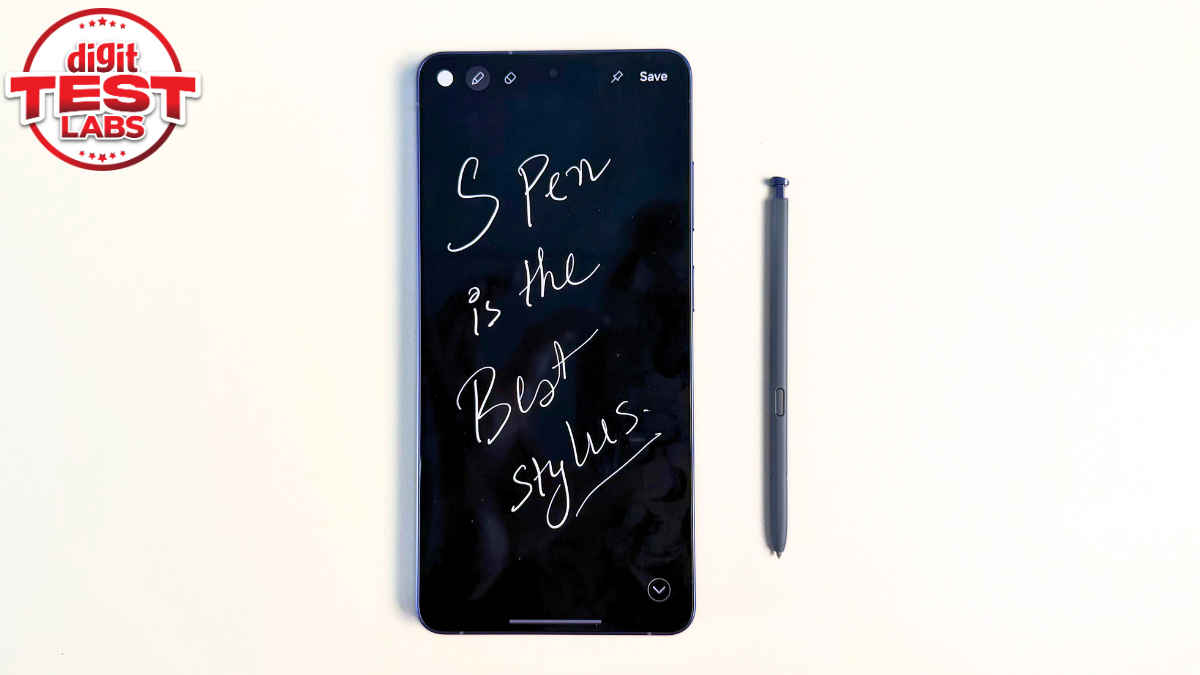
Quite a few things have changed since I last used a Samsung Ultra phone. First and foremost, I really miss that the S Pen doesn’t have Bluetooth functionality, but apart from that, the S Pen in itself is so good that I almost forgot. I have instantly got into the habit of signing my documents on the S26 Ultra; I have signed two of them already. Usually, signing PDFs is quite tedious on other devices, and you have to use third-party software and all of that. With the S26 Ultra, signing documents with the Samsung Notes is such a quality-of-life feature that you are definitely going to miss it once you are on some other device. But coming back to the S Pen, many phone makers make styluses for phones and tablets, but the built-in ones we have been getting on earlier Notes and now Ultra phones are by far the best implementation.
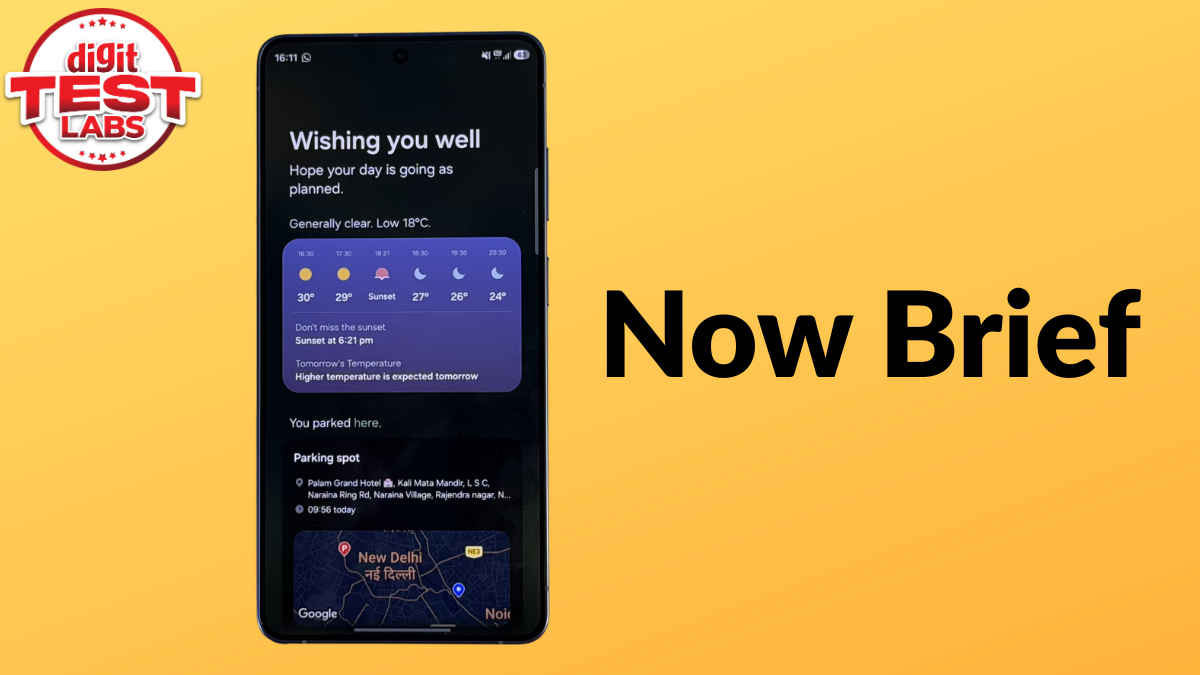
I have also been playing around with a bunch of AI features on the S26 Ultra, too. Just in case, the generative edit feature wasn’t enough, the new Photo Assist feature now lets you create edits with simple prompts. It works as advertised, which is a cool feature to have, but it also scares me to think about how far AI has come and it’s only forward from here. Apart from this, the Now Brief section does a much better job at summarising my day and interests. I have seen the feature in earlier Samsung flagships, but I guess the feature is doing a much better job now. Along with giving a greeting and showing weather information, Now Brief also shows my parking information, along with news and YouTube videos I might be interested in.
I am yet to test other AI features, such as the advanced call screening feature and Now Nudge, but so far, the software experience has been nice and smooth.
I have also run a slew of benchmarks on this phone. Does the phone heat up during the process? Yes, it does. But once the benchmarks process was done, and note, I did this in the first 6 hours of setting up the phone, in general use, the phone stayed cool in general use. I even played some games on the S26 Ultra, including BGMI and Asphalt 9: Legends. Both run beautifully on this device. I want to try Genshin Impact too, something I will cover in the full review, because that should look absolutely good on this gorgeous 10-Bit panel. Also, just in case, you are wondering, my SIM and my core apps are fully loaded on the S26 Ultra. I have already binged Orange is the New Black on Netflix last night, I’ve done some gaming, and the phone has remained smooth at all times. The experience is fluid, and the thermal management is also holding up pretty well so far.
There is more to come around the different features, full battery life, and the detailed camera performance in the full review.
P.S. The battery is still 5,000mAh, but the efficiency has been solid. I charged the phone once after setting it up on Saturday, and by night, I was left with around 60%. I then charged it to full in under 30 minutes and used it until Sunday night, with about 35% remaining. While binging Netflix, I charged it alongside usage. I believe the phone supports bypass charging, because it did not heat up and topped up to full in under 45 minutes.
Since then, I have continued using the phone. At the time of writing, it is 1 pm on a Monday, and the S26 Ultra still has 72% battery left. So yes, while it may not have a 6,000mAh or 7,000mAh battery, the optimisation looks good. This is easily a one-day phone, even for heavy users. Moreover, with 60W wired charging support and using my 65W PD charger, the S26 Ultra charges very quickly.
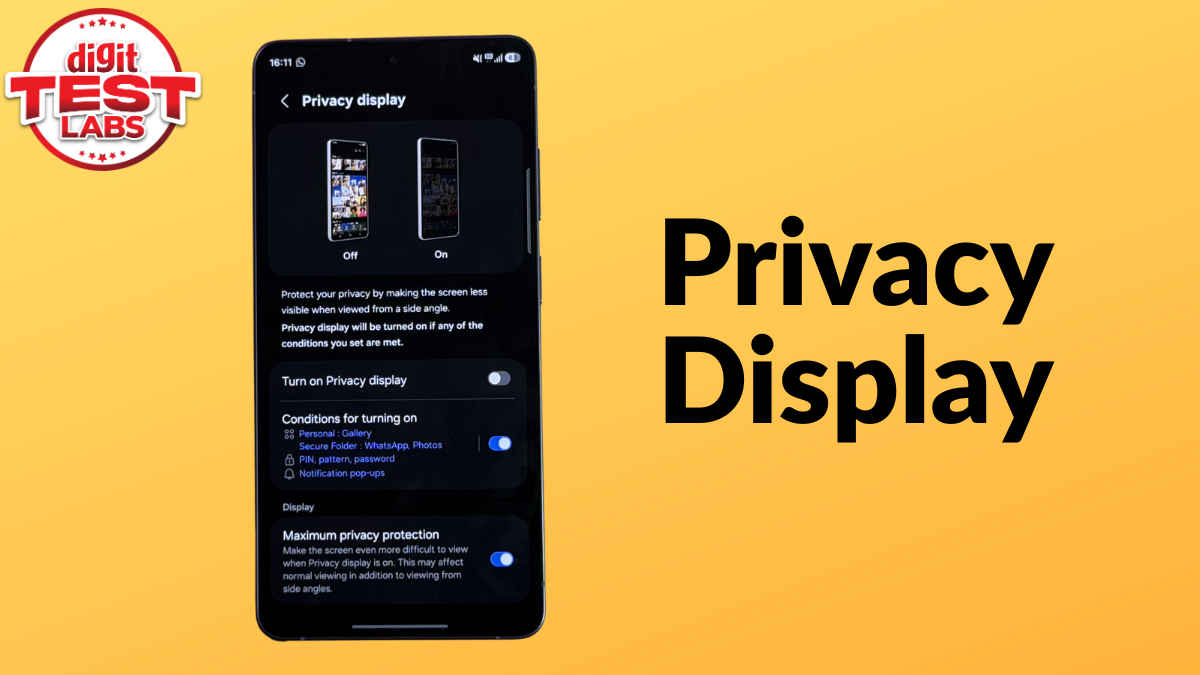
One of the headline features of the Galaxy S26 Ultra is the new Privacy display and once you’ve used it, there’s no going back. Now, Samsung has clarified that this is not just a software feature, and instead, the phone utilises the hardware and software in tandem. The feature works at a pixel and light dispersion level. In simple terms, people around you cannot easily see what is on your screen. But there is a catch.
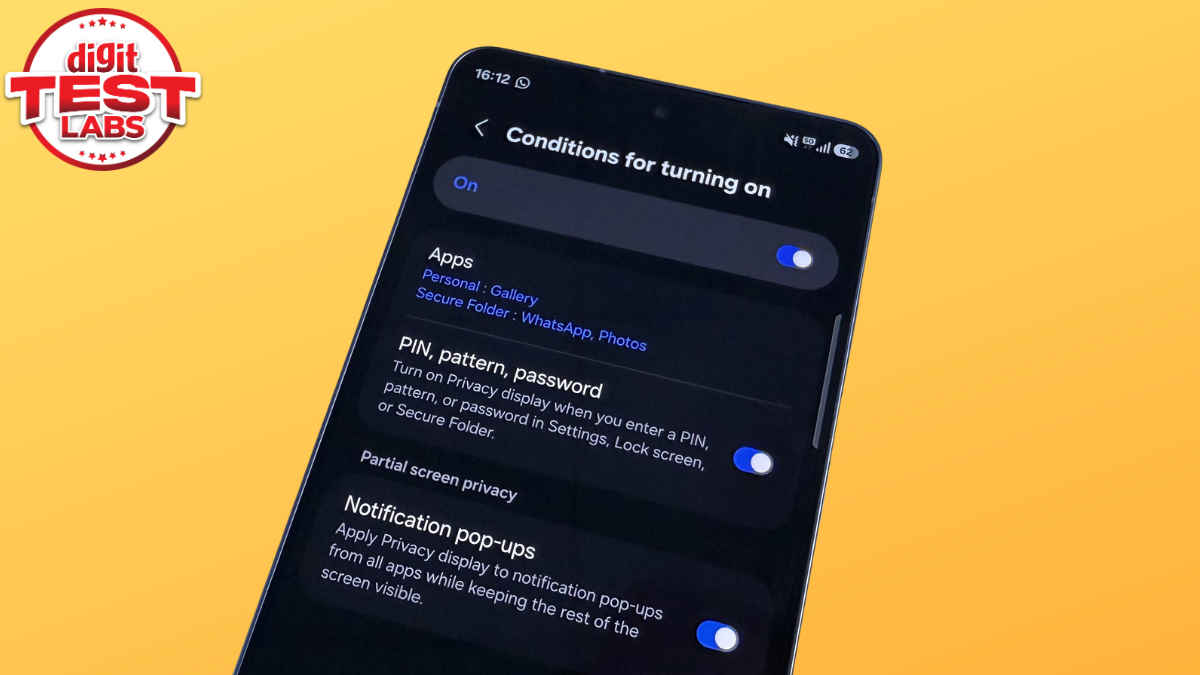
Something I did not realise during my initial hands-on is that Privacy Display works in two stages. You can keep it enabled at all times, or set conditions so that it activates only for specific apps or notifications.
Personally, I have set Privacy Display to turn on automatically when I open the Gallery app, WhatsApp or Instagram. There is also a toggle called Maximum privacy protection, which greys out the screen so that no one around you can make out what is on it. This is the second stage of Privacy Display. Without Maximum privacy enabled, I noticed that the viewing angles are reduced, but not completely blocked. If someone looks from a slight angle behind you, the content is still somewhat visible. However, if someone is standing directly beside you, even the first stage works well.
If you want complete peace of mind, you will need to enable Maximum privacy protection. The good part is that it works as expected. In apps like WhatsApp, you may not mind the slightly washed-out look. However, since I have set conditions for certain apps, even when no one is around and I open the Gallery app, I have to manually disable Privacy Display to enjoy full colour reproduction. It is not a fault of the phone. The feature works well. It is just something I will need time to adjust to.
I cannot remember the last time I wrote such a detailed follow-up after a first impressions piece. That itself says there is a lot to talk about here. This just tells that there’s so much to talk about this amazing phone. The Galaxy S26 Ultra is one of those very few devices that leave a strong impression, and I am pretty sure the phone is going to stay relevant for the next 12 months, until Samsung’s next big thing arrives.
Also read: Samsung Galaxy S26 Ultra first look: Privacy Display steals the show
In this short span, I have already settled in with the Galaxy S26 Ultra as my primary device for all needs. The design is new yet familiar. There are plenty of new features, upgrades, and camera performance, which I will be trying along the way. For now, the screen looks gorgeous, the battery life is holding up well, the charging is fast, the software experience is loaded, and the S Pen remains a standout.
The full review of the Samsung Galaxy S26 Ultra drops in a few days. Keep reading Digit.in for more.