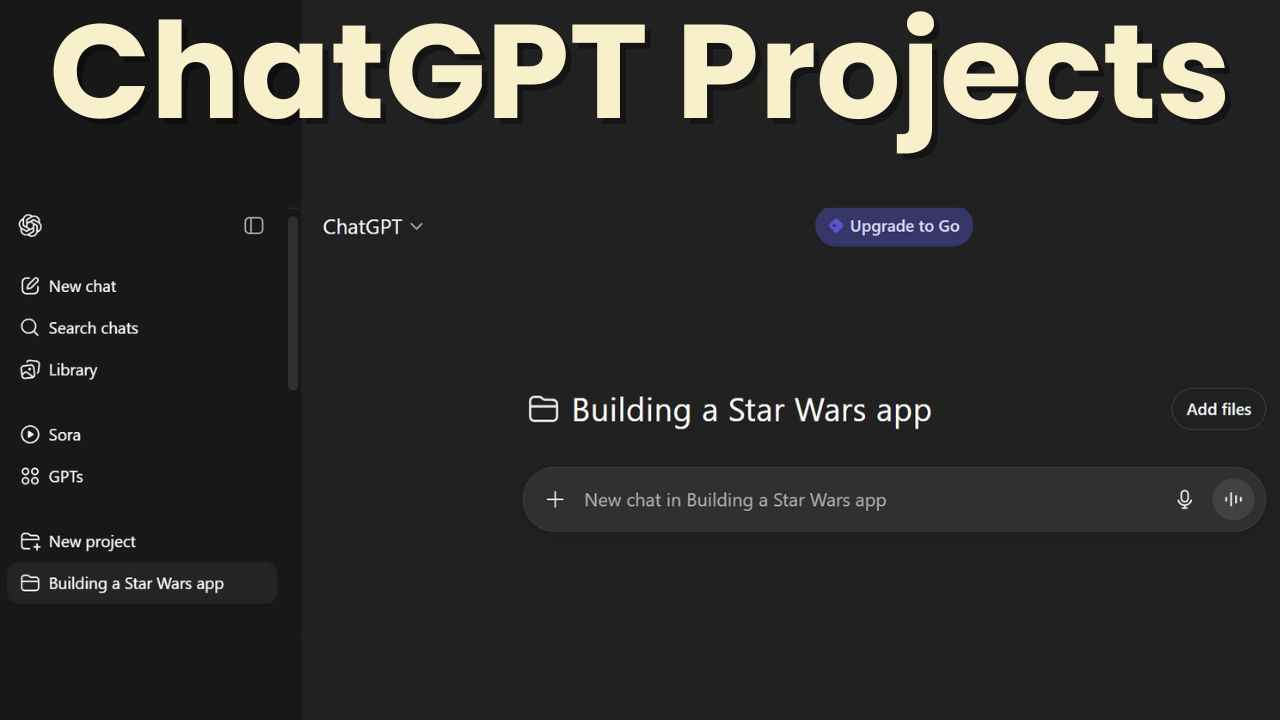
OpenAI has been steadily expanding what you can do inside ChatGPT, and one of the most promising features is Projects. Instead of each conversation existing in isolation, Projects act like a home base for your work, letting you group chats, files, and tools together in one place. For anyone using ChatGPT seriously, whether for work, study, or creative side hustles, Projects can transform how you organize and build with AI.
 Survey
Also read: OpenAI makes ChatGPT Projects available to free users, adds new features


Does ChatGPT have Projects?
Yes. Projects are a built-in feature within ChatGPT, introduced to give users a more structured way to work with the model. Think of it as a dedicated workspace: you can create a Project, add multiple chats under it, upload reference files, and even connect APIs or tools depending on your plan.
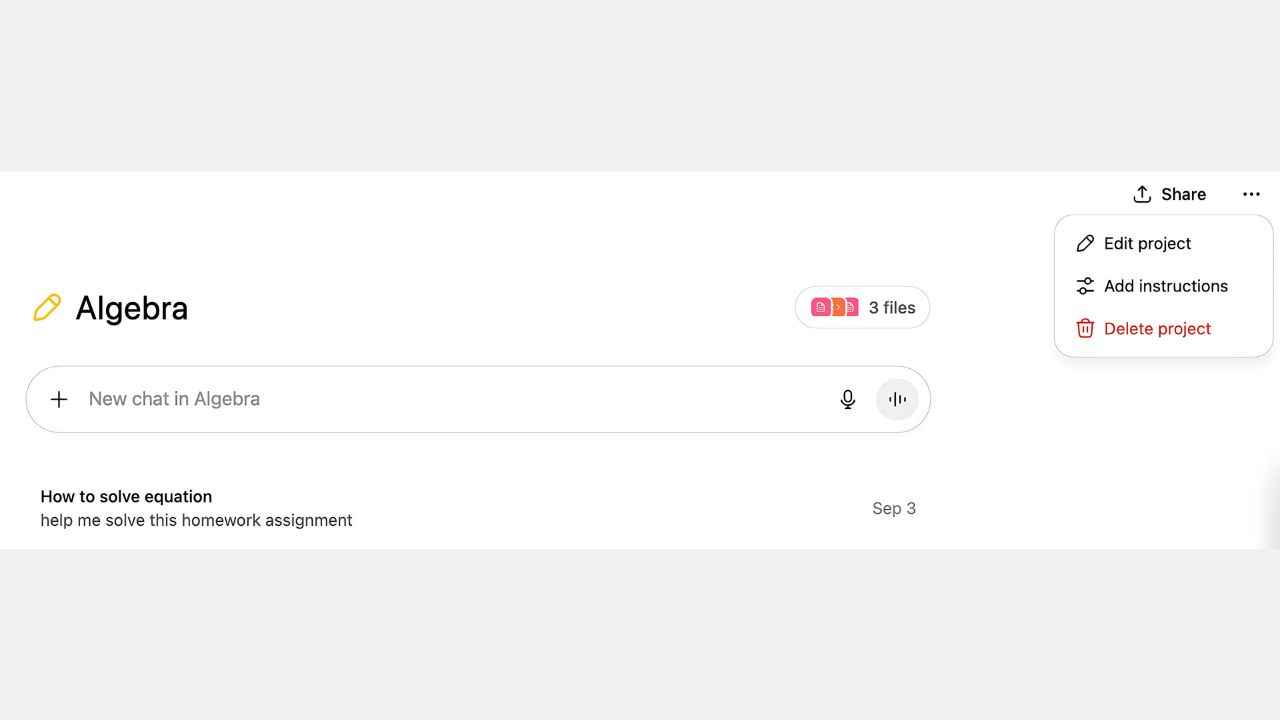
Instead of juggling dozens of separate conversations or manually re-feeding context every time, Projects keep things persistent. That means your AI assistant can “remember” the context of that specific project, whether it’s a coding task, a research document, or a startup idea you’re developing. This structured environment ensures ChatGPT stays on-topic, whether you’re brainstorming, researching, or writing without losing context when you switch devices.
What is the best way to use ChatGPT Projects?
Projects shine by bringing context, structure, and continuity to your AI workflows. Here’s how you can make the most of them:
- Structure your work: Think of Projects as folders – each workspace keeps chats, uploaded files, and instructions grouped around a specific goal (essay, research report, coding bug, etc.).
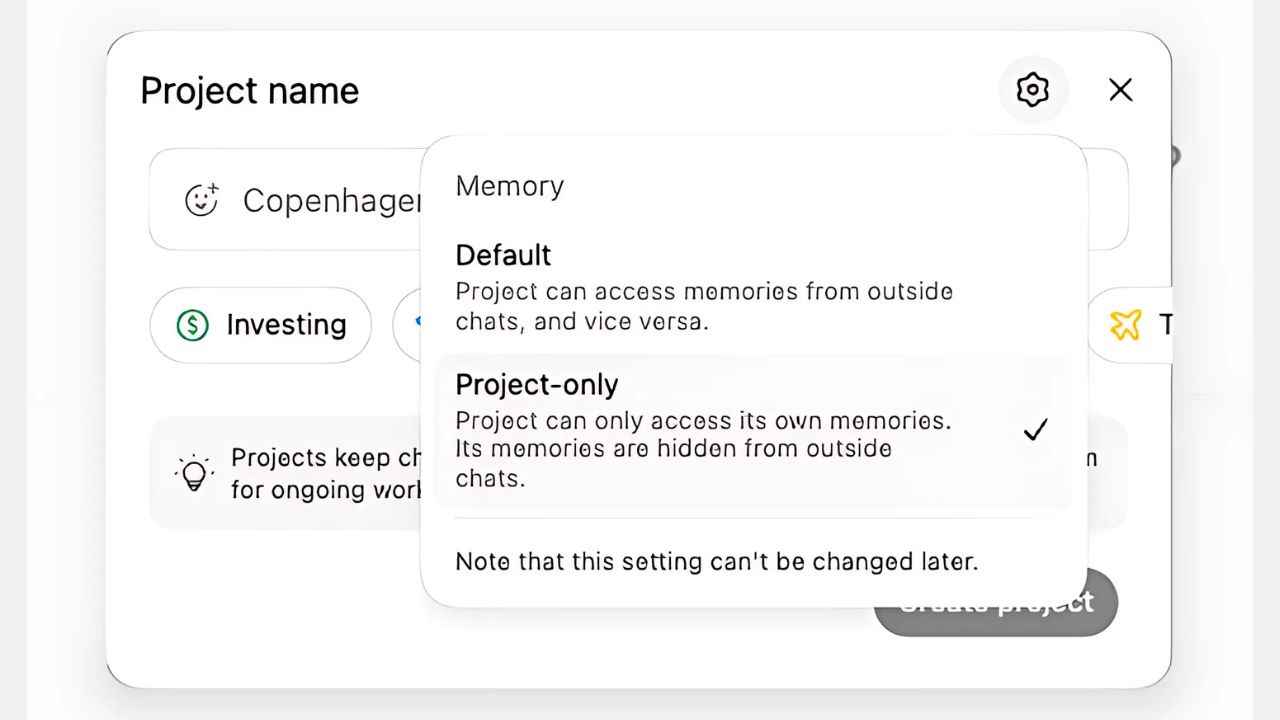
- Use memory controls: Tailor what ChatGPT remembers at the project level for more precise, relevant responses.
- Customize for clarity: Now, you can personalize each Project with your own choice of colors and icons to quickly spot and switch between workspaces.
- Upload documents strategically: Free users can now upload up to five files per project, perfect for research references, draft versions, or multimedia inputs. Paid tiers get higher limits (25 for Plus, 40 for Pro/Enterprise).
These improvements mean your Project becomes a true repository and command center, ideal for iterative work, ongoing editing, or multi-step problem-solving.
Also read: Google to the rescue? Apple may use Gemini to power improved Siri
Is ChatGPT Projects available for free users?
Yes; as of September 3, 2025, OpenAI has officially opened the Projects feature to free-tier users globally. Previously restricted to paid plans, Projects are now accessible on web and Android immediately, with an iOS rollout to follow soon.
This update significantly expands access to one of the platform’s most powerful organizational tools, broadening opportunities for students, freelancers, and curious hobbyists alike
Is the ChatGPT Project good?
Yes – now better than ever.
What Works:
- Improved accessibility: Free users can finally benefit from persistent, context-aware workspaces.
- Enhanced organization: Memory control and visual customization make Projects more intuitive and efficient.
- Clear scalability: File upload limits across tiers reflect thoughtful tiered access.
What is missing
- iOS rollout pending: Though available on web and Android, iOS users will gain access in the near future.
- Feature maturity: While robust already, some advanced functionality (like deeper memory persistence or seamless team collaboration) may still evolve over time.
- Learning curve: Users might need a moment to grasp the best way to structure and manage Projects effectively.
That said, for anyone juggling complex tasks, the upgrades make Projects even more indispensable. With Projects now accessible to free users and bolstered by custom uploads, memory controls, and visual organization, ChatGPT has taken a huge step toward becoming a truly versatile AI workspace. Whether you’re coding, studying, writing, or planning, Projects gives you the structure and context to work smarter, not harder.
Also read: ChatGPT parental controls explained: How OpenAI is trying to reduce risk in AI chats
 Follow Us
Vyom Ramani
A journalist with a soft spot for tech, games, and things that go beep. While waiting for a delayed metro or rebooting his brain, you’ll find him solving Rubik’s Cubes, bingeing F1, or hunting for the next great snack. View Full Profile


